

The SAP BTP API Management section displays components from your SAP Business Technology Platform API Management services organized into Products, Providers, and Proxies. This inventory helps organizations manage API lifecycle governance, track backend service connections, enforce security policies and control consumer access through bundled API products with quotas and rate limiting.
Navigate to Inventory → Data Sources → SAP → BTP → API Management → <Data Source Name> to access these component catalogs.
Products
The Products catalog displays API product bundles that package one or more API proxies for consumer access. This view helps you understand how APIs are organized into consumable packages with different service tiers, quotas and billing models to control developer access and enforce business policies.
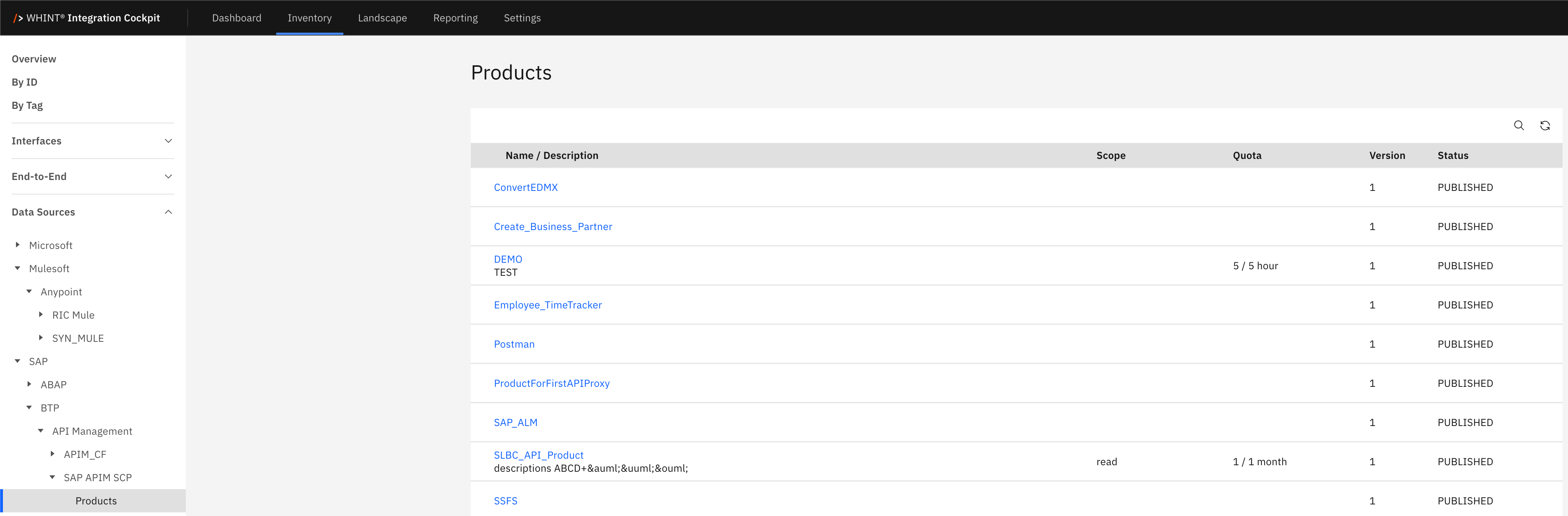
What you see:
-
Name / Description: Product identifier with descriptive text below (clickable)
-
Scope: Access scope level (read, write, etc.)
-
Quota: Rate limiting configuration (calls per time period)
-
Version: Product version number
-
Status: Publication status (PUBLISHED/UNPUBLISHED)
Product Detail View
Clicking a product name opens a detailed view showing:
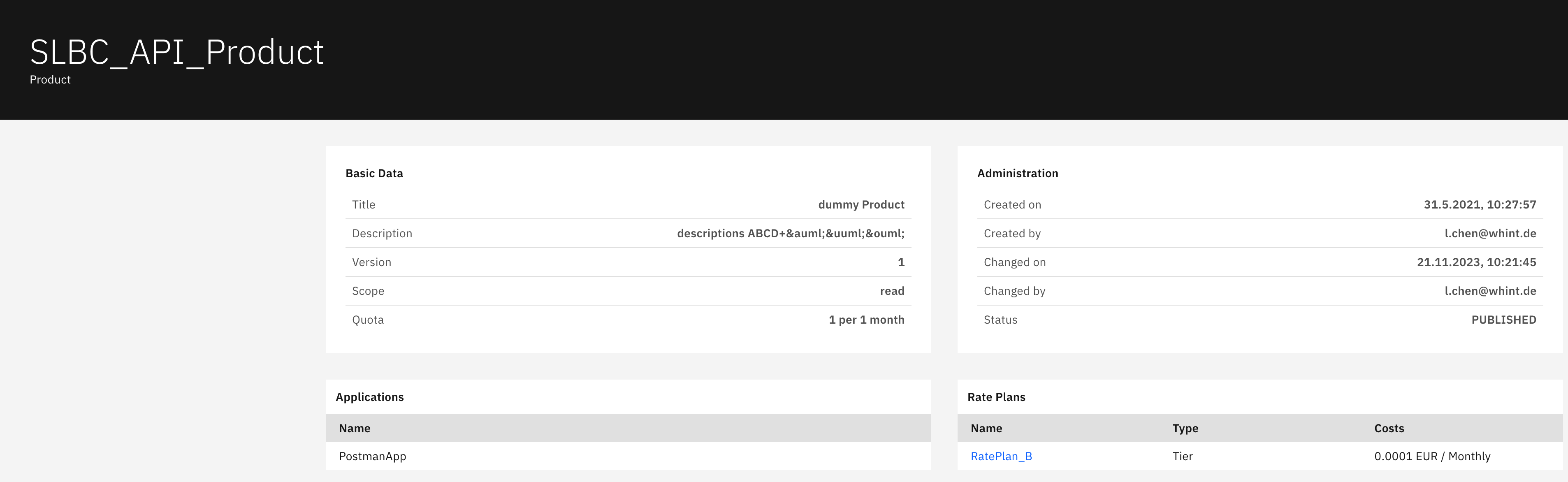
Basic Data section displays:
-
Title: Product identifier
-
Description: Product description text
-
Version: Product version number
-
Scope: Access permissions level
-
Quota: Rate limiting configuration (e.g. "1 per 1 month")
Administration section displays:
-
Created on: Product creation timestamp
-
Created by: Creator's email address
-
Changed on: Last modification timestamp
-
Changed by: Last modifier's email address
-
Status: Current publication state (PUBLISHED)
Applications section displays:
-
Name: Consumer application identifier subscribed to this product
Rate Plans section displays:
-
Name: Rate plan identifier (clickable)
-
Type: Plan classification (Tier)
-
Costs: Pricing information (e.g. "0.0001 EUR / Monthly")
Providers
The Providers catalog displays backend systems that provide APIs and data services for proxy consumption. This view helps you understand backend service connectivity, regional distribution and provider types to manage the underlying systems that API proxies connect to for data processing.
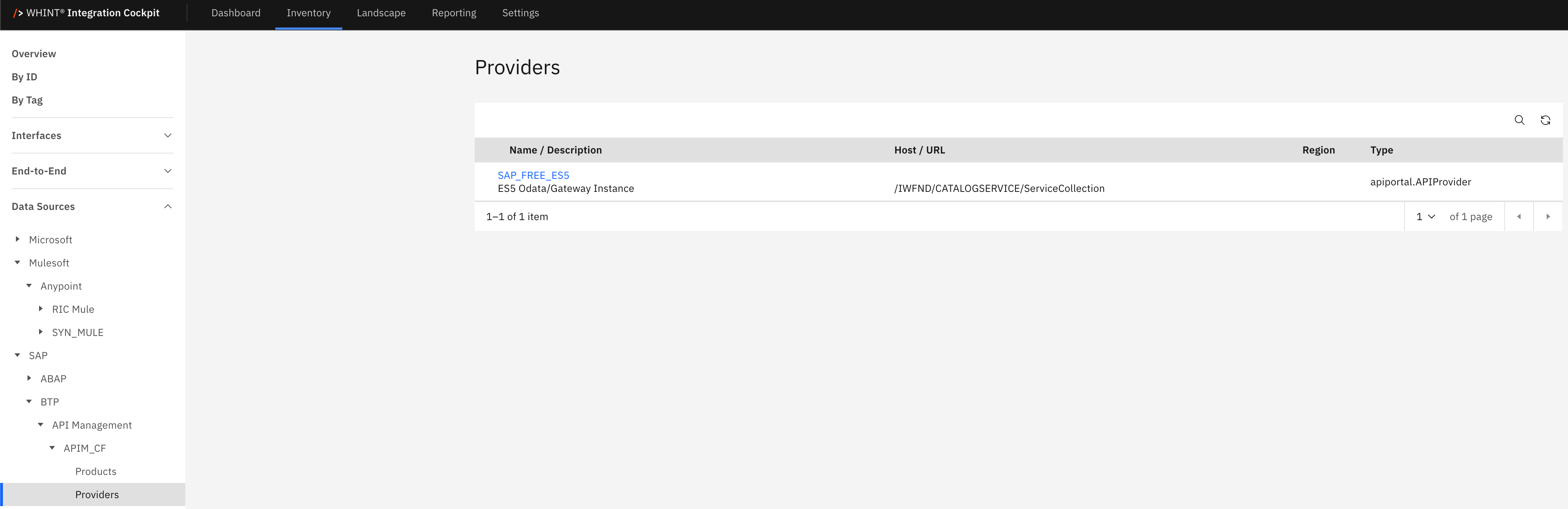
What you see:
-
Name / Description: Provider identifier with description text below (clickable)
-
Host / URL: Backend service endpoint or hostname
-
Region: Geographic deployment region
-
Type: Provider classification (e.g. apiportal.APIProvider)
Provider Detail View
Clicking a provider name opens a detailed view showing:
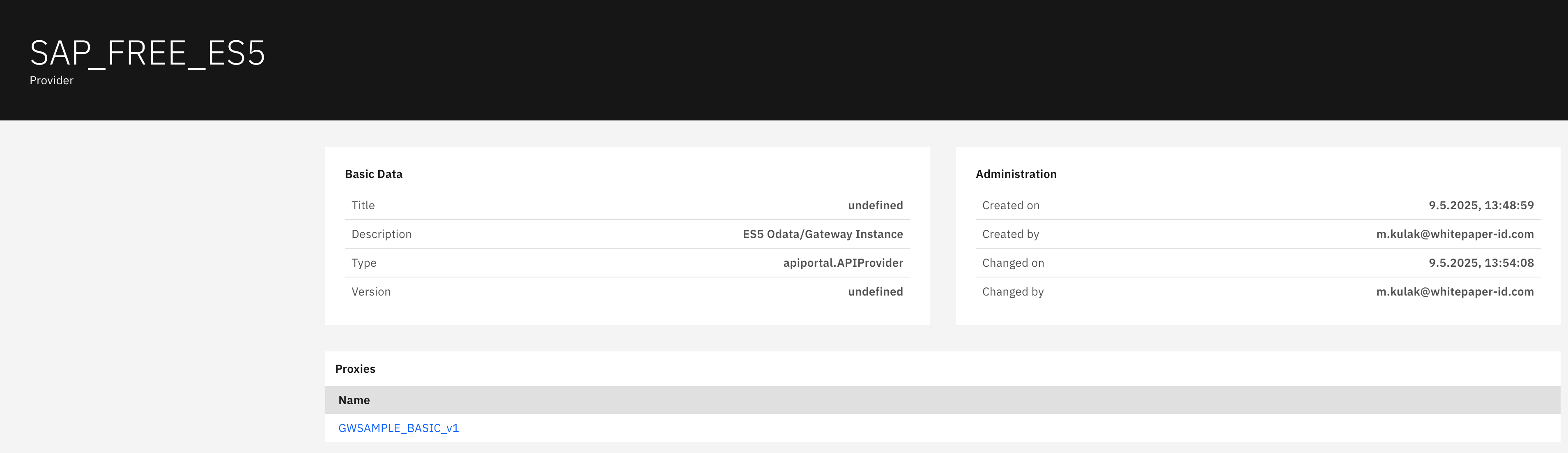
Basic Data section displays:
-
Title: Provider identifier
-
Description: Provider description (e.g. "ES5 OData/Gateway Instance")
-
Type: Provider classification
-
Version: Provider version information
Administration section displays:
-
Created on: Provider creation timestamp
-
Created by: Creator's email address
-
Changed on: Last modification timestamp
-
Changed by: Last modifier's email address
Proxies section displays:
-
Name: API proxy identifier using this provider (clickable)
Proxies
The Proxies catalog displays API proxy implementations that provide security, management, and policy enforcement layers between backend services and consumers. This view helps you track API proxy deployments, versions and operational states to manage the security and access control for your API endpoints.
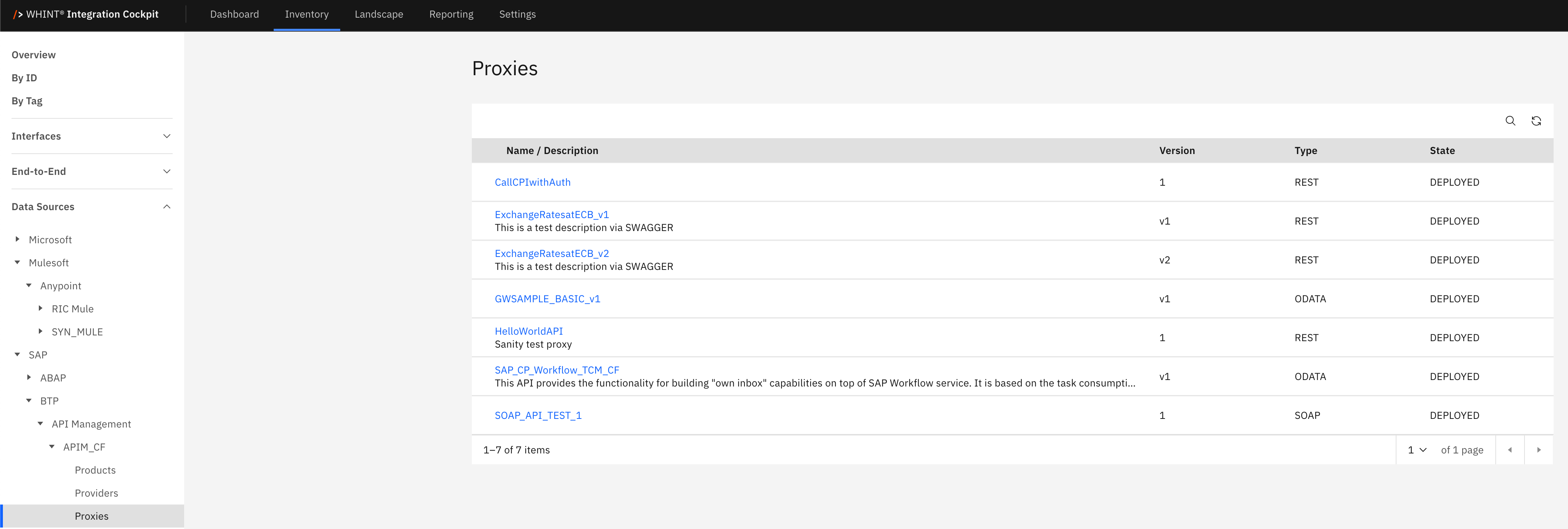
What you see:
-
Name / Description: Proxy identifier with description text below (clickable)
-
Version: Proxy version number
-
Type: API protocol type (REST, SOAP, ODATA)
-
State: Deployment status (DEPLOYED)
Proxy Detail View
Clicking a proxy name opens a detailed view showing:
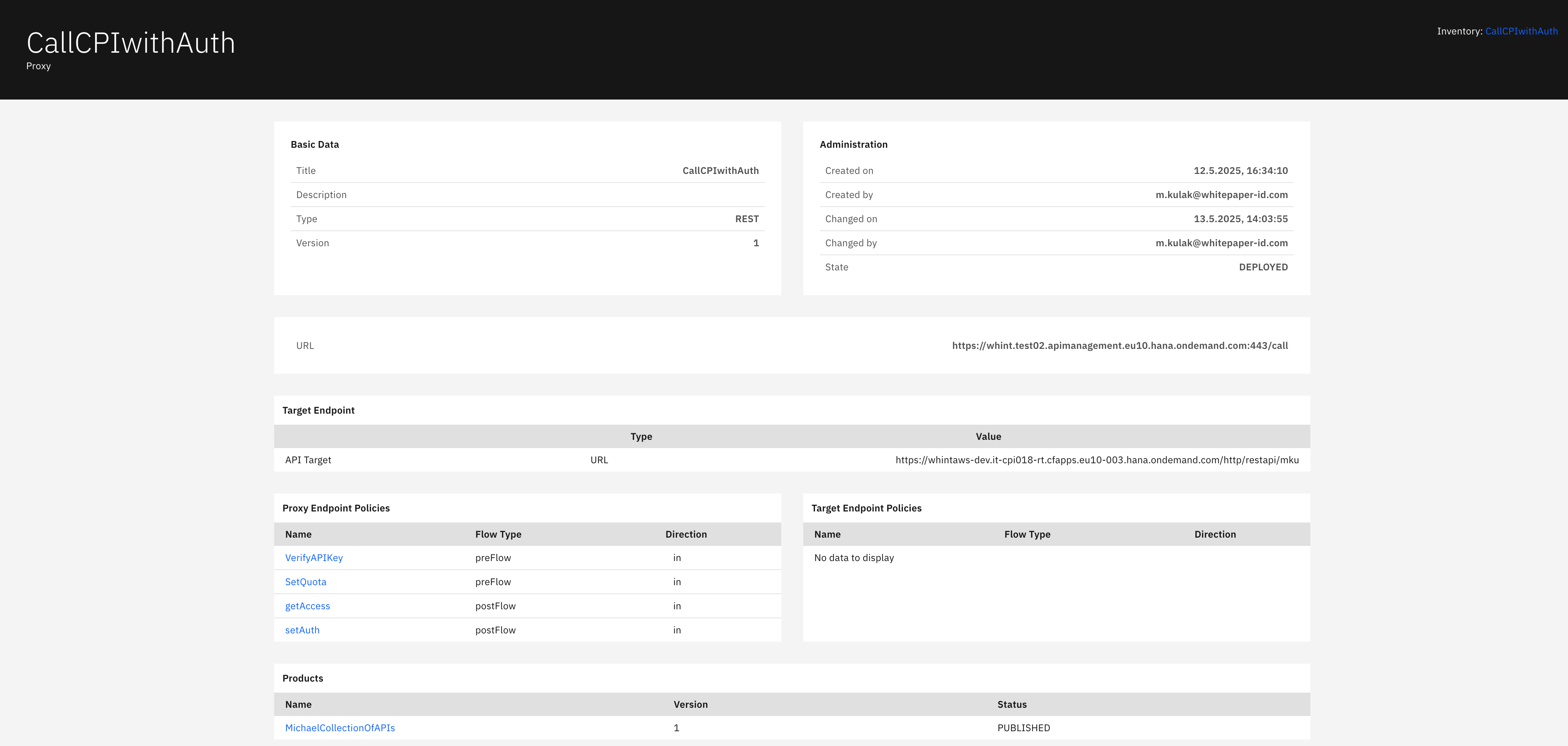
Basic Data section displays:
-
Title: Proxy identifier
-
Description: Proxy description text
-
Type: API protocol type (REST)
-
Version: Proxy version number
Administration section displays:
-
Created on: Proxy creation timestamp
-
Created by: Creator's email address
-
Changed on: Last modification timestamp
-
Changed by: Last modifier's email address
-
State: Current deployment status (DEPLOYED)
URL section displays:
-
URL: Public API proxy endpoint for consumer access
Target Endpoint section displays:
-
Type: Endpoint type (URL)
-
Value: Backend service URL that the proxy connects to
Proxy Endpoint Policies section displays:
-
Name: Policy identifier (clickable)
-
Flow Type: Policy execution phase (preFlow, postFlow)
-
Direction: Policy direction (in)
Target Endpoint Policies section displays:
-
Shows "No data to display" when no target endpoint policies are configured
Products section displays:
-
Name: Product identifier that includes this proxy (clickable)
-
Version: Product version number
-
Status: Product publication status (PUBLISHED)
Navigation
All catalog views include:
-
Search icon (magnifying glass) in the top right toolbar
-
Refresh icon next to the search
-
Pagination controls showing item counts (e.g. "1-7 of 7 items")
-
Blue-highlighted names that open detailed views with additional configuration information
Last Updated: September 09, 2025