

The Integration Cockpit supports both Solace PubSub+ and SAP Advanced Event Mesh through this unified data source section. SAP Advanced Event Mesh is built on Solace PubSub+ technology, which means both platforms share identical component types and interfaces within the Integration Cockpit.
The Solace Event Mesh section displays event streaming and messaging components that enable real-time event distribution across distributed enterprise environments. This inventory helps organizations manage event-driven architectures, guaranteed message delivery, REST-based integrations, and access control for secure event distribution across cloud, on-premises and hybrid deployments.
Navigate to Inventory → Data Sources → Solace → Event Mesh → <Data Source Name> → <Environment> to access these component catalogs.
Queues
The Queues catalog displays durable messaging endpoints that store and deliver guaranteed messages for asynchronous communication patterns. This view helps you understand message queue ownership, dead letter queue configurations and persistent messaging infrastructure for reliable event delivery.
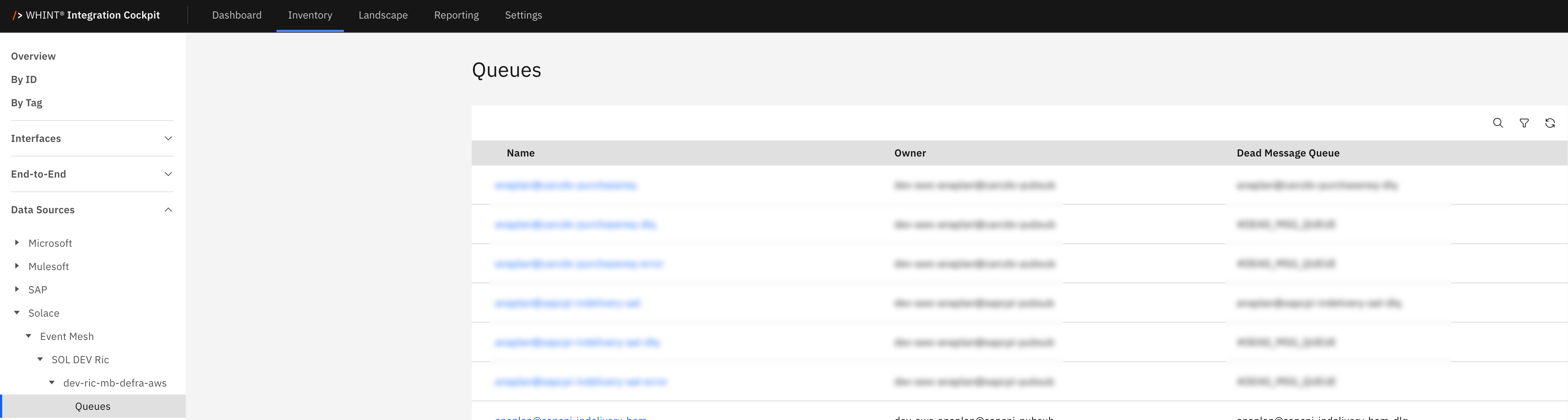
What you see:
-
Name: Queue identifier (clickable)
-
Owner: Queue owner account or service
-
Dead Message Queue: Associated dead letter queue for failed message handling
Queue Detail View
Clicking a queue name opens a detailed view showing:
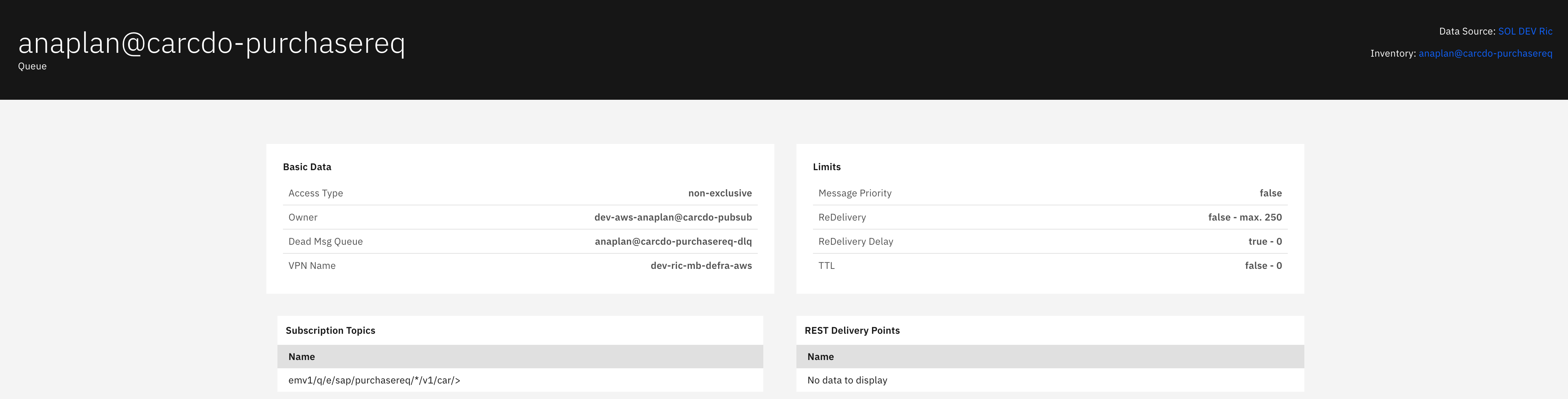
Basic Data section displays:
-
Access Type: Queue access mode (non-exclusive/exclusive)
-
Owner: Queue owner identifier
-
Dead Msg Queue: Dead letter queue name for undeliverable messages
-
VPN Name: Message VPN containing the queue
Limits section displays:
-
Message Priority: Priority handling configuration (false - no priority/true - priority enabled)
-
ReDelivery: Redelivery attempt settings (false - max. 250)
-
ReDelivery Delay: Delay between redelivery attempts (true - 0)
-
TTL: Time-to-live settings for messages (false - 0)
Subscription Topics section displays:
-
Name: Topic subscription patterns that route messages to this queue
REST Delivery Points section displays:
-
Name: Associated REST delivery points for HTTP-based message consumption
Note: Shows "No data to display" when no REST delivery points are configured
REST Delivery Points
The REST Delivery Points catalog displays HTTP-based message delivery endpoints that bridge event-driven messaging with REST/HTTP services. This view helps you understand how guaranteed messages are delivered to REST consumers, including queue bindings and access control configurations.
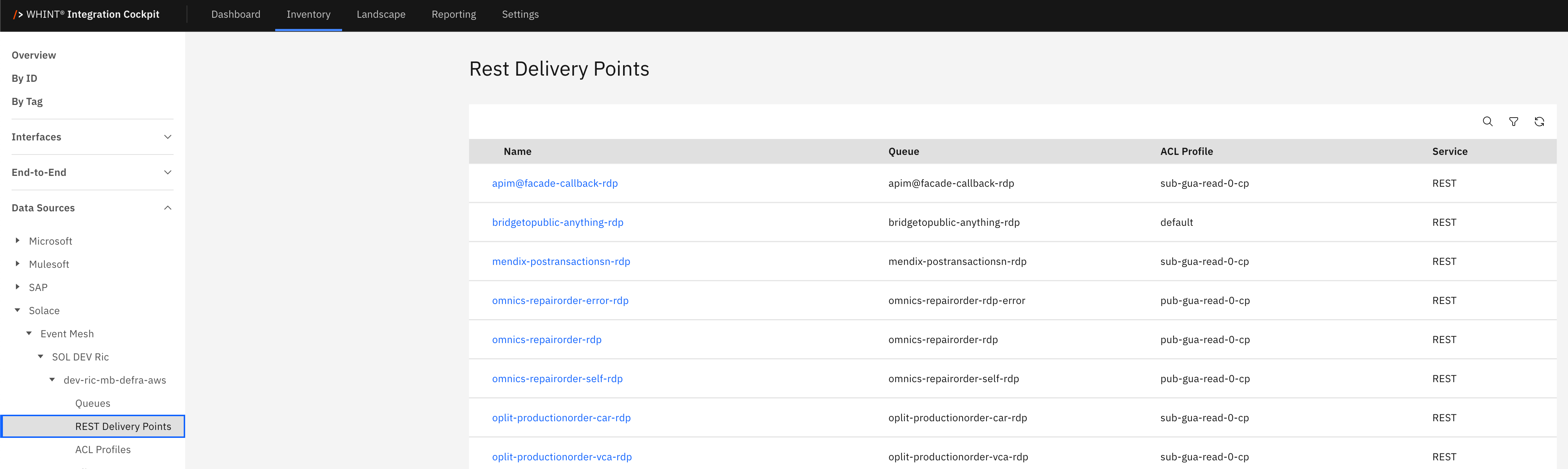
What you see:
-
Name: REST delivery point identifier (clickable)
-
Queue: Associated message queue source
-
ACL Profile: Access control profile for security enforcement
-
Service: Service type (REST)
REST Delivery Point Detail View
Clicking a REST delivery point name opens a detailed view showing:
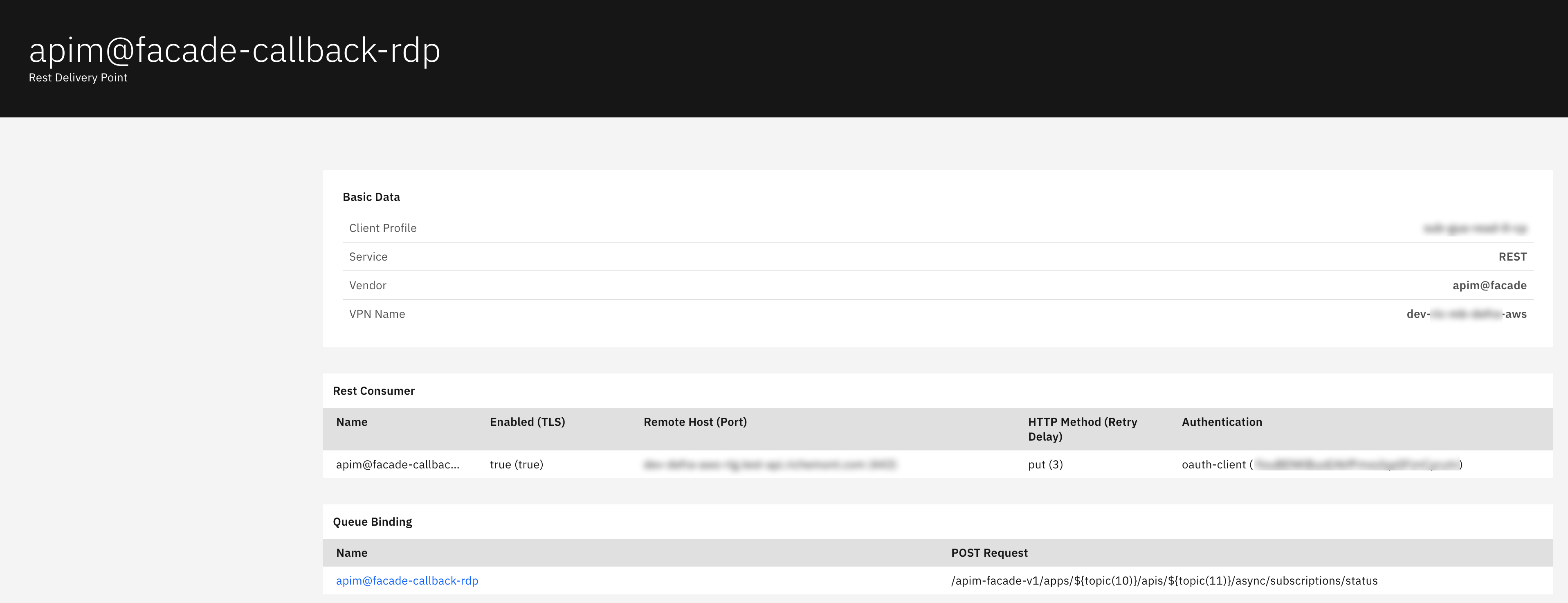
Basic Data section displays:
-
Client Profile: Associated client profile configuration
-
Service: Delivery service type (REST)
-
Vendor: REST delivery point vendor identifier
-
VPN Name: Message VPN containing the delivery point
Rest Consumer section displays:
-
Name: REST consumer identifier
-
Enabled (TLS): TLS encryption status (true/false)
-
Remote Host (Port): Target HTTP endpoint and port
-
HTTP Method (Retry Delay): HTTP method and retry configuration (PUT with retry count)
-
Authentication: Authentication method (oauth-client)
Queue Binding section displays:
-
Name: Bound queue identifier
-
POST Request: HTTP POST request URL path for message delivery
ACL Profiles
The ACL Profiles catalog displays access control configurations that define security policies for client publish and subscribe permissions. This view helps you manage topic-level security, client access controls and messaging authorization policies across your event mesh.
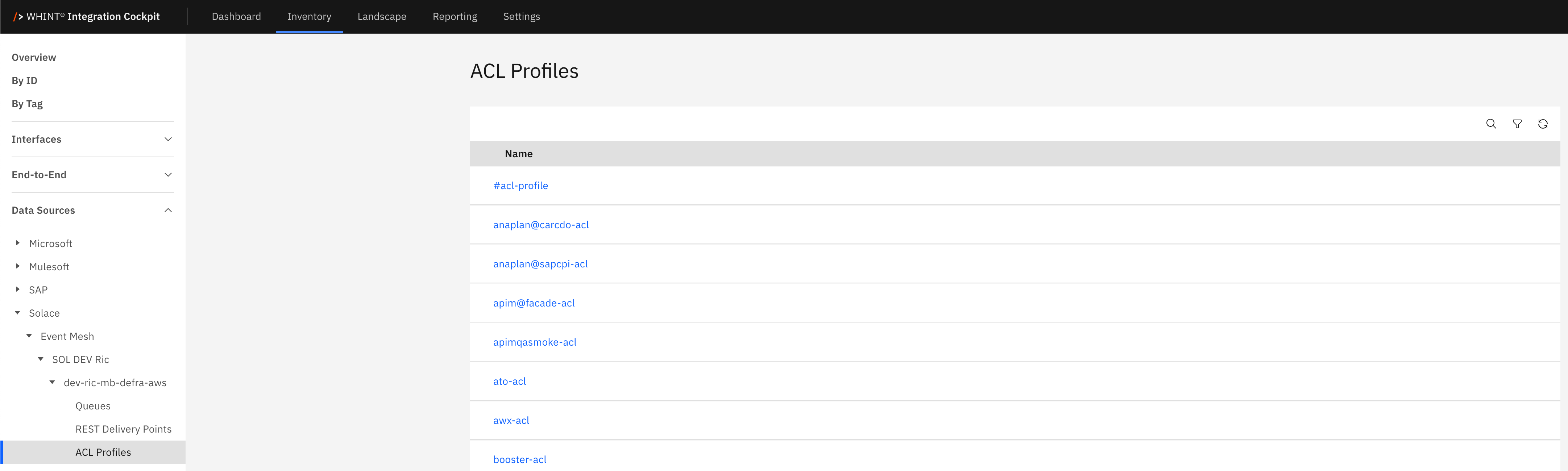
What you see:
-
Name: ACL profile identifier (clickable)
ACL Profile Detail View
Clicking an ACL profile name opens a detailed view showing:
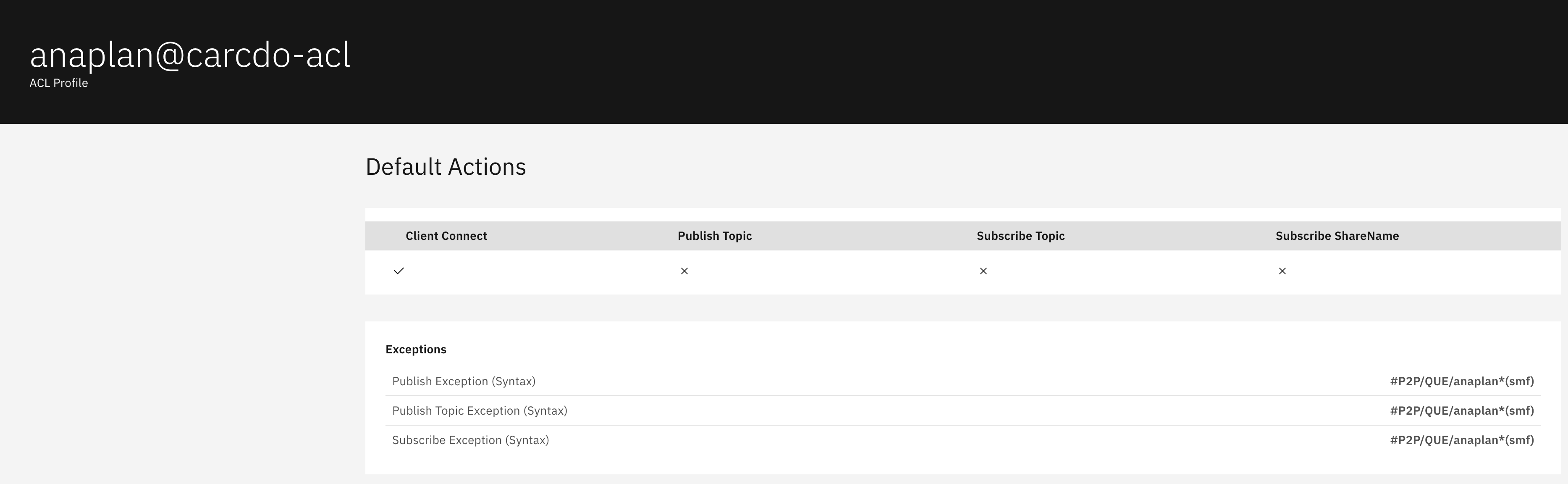
Default Actions section displays:
-
Client Connect: Connection permission (✓ allowed, ✗ denied)
-
Publish Topic: Topic publishing permission (✗ denied by default)
-
Subscribe Topic: Topic subscription permission (✗ denied by default)
-
Subscribe ShareName: Shared subscription permission (✗ denied by default)
Exceptions section displays:
-
Publish Exception (Syntax): Topic patterns with publish exceptions
-
Publish Topic Exception (Syntax): Specific topic publish exceptions
-
Subscribe Exception (Syntax): Topic patterns with subscribe exceptions
Note: ACL profiles use a default-deny approach with specific exceptions allowing access to designated topic patterns, enabling fine-grained security control over message access.
Client User Names
The Client User Names catalog displays client identity configurations that associate user accounts with security profiles and access permissions. This view helps you manage client authentication, authorization and access control for secure event mesh connectivity.
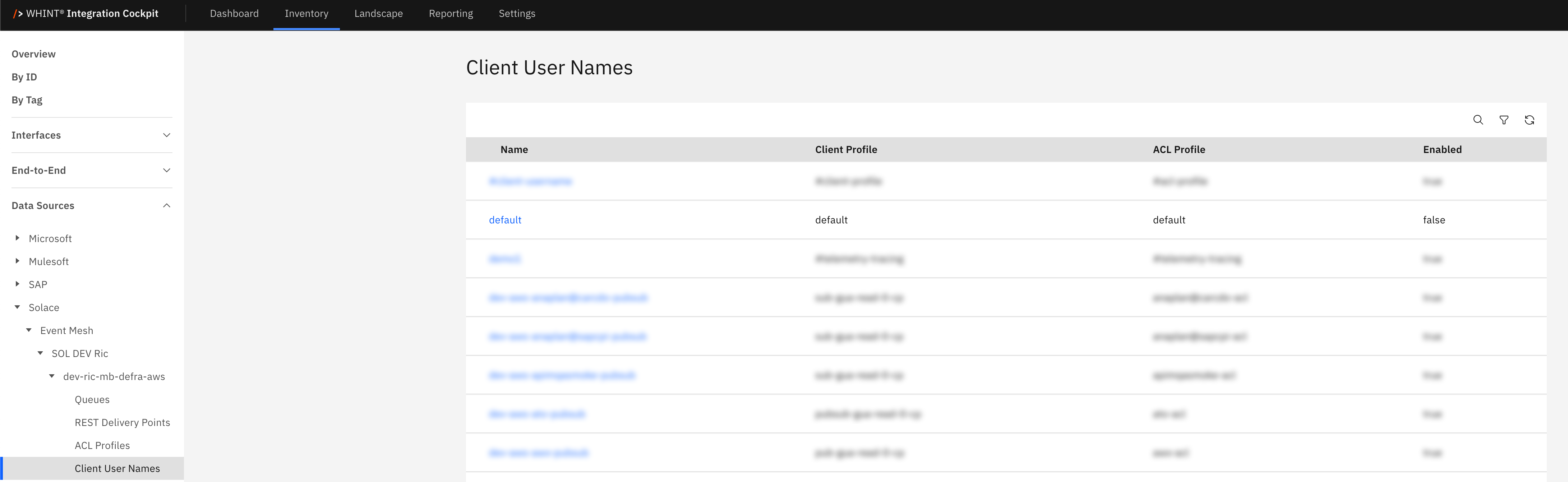
What you see:
-
Name: Client username identifier (clickable)
-
Client Profile: Associated client profile for connection settings
-
ACL Profile: Associated ACL profile for access control
-
Enabled: Client account status (true/false)
Client User Name Detail View
Clicking a client username opens a detailed view showing:
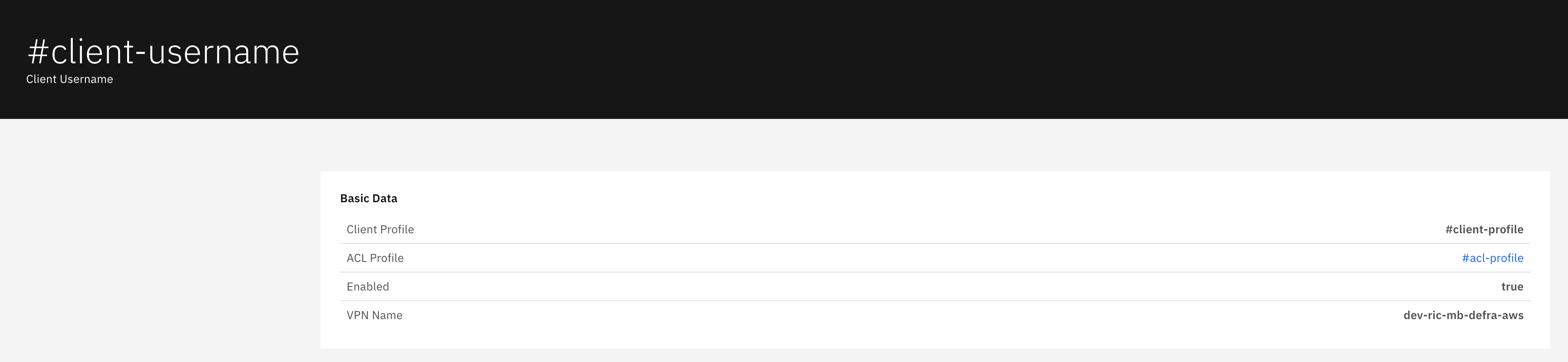
Basic Data section displays:
-
Client Profile: Associated client profile identifier
-
ACL Profile: Associated ACL profile for security policies
-
Enabled: Account enabled status (true/false)
-
VPN Name: Message VPN containing the client configuration
Navigation
All catalog views include:
-
Search icon (magnifying glass) in the top right toolbar
-
Refresh icon next to the search
-
Blue-highlighted names that open detailed views with additional configuration information
Last Updated: September 10, 2025