

The Microsoft Azure API Management section displays discovered components from your Azure API Management services organized into four catalog views: APIs, Backends, Products and Subscriptions. This inventory helps organizations understand their API portfolio, track service dependencies, manage consumer access and maintain governance oversight.
Navigate to Data Sources → Microsoft → Azure → <Azure Subscription> → <Resource Group> → <Data Source Name> → API Management to access these component catalogs.
APIs
The APIs catalog displays a table of discovered APIs with their associated services and revision information. This view helps you understand your complete API portfolio and identify available operations for application development and integration planning.
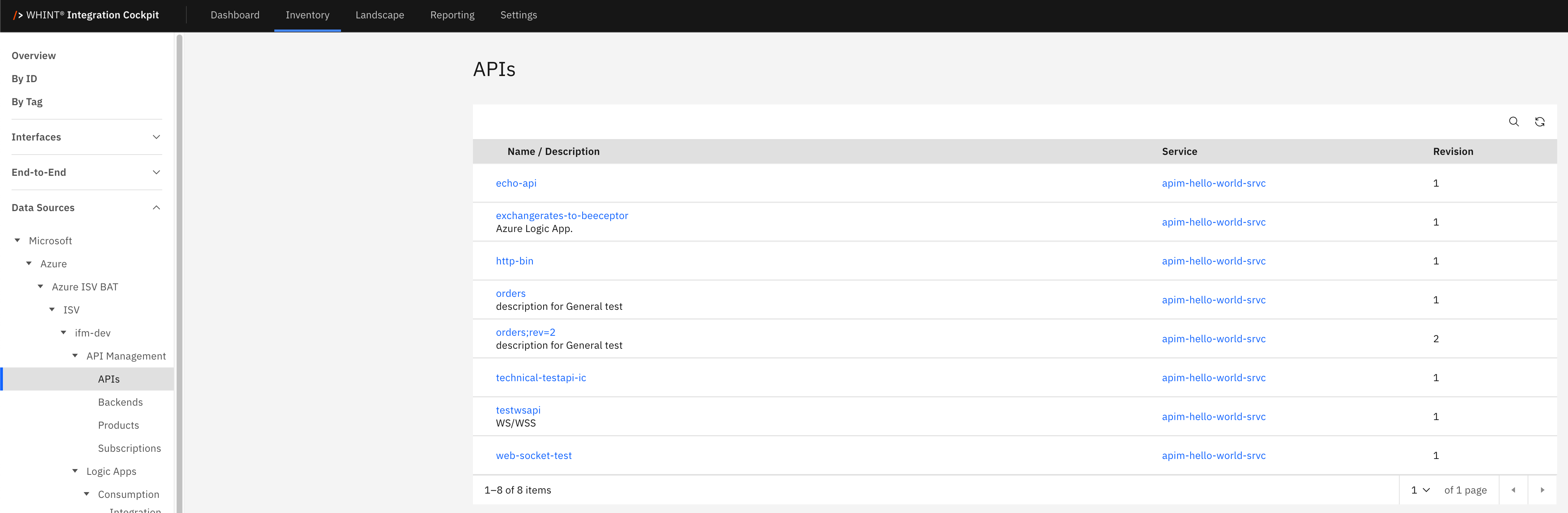
What you see:
-
Name / Description: API identifier with descriptive text below
-
Service: Associated service name
-
Revision: Version number for the API
API Detail View
Clicking an API name opens a detailed view showing:
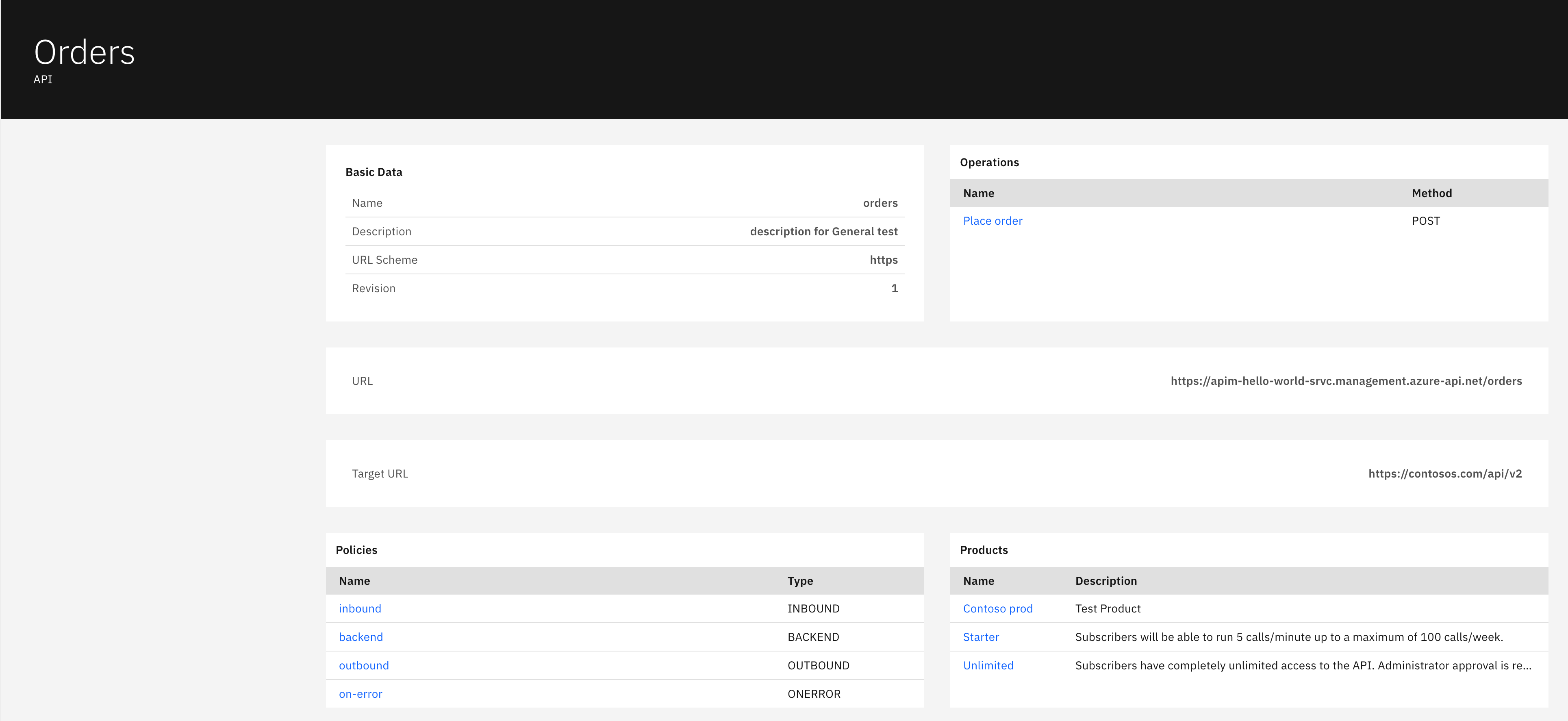
Basic Data section displays:
-
Name: API identifier
-
Description: API description text
-
URL Scheme: Protocol used (e.g. https)
-
Revision: Version number
Operations section displays:
-
Name: Operation identifier (clickable)
-
Method: HTTP method (POST, GET, etc.)
Policies section displays:
-
Name: Policy identifier (clickable)
-
Type: Policy type (INBOUND, BACKEND, OUTBOUND, ONERROR)
Products section displays:
-
Name: Product name (clickable)
-
Description: Product description
The detail view also shows URL and Target URL fields with full endpoint addresses.
Backends
The Backends catalog displays backend services with connection and authentication details. This view helps you understand service dependencies and backend architecture, showing which actual services your APIs connect to for processing.
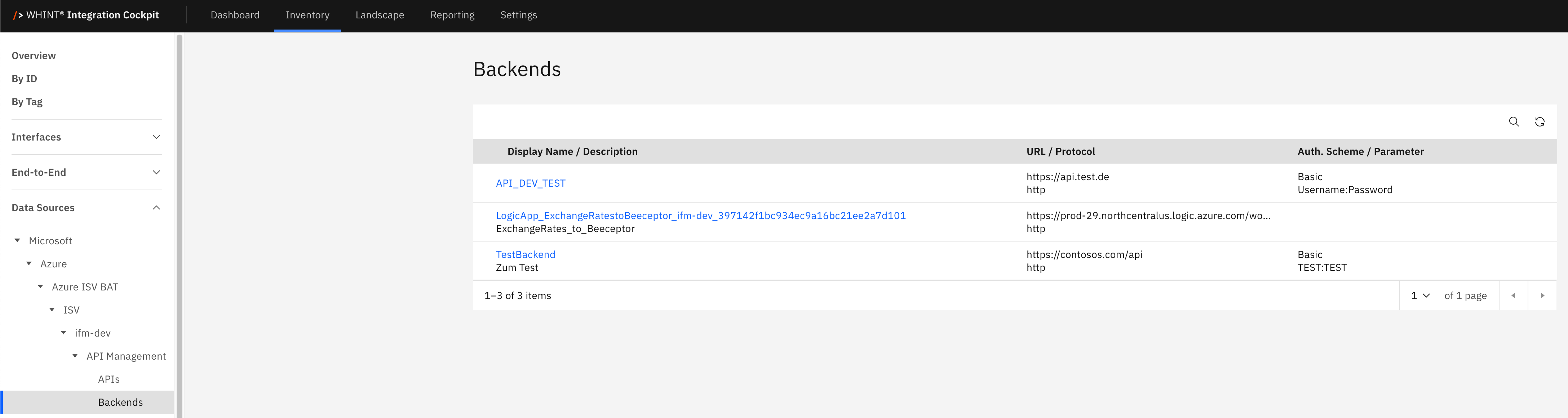
What you see:
-
Display Name / Description: Backend service identifier with description text below
-
URL / Protocol: Service endpoint URL and protocol (http/https)
-
Auth. Scheme / Parameter: Authentication method and credential details
Backend Detail View
Clicking a backend name opens a detailed view showing:
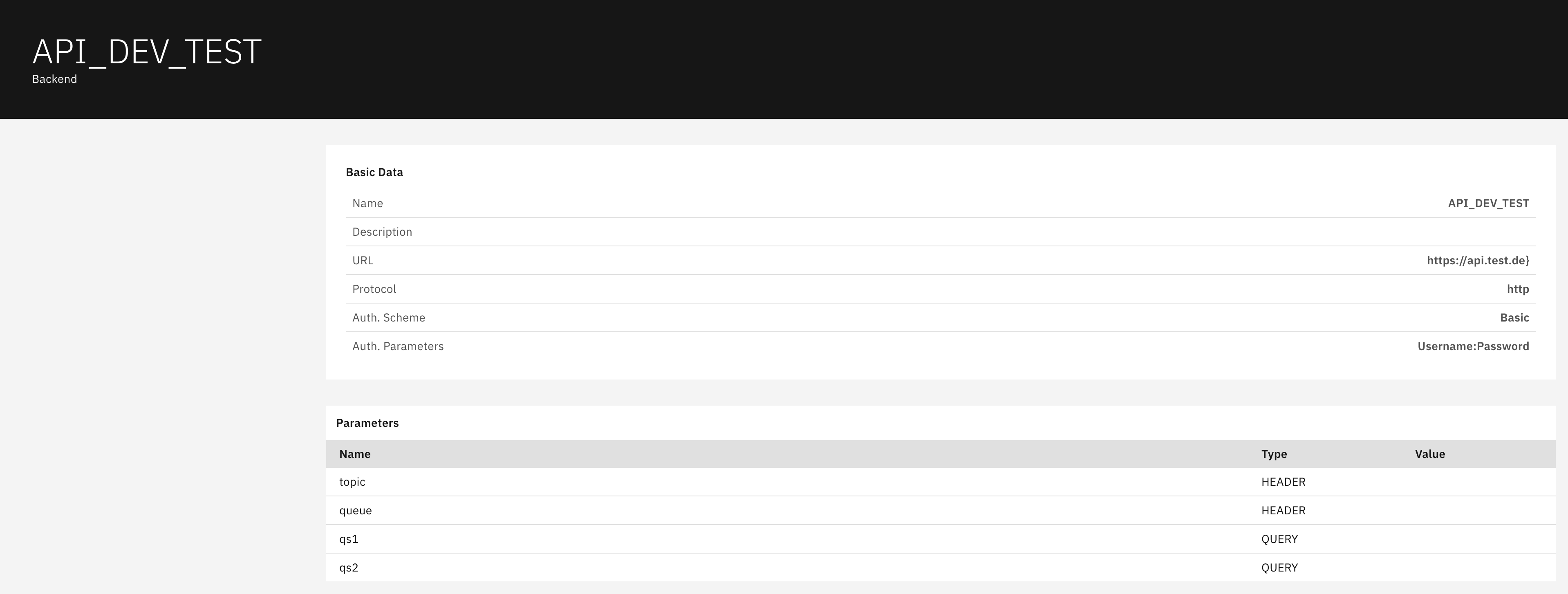
Basic Data section displays:
-
Name: Backend identifier
-
Description: Backend description
-
URL: Full backend service URL
-
Protocol: Communication protocol
-
Auth. Scheme: Authentication method
-
Auth. Parameters: Authentication credential details
Parameters section displays:
-
Name: Parameter identifier
-
Type: Parameter type (HEADER, QUERY, etc.)
-
Value: Parameter value (when present)
Products
The Products catalog displays API product offerings with publication status and access requirements. This view helps you understand how APIs are bundled for different consumer tiers and access levels, including which products require subscriptions versus open access.
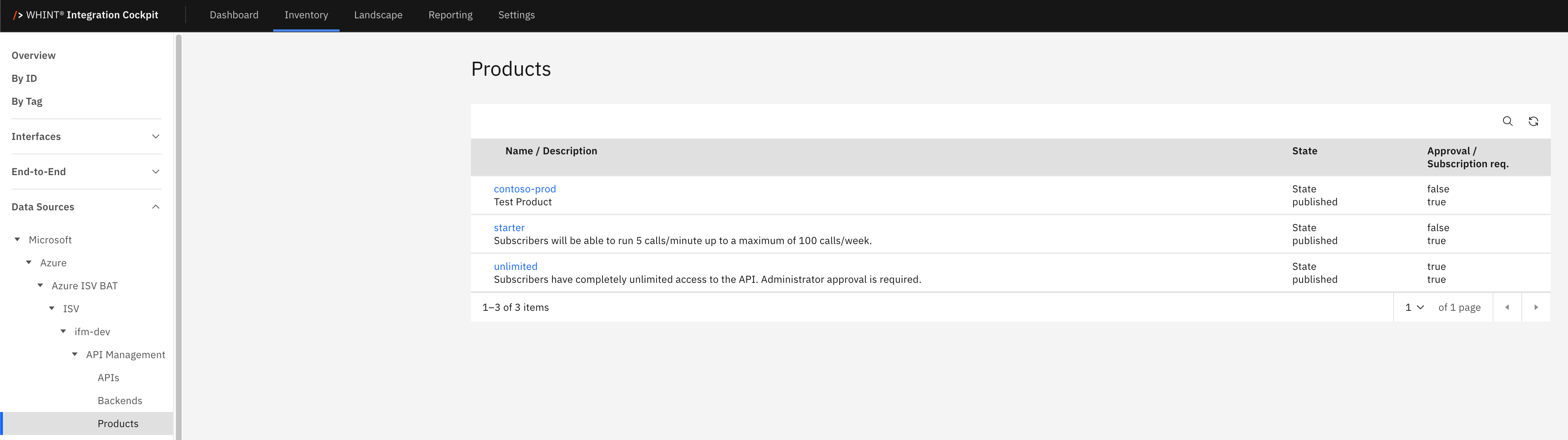
What you see:
-
Name / Description: Product identifier with description text below
-
State: Publication status (published/unpublished)
-
Approval / Subscription req.: Access requirement settings (true/false)
Product Detail View
Clicking a product name opens a detailed view showing:
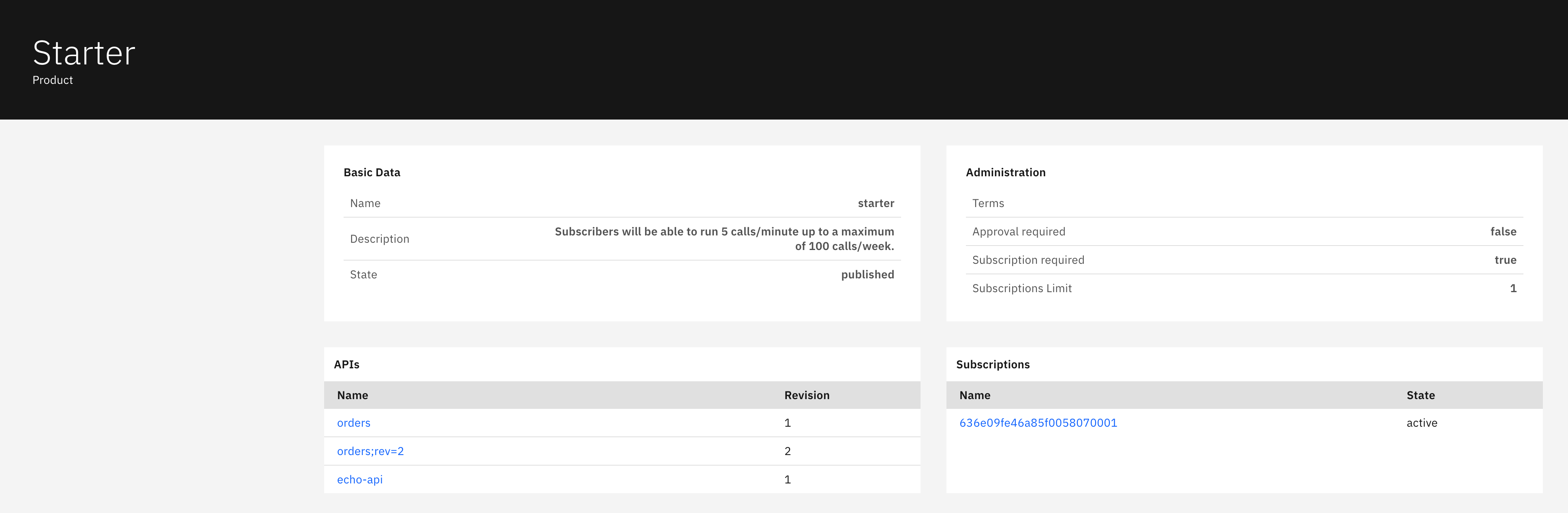
Basic Data section displays:
-
Name: Product identifier
-
Description: Product description text
-
State: Current publication state
Administration section displays:
-
Terms: Terms information
-
Approval required: Whether approval is needed (true/false)
-
Subscription required: Whether subscription is needed (true/false)
-
Subscriptions Limit: Maximum number of subscriptions
APIs section displays:
-
Name: API name included in this product (clickable)
-
Revision: API version number
Subscriptions section displays:
-
Name: Subscription identifier (clickable)
-
State: Subscription status
Subscriptions
The Subscriptions catalog displays consumer subscriptions with status and associated products. This view helps you track who has access to which API products and manage consumer subscription lifecycle, including active, cancelled, and suspended access states.
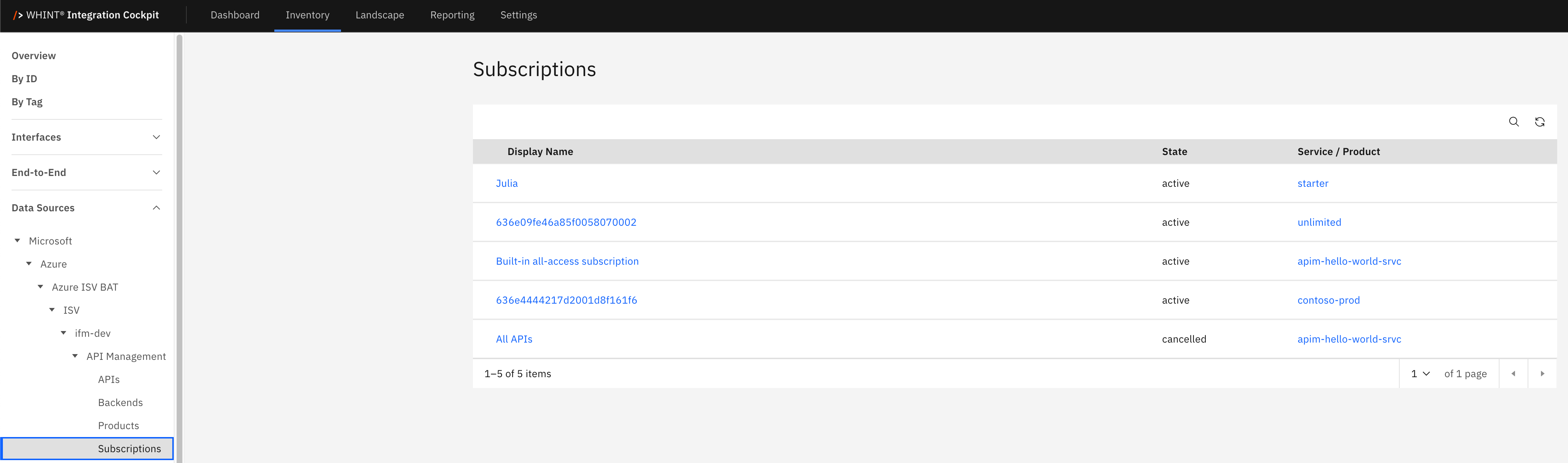
What you see:
-
Display Name: Subscription identifier or consumer name
-
State: Current subscription status (active, cancelled, etc.)
-
Service / Product: Associated product or service name (clickable)
Subscription Detail View
Clicking a subscription name opens a detailed view showing:
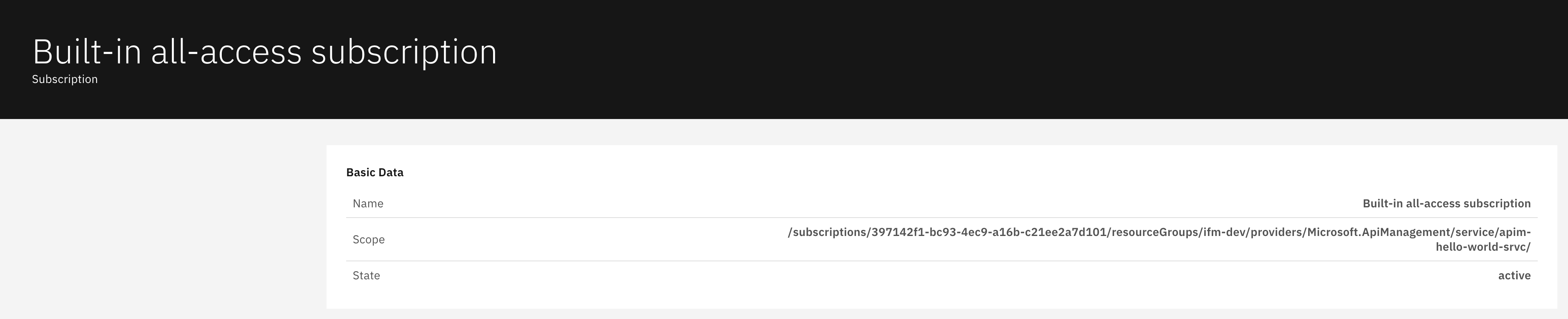
Basic Data section displays:
-
Name: Full subscription identifier
-
Scope: Resource path defining subscription boundaries
-
State: Current subscription status
Navigation
All catalog views include:
-
Search icon (magnifying glass) in the top right toolbar
-
Refresh icon next to the search
-
Blue-highlighted names that open detailed views with additional configuration information
Last Updated: September 08, 2025