Deployment & Architecture
Which deployment options are offered?
You can mainly choose between:
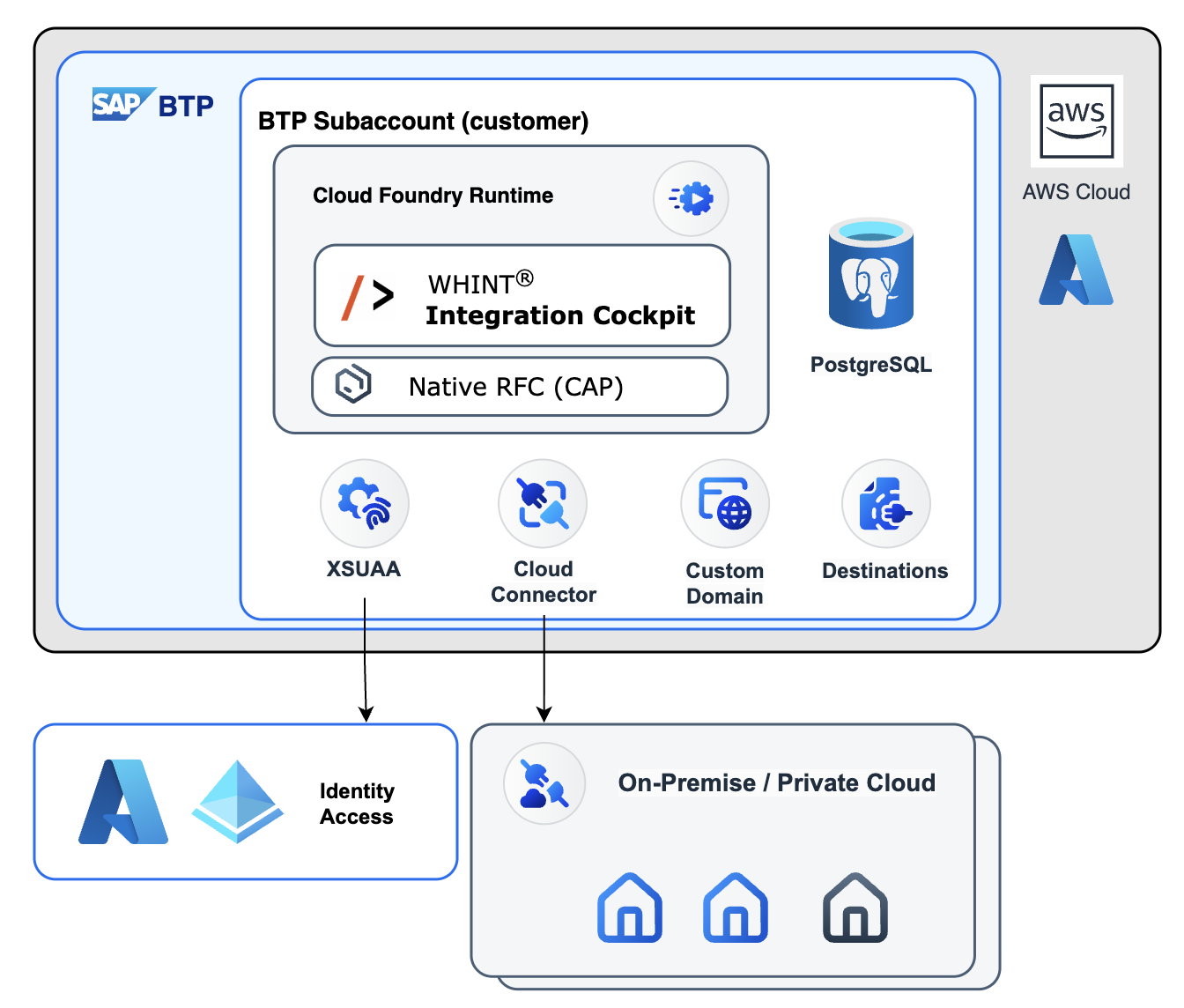
The SaaS-approach where WHINT is hosting your application and database in our SAP BTP subaccount
Use your own subaccount with your own resources.
What resources are required if I want to operate the solution in my own Subaccount?
SAP BTP, Cloud Foundry Runtime (Standard): 1 * GB Memory
PostgreSQL on SAP BTP, hyperscaler option (Premium): 1 * Memory In 4gb Blocks
PostgreSQL on SAP BTP, hyperscaler option (Storage): 4 * Storage In 5gb Blocks
💡
Depending on your traffic, we recommend scaling storage 4x to 10x
Contact WHINT support for sizing guidance
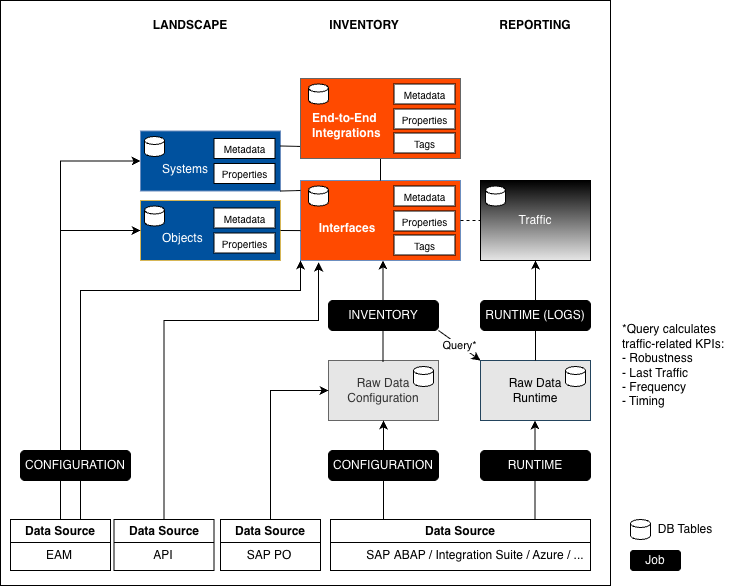
How does the architecture look like ?
Here is a simplified model showing the data flow of data sources being imported into the integration cockpit:
Security
How often are backups performed?
Automated backups are executed daily.
How often are backup recovery tests executed?
We perform backup recovery tests on a yearly basis.
How often are penetration tests executed?
We perform penetration tests on a yearly basis using external software and can share test results upon request.
Is the solution certified by any standard?
Yes, we uphold an Information Security Management System (ISMS) in line with the ISO 27001 standard since October 2025 (ISO/IEC 27001:2022).
Is the solution secure against malware and virus threats?
The solution is based on the operating model of Cloud Foundry in SAP BTP.
User Management
Which authentication providers are supported?
Microsoft Entra ID
Users are invited by WHINT using guest accounts of whitepaper.id GmbH . Suitable for SaaS deployments with Single Sign-On support.
SAP S-User
WHINT Subaccount: S-Users added to subaccount via support.whint.de.
Customer Subaccount: Suitable for customer-managed deployments.
You can connect your own Trust Management via XSUAA.
What user roles are available?
User Management
USER – Read-only access to view Inventory, Landscape and Reporting
CONFIGURATOR – Read/write access with all User permissions plus ability to edit Inventory, Landscape and Reporting
ADMINISTRATOR – Full access including all Configurator permissions plus complete Settings management
Data Sources / Integrations
Which DMS solutions are supported?
Licensing
How is the licensing counted?
Integration Cockpit licenses are based exclusively on productive interfaces.
Non-production interfaces can be discovered and managed without counting toward your license.
Subscription tiers range from S to XL based on your productive interface count.
Enhancements
Is a Management API available?
Yes, the Integration Cockpit Management API enables programmatic access to your integration landscape through HTTPS-based JSON access.
API Capabilities
Query inventory data and integration objects
Monitor traffic patterns and performance
Manage integrations, metadata, tags and properties
Export complete integration landscapes
SQL-like query syntax with JOIN operations
What co-innovation opportunities are available?
We work closely with customers on product development and feature priorities through feature requests and direct collaboration with our product team.
Support
How do I get support?
Support Channels:
Response Time:
Urgent tickets are responded to within 24 hours during business days.
Where can I find documentation?
Last Updated: 11 November, 2025