

Interface types classify your interfaces by their technical origin. This helps you organize and filter your inventory, especially when working with multiple integration technologies.
Auto-Discovery vs. Manual Entry
Understanding the difference helps you choose the right approach for documenting interfaces.
Auto-Discovered Interfaces:
-
Pulled automatically from configured Data Sources
-
Update regularly via scheduled discovery jobs
-
Get platform-specific types (SAP_IS_CI, AZURE_LA_STD, MULE_API)
-
Include detailed metadata from source systems
-
No manual maintenance required
Manually Created Interfaces:
-
Created via UI or Management API
-
Requires LOCAL Data Source assignment
-
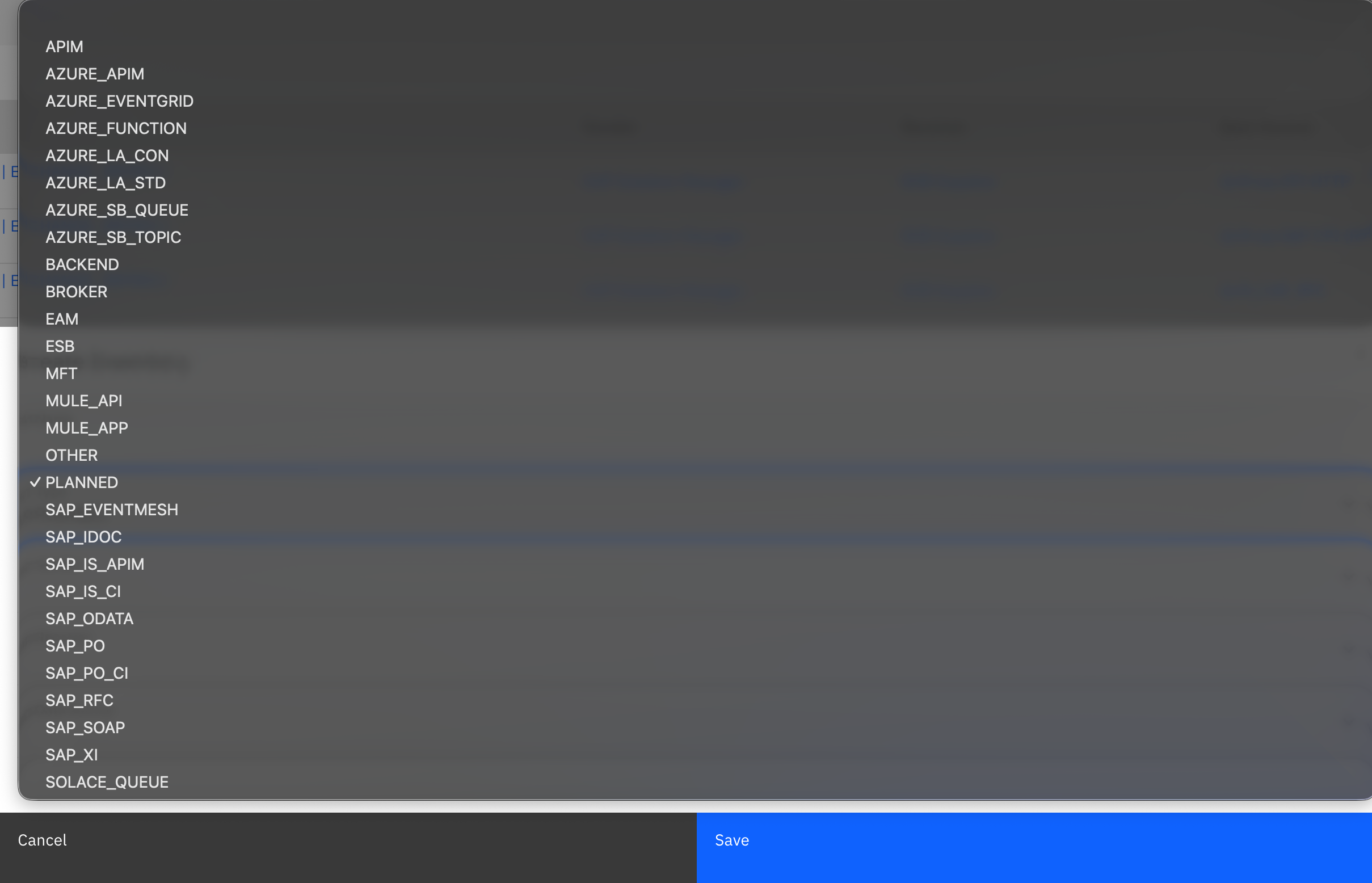
Use generic types (APIM, ESB, BROKER, BACKEND, MFT, OTHER, PLANNED)
-
Needs manual metadata maintenance
-
Useful for platforms without connectors
Interface Types Reference
Interface types are automatically assigned when using Data Source connectors (auto-discovered types) or manually selected when creating entries yourself (manual types).
Auto-Discovered Types
When you configure Data Sources with predefined connectors, interfaces get their type automatically assigned:
You don't select these types manually—they're assigned automatically based on your Data Source connector configuration.
For detailed Data Source Setup instructions, see Integration Layer in the Onboarding Guide.
For supported Data Sources and integration platforms, please visit: Data Sources & Integrations support
Manual Types (LOCAL Data Sources)
For platforms without predefined connectors, or when manually creating entries, use these types:
|
Type |
Description |
|---|---|
|
APIM |
API Management - Use for API management gateways and API proxies |
|
ESB |
Enterprise Service Bus - Use for integration middleware and ESB platforms |
|
BROKER |
Message Broker - Use for message brokers, queues, and event streams |
|
BACKEND |
Business Application - Use for interfaces from business systems |
|
MFT |
Managed File Transfer - Use for MFT platforms |
|
B2B |
Business-to-Business - Use for B2B integrations and partner exchanges |
|
PLANNED |
Planned Interface - Use for interfaces in design/planning phase |
|
EAM |
Enterprise Architecture - Use for interfaces from EAM tools |
|
OTHER |
Other Technologies - Use when no other category fits |
For complete interface type reference numbers (Type 0-26) for the Management API, see Integration Types Reference in the Management API Documentation
Manual Types
This section covers when to use manual types, how to select the right type, and how to create manual interfaces.
When to Use Manual Types
You need manual interface types when:
|
Scenario |
Reason |
|---|---|
|
No connector available |
Your platform (Lobster, Seeburger, TIBCO) doesn't have a predefined Data Source connector |
|
Planned interfaces |
Documenting integrations during the design phase to track development progress |
|
Partner integrations |
External systems or partner interfaces you cannot access for automatic discovery |
|
Legacy systems |
Older technologies without API access for automated scanning |
|
API-based entry |
Pushing interface data via Management API from custom integration platforms |
Type Selection Guide
Decision Logic:
Ask yourself: Where does this interface run or what handles it?
-
Middleware doing routing/transformation → ESB
-
API gateway managing APIs → APIM
-
Messaging infrastructure → BROKER
-
Business application → BACKEND
-
File transfer platform → MFT
-
Planned but not built → PLANNED
-
None of the above → OTHER
Creating Manual Interfaces
Manual interfaces require two prerequisites:
-
A LOCAL Data Source to contain the interfaces
-
Optional: Systems (sender/receiver) to map the interface endpoints
For complete guidance on systems, objects, and their role in your integration landscape, see Landscape: Systems & Objects.
Step 1: Create a LOCAL Data Source
Manual interfaces require a LOCAL Data Source - your container for manually maintained interface entries.
When to Create a LOCAL Data Source
Create LOCAL Data Sources for:
-
Interfaces from platforms without connectors (Kafka, Lobster, TIBCO, Seeburger)
-
Planned interfaces during project planning phase
-
Partner/external integrations you can't scan automatically
-
Legacy systems without API access
-
API-pushed interfaces from custom tools
Naming Strategy: Use descriptive names to organize different categories:
-
"Manual Interfaces - Kafka"
-
"Planned Integrations Q1 2026"
-
"Partner Interfaces - B2B"
-
"Legacy - Mainframe"
Step-by-Step: Create a LOCAL Data Source
Step 1: Navigate to Settings → Connectivity → Data Sources

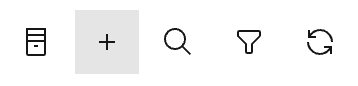
Step 2: Click the "+" button to add a new Data Source
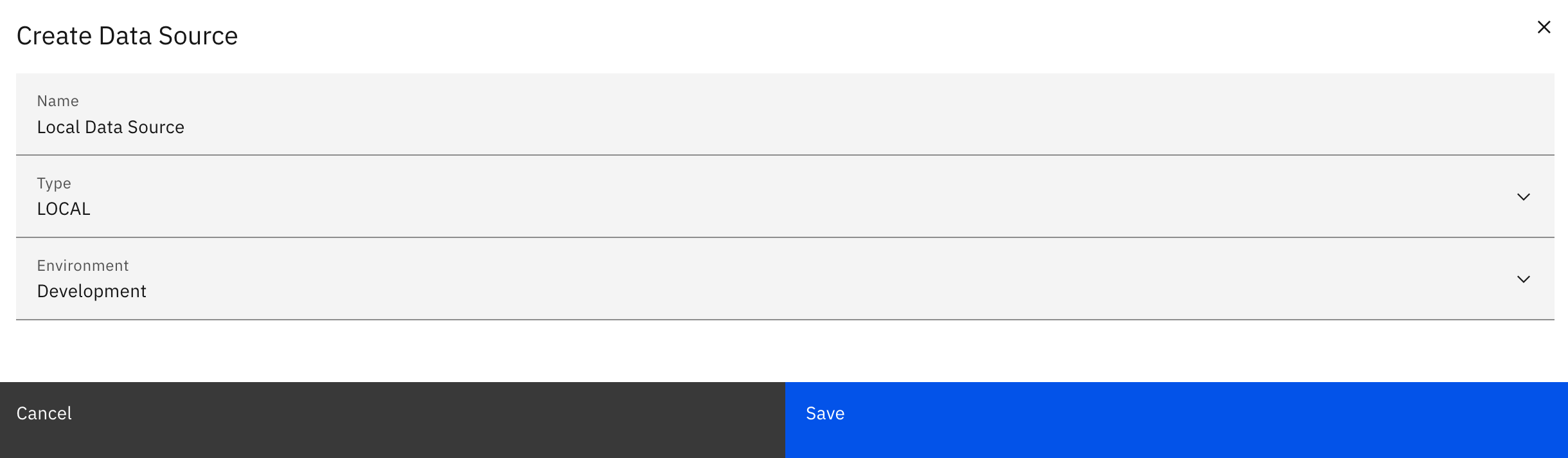
Step 3: In the Create Data Source dialog, configure:
-
Name: Descriptive name (e.g., "Manual Interfaces - Lobster", "Planned - Q1 2026", "Partner Interfaces - B2B")
-
Type: Select LOCAL from dropdown
-
Environment: Select appropriate environment (Production, Development, Quality, Test)
Step 4: Click “Save”
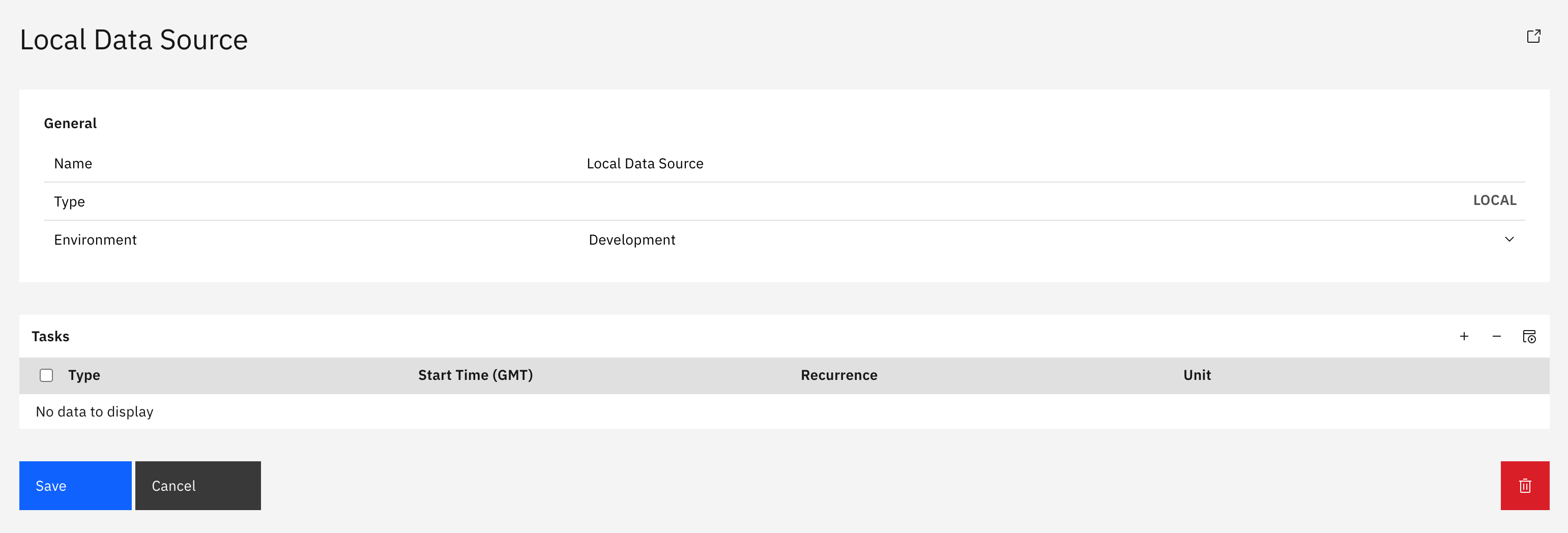
Your LOCAL Data Source is now ready to receive manually created interfaces.
Step 2: Create Manual Interfaces
Once you have a LOCAL Data Source and defined systems, you can create manual interfaces.
Step-by-Step: Create a Manual Interface
Step 1: Navigate to Inventory → Interfaces → Catalog
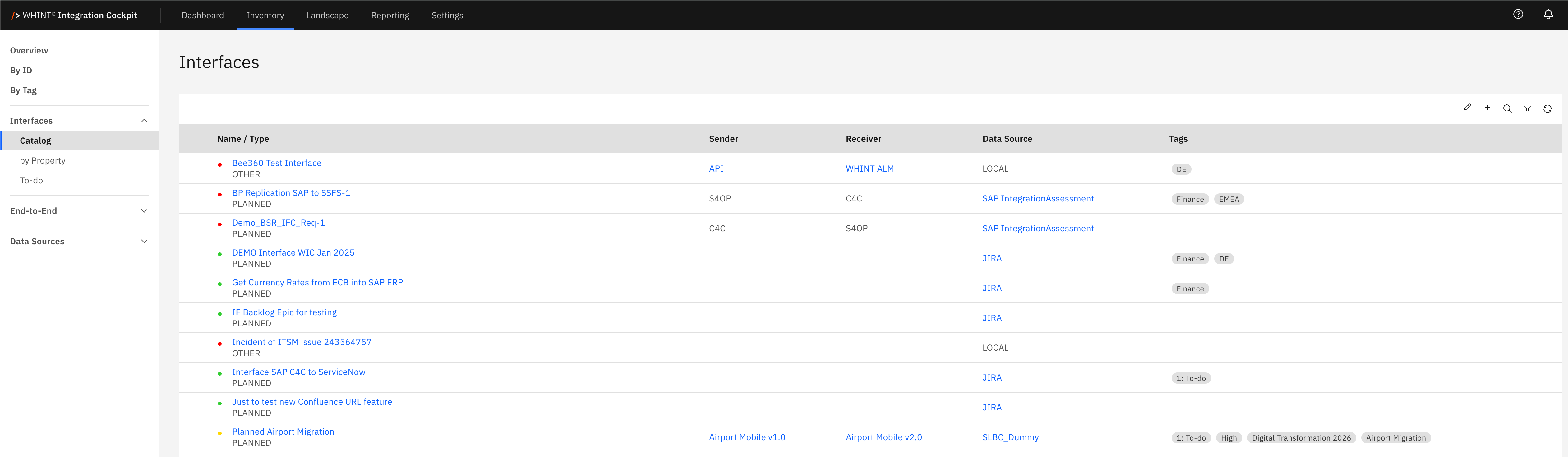
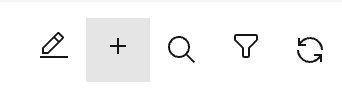
Step 2: Click the "+" button in the toolbar
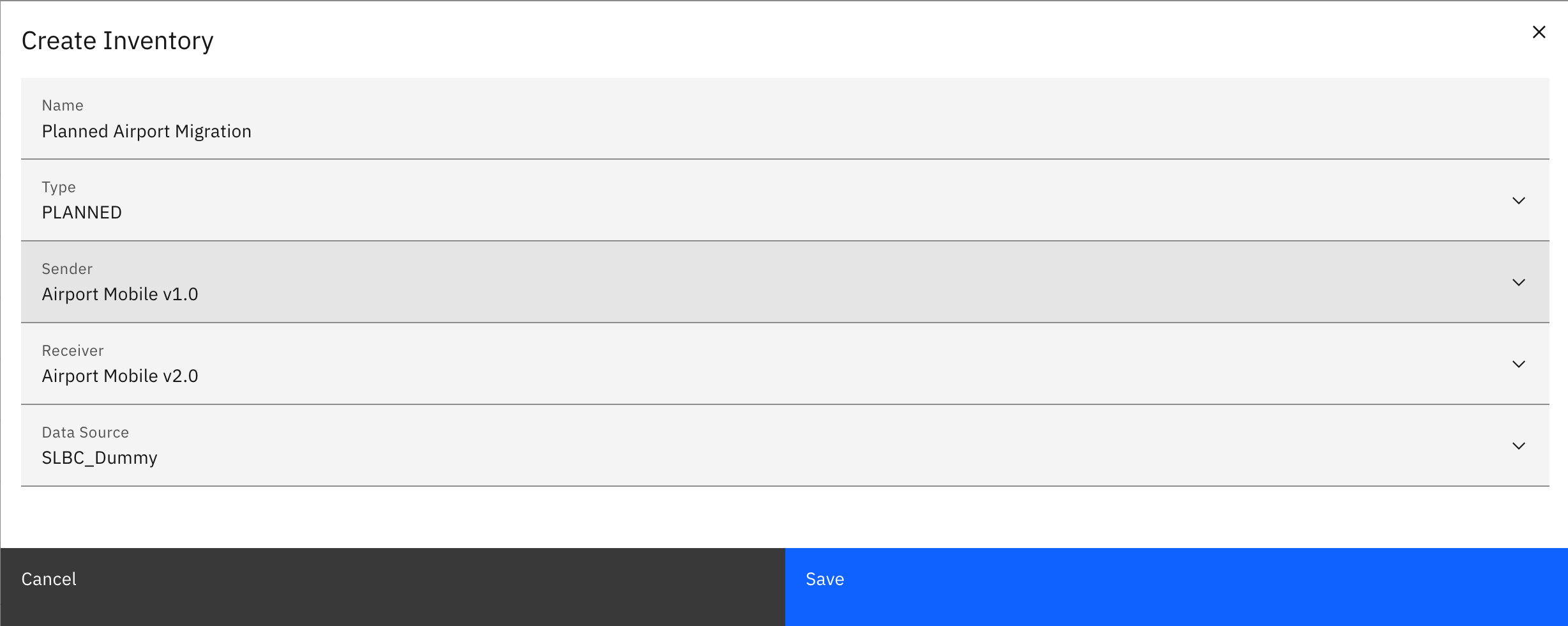
Step 3: In the Create Inventory dialog, fill in the required fields:
-
Name: Interface identifier (e.g. "Salesforce_Account_Export", "Kafka_OrderEvents")
-
Type: Select from dropdown: APIM, ESB, BROKER, BACKEND, MFT, PLANNED, EAM, or OTHER
-
Sender: Select the source system from dropdown (create in Landscape → Systems if needed)
-
Receiver: Select the target system from dropdown
-
Data Source: Select your LOCAL Data Source created in the previous step
Step 4: Click “Save”
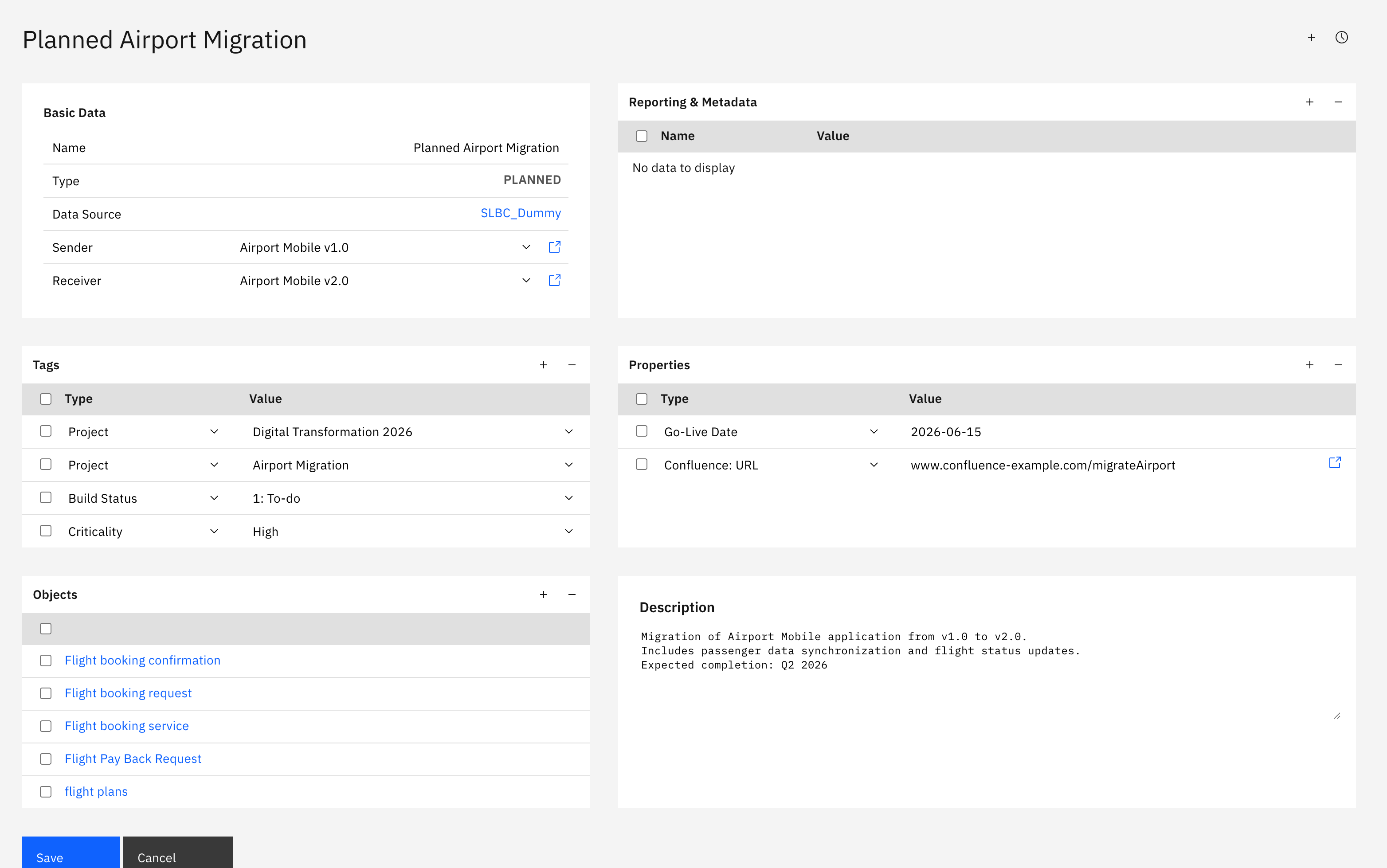
Step 5: The interface appears in the catalog and can be enriched with:
-
Tags for categorization (Domain, Criticality, Project)
-
Properties for custom metadata (Go-Live Date, Confluence URL)
-
Objects for business object mapping (see Landscape → Objects)
-
Description for detailed documentation
Important: Manual interfaces must be assigned to a LOCAL Data Source. Interfaces without a Data Source won't appear correctly in reports, landscape analysis, or End-to-End integration mapping.
Working with Interface Types
This section explains how to filter interfaces by type, understand the difference between Type and Data Source, and when to use auto-discovery vs. manual entry.
Filtering by Type
Use type-based filtering to focus on specific integration technologies or manually created entries.
Filter Interfaces by Type
Step 1: Navigate to Inventory → Interfaces → Catalog

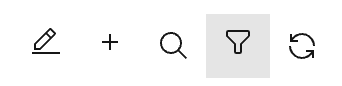
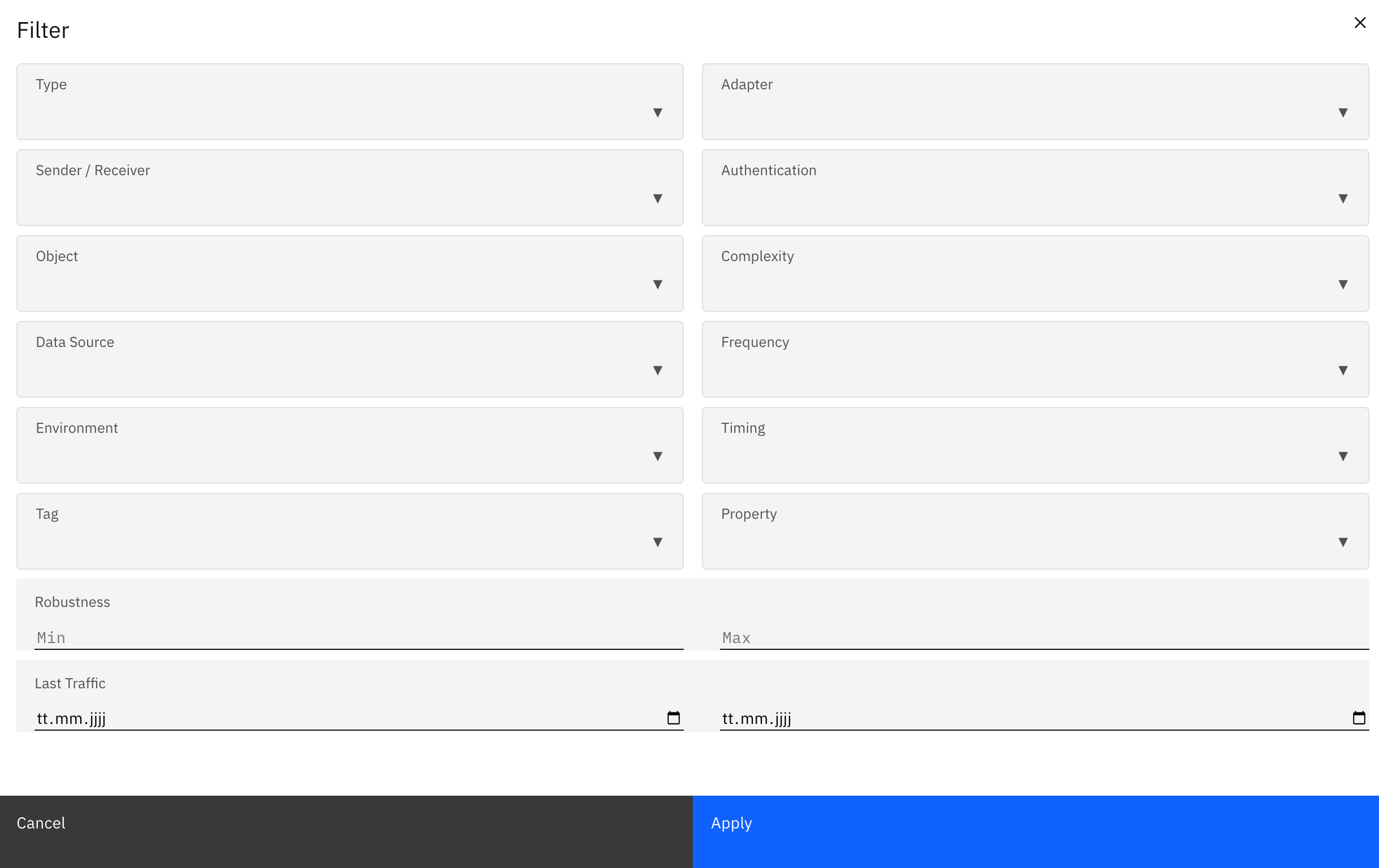
Step 2: Click the Filter button in the toolbar
Step 3: Expand the Type dropdown
Step 4: Select one or multiple types
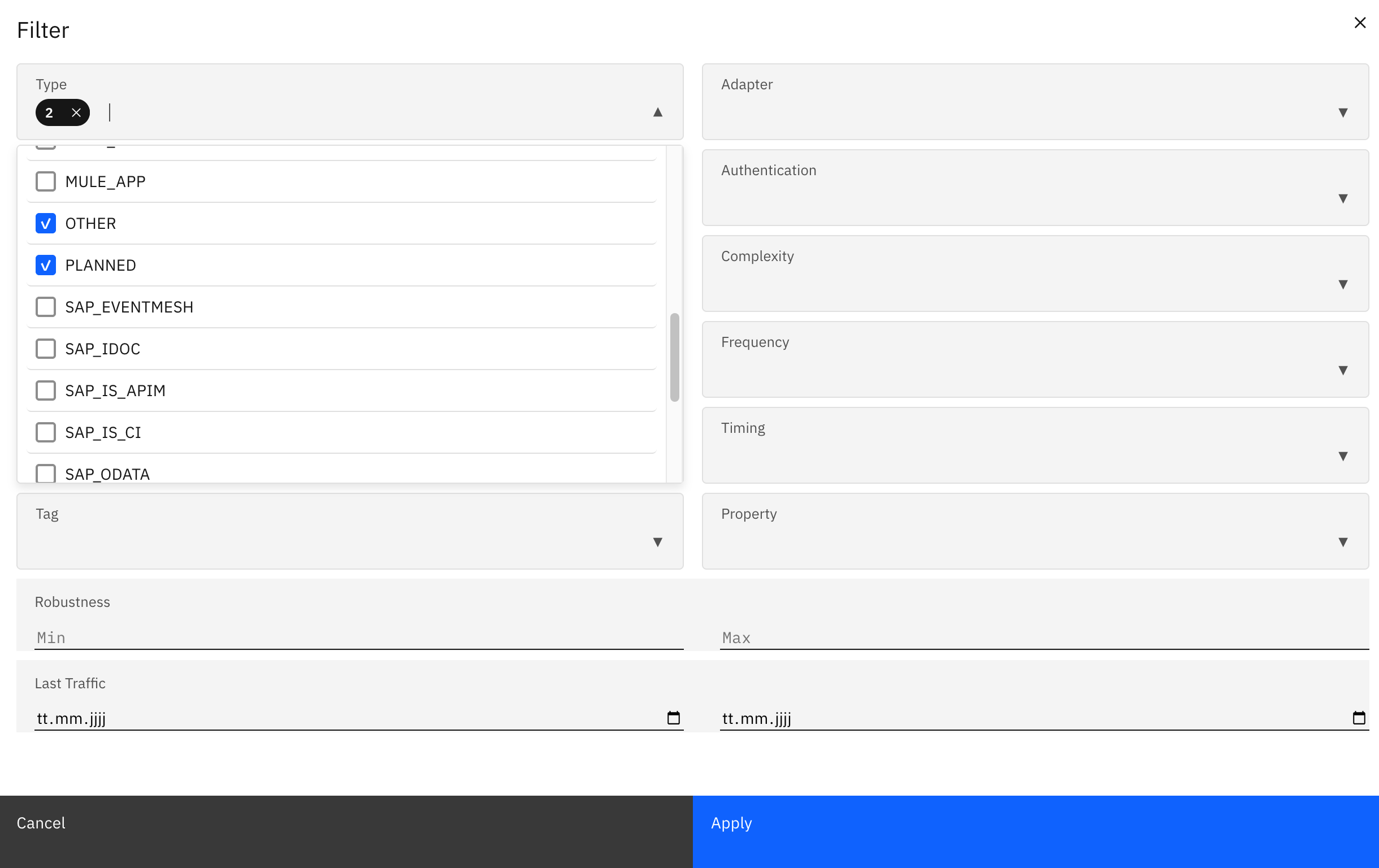
Step 5: Click Apply to show only interfaces of selected types
Filter by LOCAL Data Sources
Filter by LOCAL Data Sources
To see only manually created interfaces, filter by your LOCAL Data Sources:
Step 1: In Inventory → Interfaces → Catalog, click the Filter button
Step 2: Expand the Data Source dropdown and select your LOCAL Data Source(s)
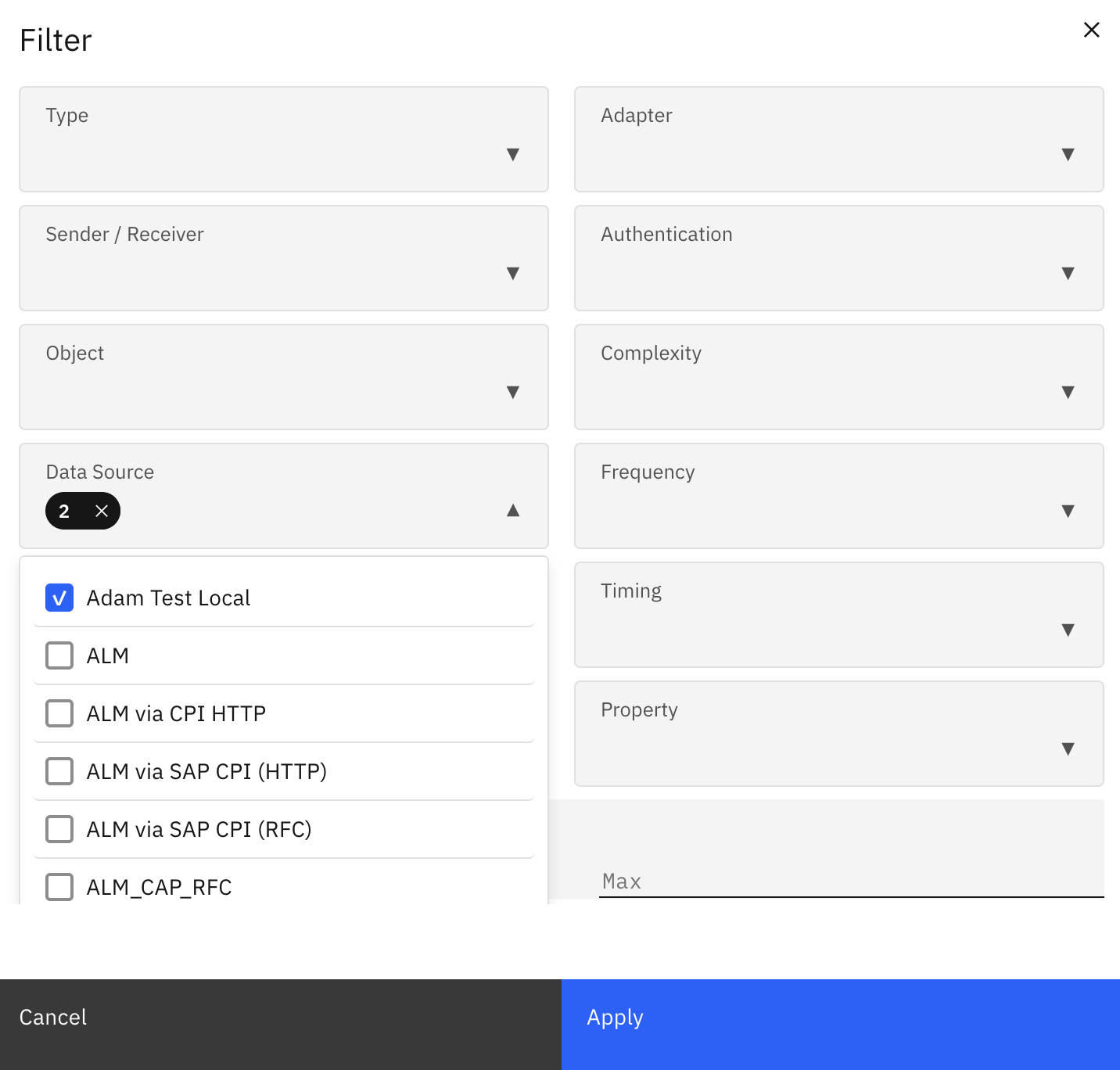
Step 4: Optionally combine with Type filter for more precise results
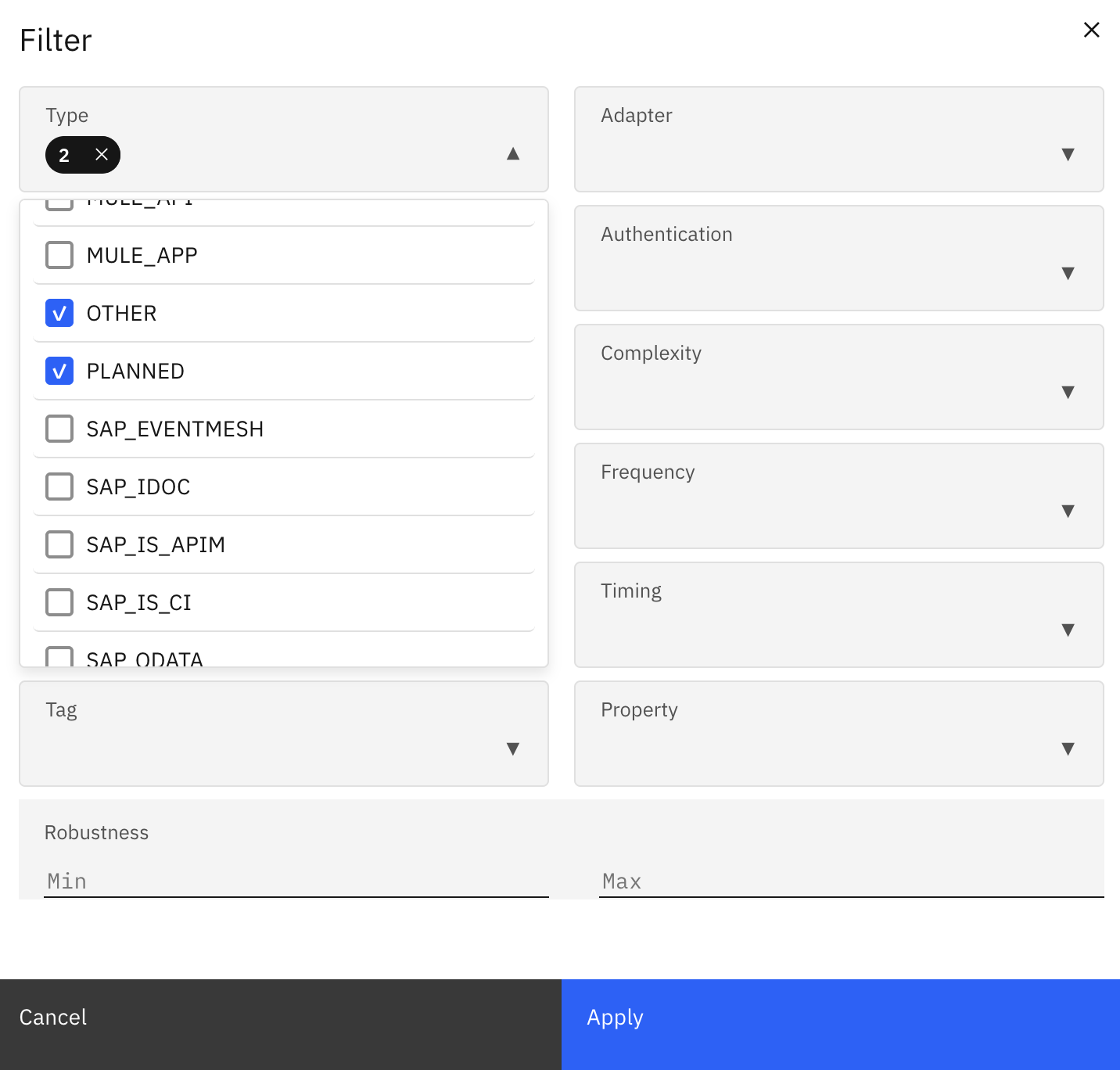
Step 5: Click “Apply”

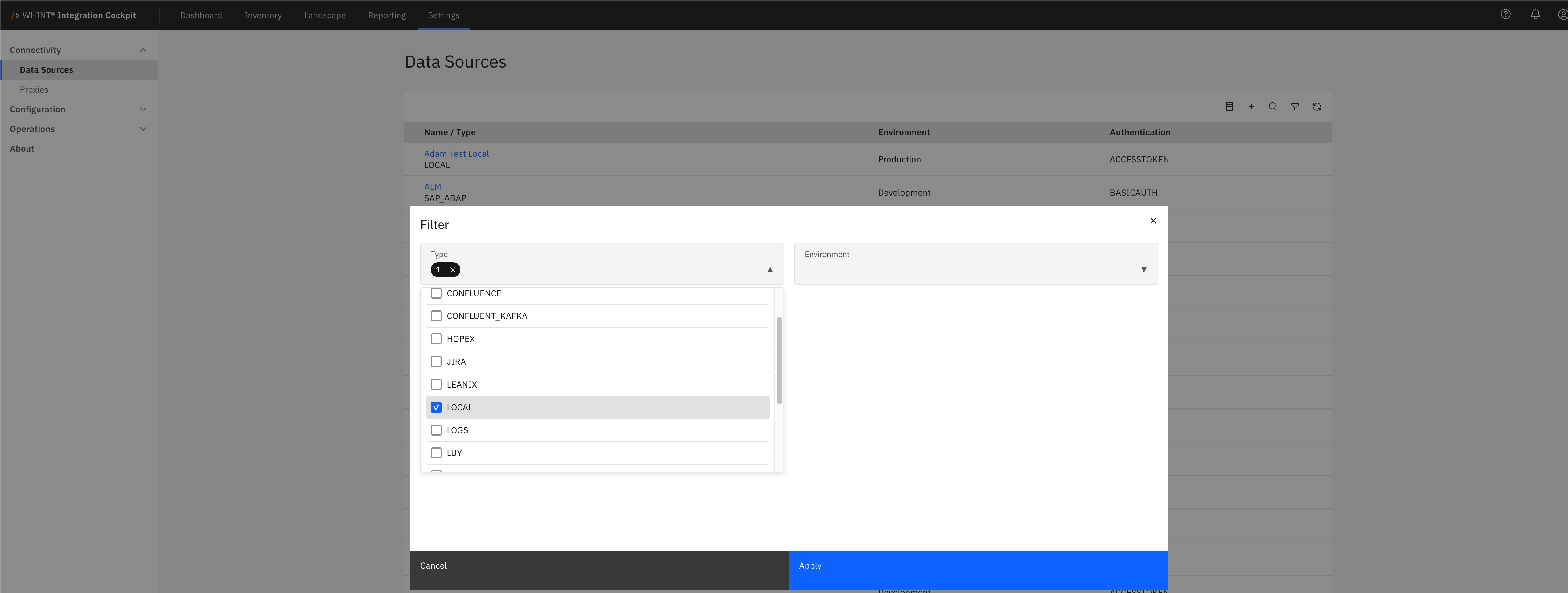
Alternative: In Settings → Connectivity → Data Sources, use the Type filter to show only LOCAL Data Sources.
This helps identify all containers for manual interfaces in your landscape.
Use filtering to:
-
Focus on specific platforms (e.g. all SAP_IS_CI flows)
-
Separate auto-discovered from manual entries
-
Identify planned interfaces for project tracking
-
Analyze technology distribution across your landscape
-
Review manual entries requiring validation
Understanding: Type vs. Data Source
Many users confuse Type and Data Source. Here's the difference:
|
Field |
Purpose |
Example |
|---|---|---|
|
Type |
What technology the interface uses |
SAP_IDOC, ESB, BROKER |
|
Data Source |
Where the interface data comes from |
"SAP_PRD" system, "Azure_Production", "Manual Interfaces" (LOCAL) |
Both fields work together to classify and organize your interface inventory.
Best Practices
Follow these guidelines to maintain a clean, consistent, and accurate interface inventory.
Be Consistent
Use the same type for similar technologies across your landscape. If you classify one RabbitMQ topic as BROKER, classify all RabbitMQ topics as BROKER.
Don't Mix Discovery Methods
Don't create manual entries for platforms that have auto-discovery connectors. Use the proper Data Source connector instead to benefit from automatic updates.
Always Map to Systems
Always assign correct Sender and Receiver systems. This ensures proper landscape connectivity analysis and End-to-End integration mapping. Systems represent your applications and partners in the integration landscape.
Add Descriptive Metadata
Since manual interfaces aren't auto-discovered with metadata, use:
-
Clear, descriptive interface names
-
Comprehensive descriptions
-
Relevant tags for categorization
-
Custom properties for tracking
Assign Business Objects
Map interfaces to business objects (e.g. "Sales Order", "Customer Data") using Transformation Rules. This provides business context and enables data flow analysis.
Review Regularly
Check if platforms without connectors get connector support added. For example, Confluent Kafka connector support is currently in development—monitor release notes for availability.
Tag Manual Entries
Add tags like "manual" or "api-pushed" to distinguish manually created entries from auto-discovered interfaces. This helps with filtering and governance reporting.
Use LOCAL Data Sources Strategically
Create separate LOCAL Data Sources for different categories:
-
"Manual Interfaces - Kafka" for Kafka topics until connector is available
-
"Planned Integrations Q1 2026" for project planning
-
"Partner Interfaces - B2B" for external systems
-
"Legacy - Mainframe" for legacy systems
This organization improves filtering and reporting clarity.
Advanced Topics
Interface Types in End-to-End Integrations
Interface types don't restrict how you build End-to-End (E2E) integrations. You can combine any interface types in an E2E flow:
Example E2E chain: BACKEND → ESB → APIM → BACKEND
This shows a complete integration from source system through middleware and API layer to target system, regardless of whether interfaces are auto-discovered or manually created.
Learn more:
Analyzing Your Integration Landscape
Use interface type filtering and analysis to:
|
Analysis Type |
Purpose |
|---|---|
|
Count interfaces per type |
Understand technology distribution across your landscape |
|
Identify manual vs. auto-discovered ratio |
Assess discovery coverage and identify gaps |
|
Track planned interfaces separately |
Monitor project progress and delivery timelines |
|
Review complexity by type |
See which platforms require more support effort |
|
Assess technology standardization |
Identify consolidation opportunities |
Navigate to Reporting → Overview to see aggregated interface type distributions and technology trends across your landscape.
Last Updated: January 15, 2026