

The Systems view shows all systems (applications / communication components / partners / business systems) in use across your integration landscape. This view displays harmonized system definitions created through transformation rules processing from raw interface data.
Workflow Integration: The Systems view provides direct access to system-specific interface analysis and connects with transformation rules configuration for system mapping and harmonization.
Navigate to Inventory → Systems to access all systems discovered and harmonized in your integration environment.
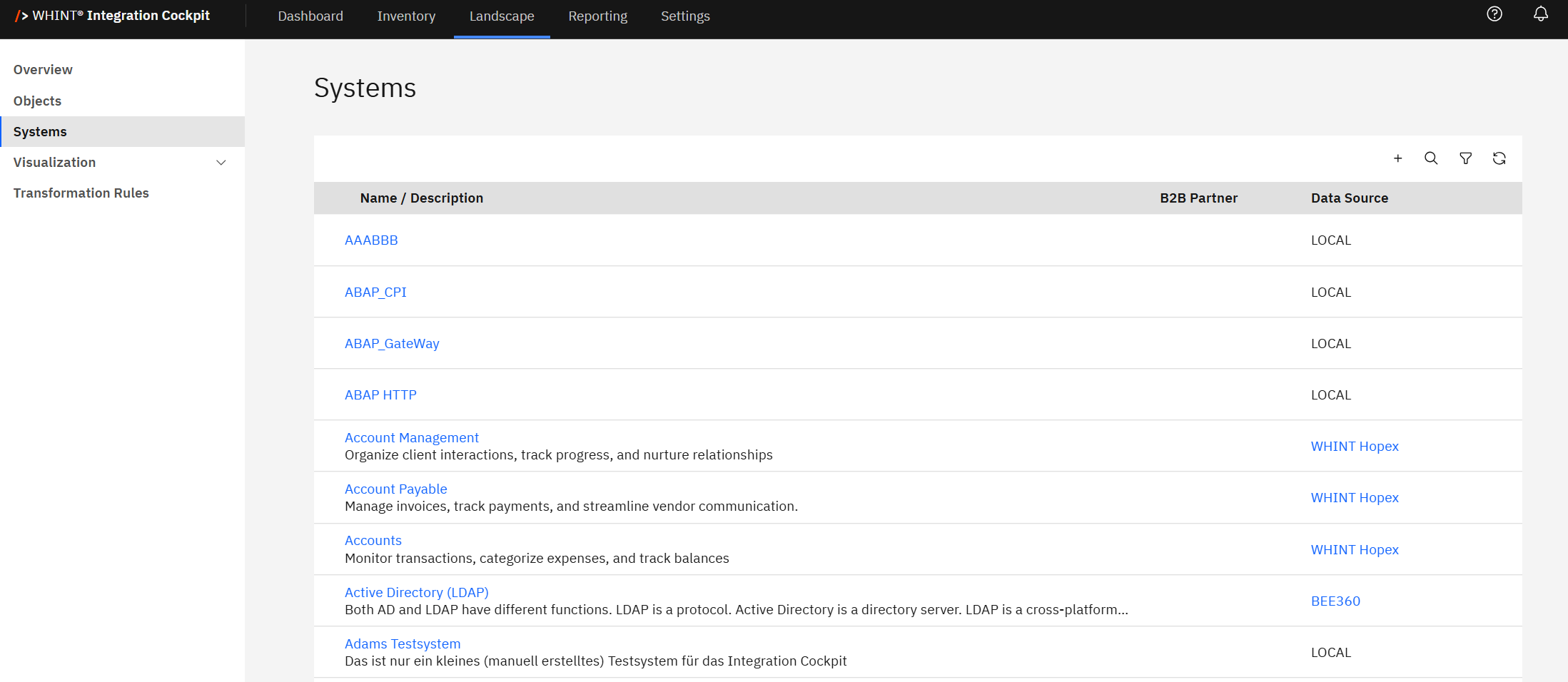
Systems
Systems represent applications/business systems/partners like e.g. "SAP S/4HANA", "Workday HCM", "Salesforce SalesCloud" and can be created in the following ways:
-
Manually: Direct system definition in the Integration Cockpit interface via “+” button.
-
Imported from an EAM-tool: Synchronized from enterprise architecture platforms (see EAM & IT Management Tools for setup guidance)
-
Through API-calls: Automated creation from external applications
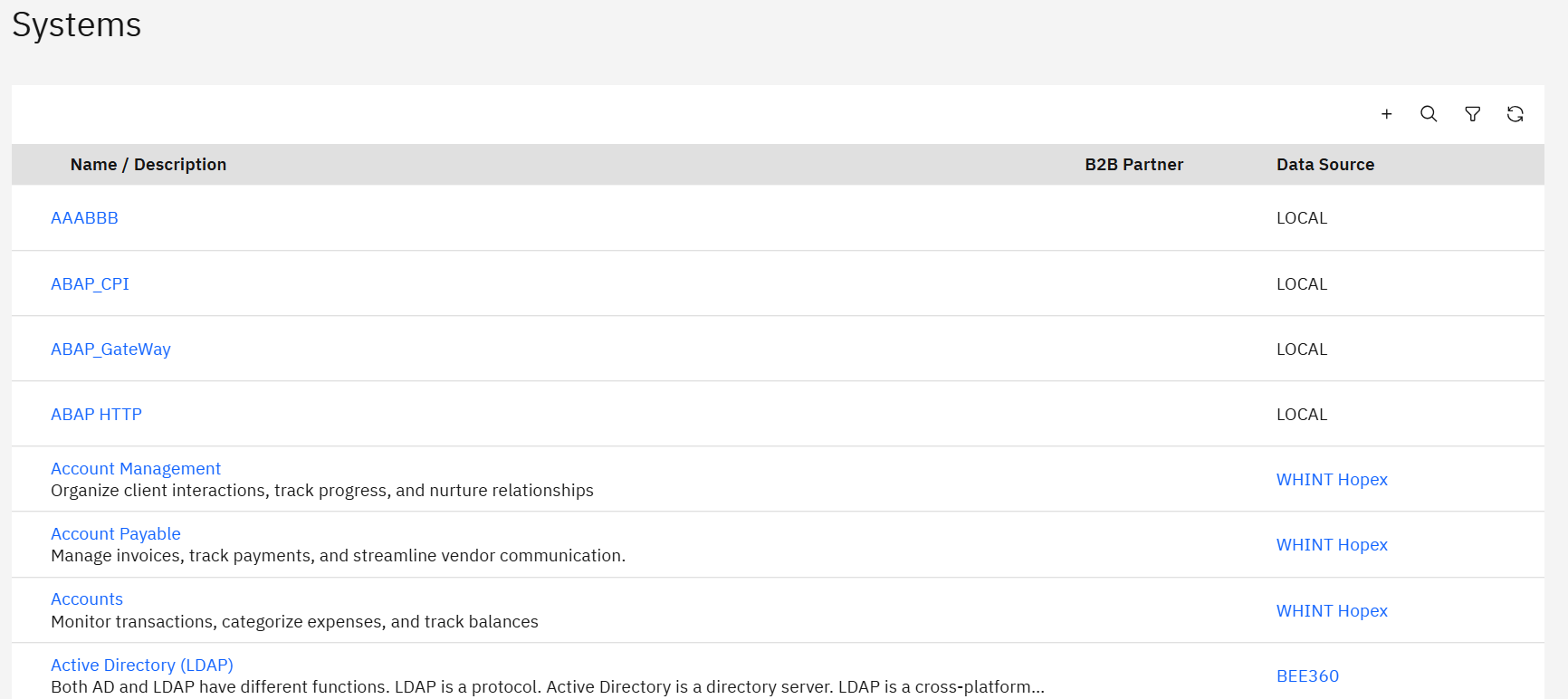
Transformation Rules: Systems displayed here are harmonized results from transformation rules processing.
The systems you see here are the result of transformation rules processing that harmonizes sender and receiver systems from raw interface data into standardized system definitions.
System Naming Convention: It is recommended to use a logical name which does not include the environment (Dev/Qua/Prod). This ensures consistent system mapping across different environments.
-
Name / Description: System name with detailed business context descriptions
-
B2B Partner: External partner systems are marked and shown separately from internal applications
-
Data Source: Platform providing the system definition (e.g. LOCAL, WHINT Hopex, BEE360)
System Mapping
Interfaces are assigned to systems through a transformation step which is configured in Transformation Rules and executed during the Inventory Task in the Data Source. This process:
-
Harmonizes sender and receiver systems from different data sources using regular expression (regex) matching
-
Applies first-match-wins logic - the first rule matching the regex pattern is applied for system determination
-
Creates standardized system mappings across your integration landscape using harmonized system names
-
Enables consistent system identification across environments (Dev/Qua/Prod)
The transformation process maps original system names from raw data sources to harmonized system definitions that you define in the Systems catalog.
Integration Mapping: Interfaces are assigned to systems through a transformation step which is configured in Transformation Rules and executed during the Inventory Task in the Data Source. Use the Systems view to verify and understand these automated mappings.
For detailed guidance on configuring transformation rules, including regex patterns and mapping examples, see Configure Transformation Rules in the Onboarding Guide.
Data Source Integration
Systems are sourced from multiple enterprise architecture platforms:
-
Hopex: Enterprise architecture systems from MEGA HOPEX platform
-
LeanIX (CTI): Systems from LeanIX enterprise architecture management
-
BEE360: Systems from BEE360 architecture platform
Enterprise Architecture Integration: Systems are automatically synchronized from connected enterprise architecture platforms (WHINT Hopex, LeanIX, BEE360), ensuring system definitions remain current with your architectural documentation
System Properties and Configuration
You can add properties to each system. The system properties are defined in Settings → Configuration → Properties (System). For detailed guidance on configuring properties and tags, see Basic Configuration in the Onboarding Guide.
Filtering and Management
Use the toolbar controls to manage and analyze systems:
-
Search: Find specific systems by name or description
-
Filter: Show systems from specific data sources or B2B partner classification
-
Add: Create new system definitions manually
-
Refresh: Update the view to reflect recent transformation rule processing
For complete information about systems, transformation rules, and integration landscape management, see Landscape: Systems & Objects in Integration Cockpit.
Last Updated: August 19, 2025