

The Interfaces section provides comprehensive interface management through advanced filtering capabilities, organizational metadata analysis and systematic task management for metadata completion.
Use this section to browse all discovered integration interfaces with status indicators and pagination support, analyze interfaces through configurable property types for business-focused portfolio management and track interface enrichment progress across four key metadata categories (Systems, Objects, Properties, Tags) with visual completion indicators.
Interfaces Sections
Interface Detail View
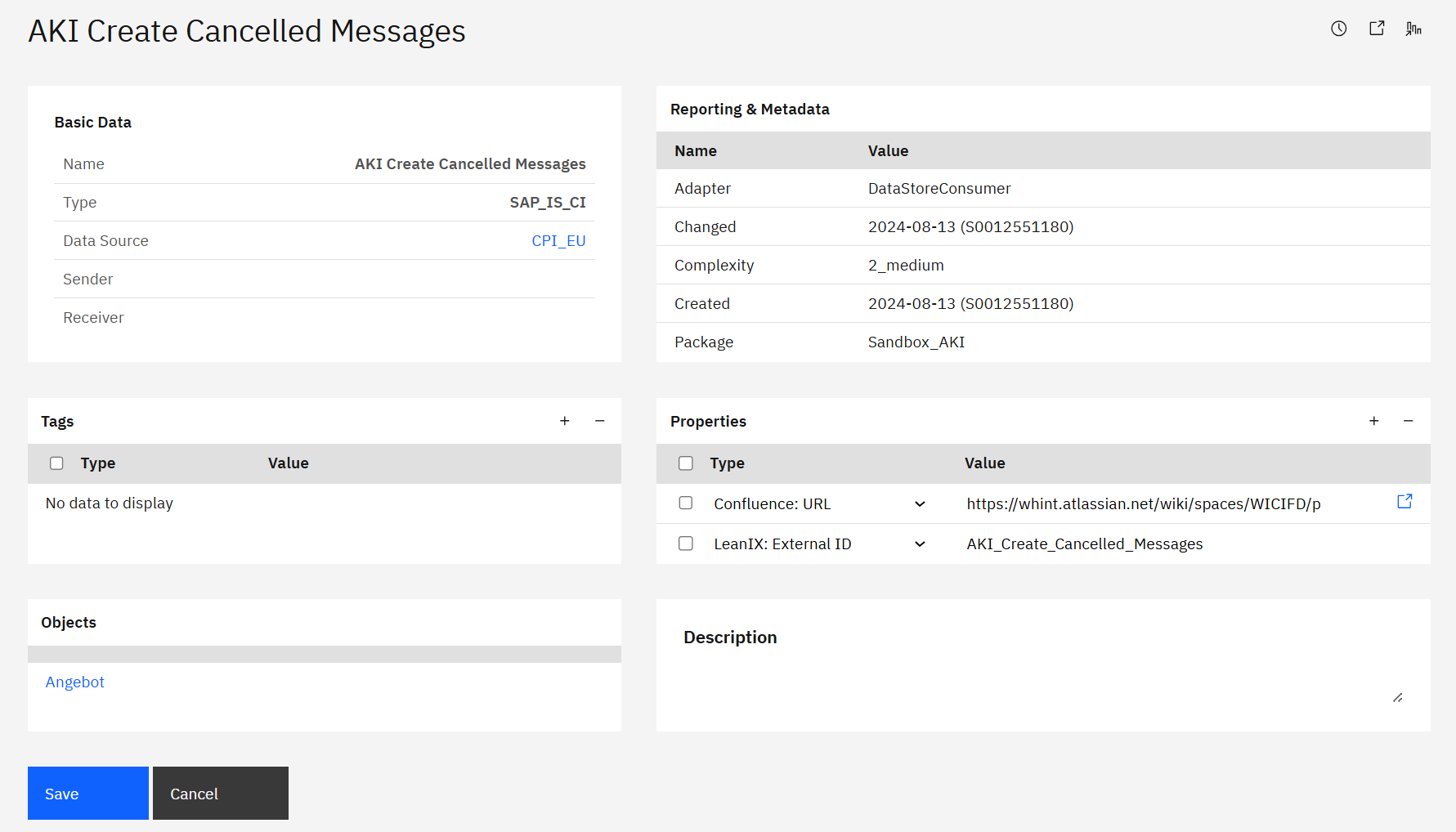
The complete interface view provides comprehensive information:
-
Basic Data: Core interface information including Name, Type, Data Source (clickable) and Sender/Receiver (when configured).
-
Reporting & Metadata: Technical details like adapter type, authentication, complexity ratings and timestamps.
-
Properties & Tags: Custom organizational attributes with values and flexible categorization labels for grouping and filtering.
-
Objects: Related business objects associated with the interface (e.g. "Angebot").
-
Description: Free-text field for additional interface documentation and notes.
For complete information about the data model, see Data Model in Integration Cockpit.
Last Updated: September 04, 2025