

The by Property view allows you to analyze interfaces based on configured property values assigned to your integration landscape. Use this method to find interfaces with specific organizational attributes like external IDs, functional teams, documentation links or custom business properties.
Workflow Integration: The by Property view connects interface discovery with organizational metadata, enabling business-focused analysis that complements technical interface management with enterprise context.
Navigate to Inventory → Interfaces → by Property to access property-based interface analysis with configurable property types for targeted interface discovery.
Properties
The Properties configuration displays all available property types that can be enabled for interface analysis. Property types include organizational attributes.
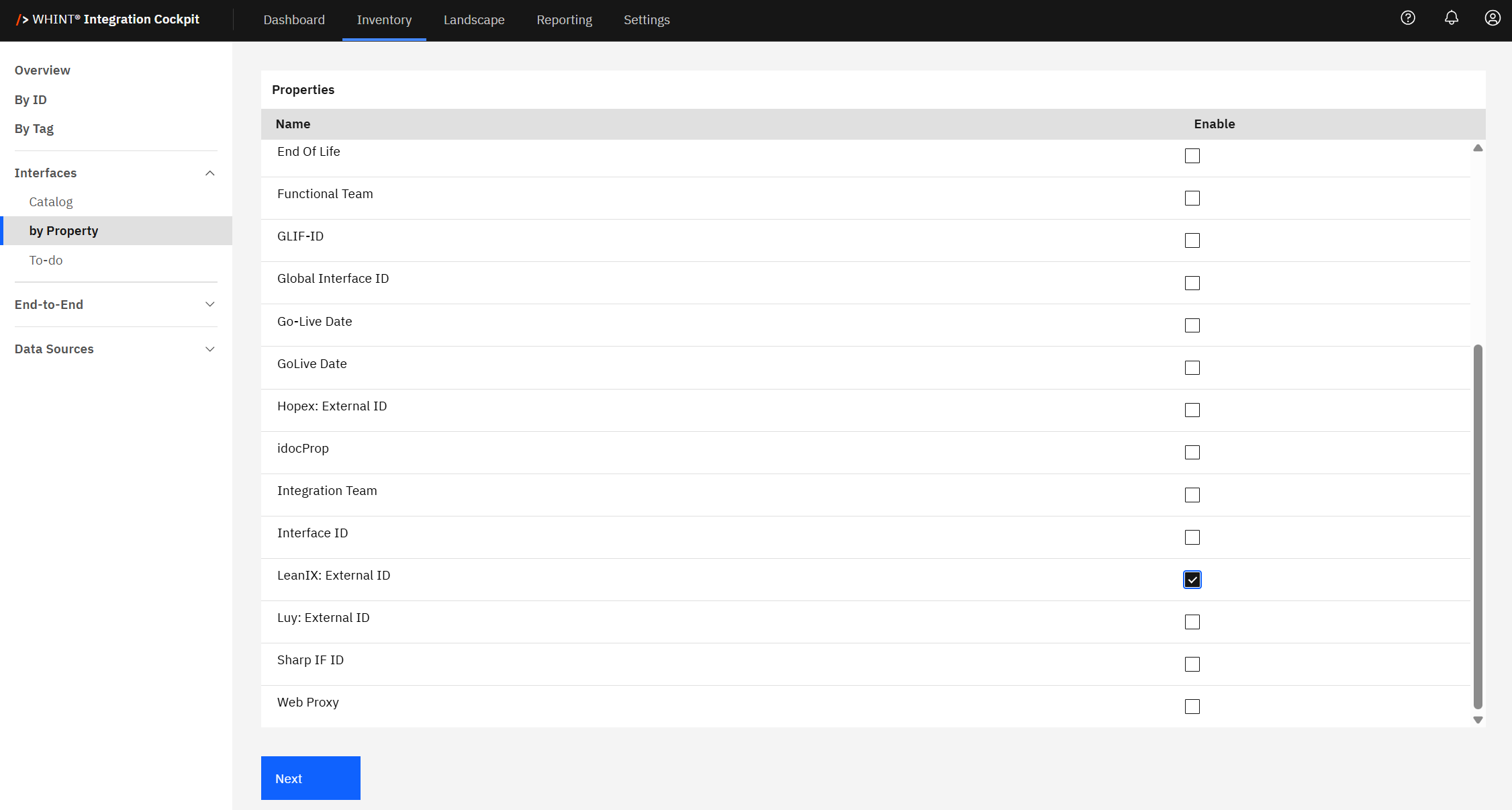
Checking the Enable box for any property (e.g. "LeanIX: External ID") makes that property available for interface filtering and analysis in the by Property view.
Property Configuration: You can configure which property types are available through Settings → Configuration → Properties. Enable only the properties relevant to your organizational analysis needs.
Common Use Cases
-
Architect: Review interfaces with external system mappings for governance and enterprise architecture alignment
-
Developer: Find interfaces with specific documentation links, team assignments or technical configurations
Property-Based Analysis: Use by Property when you need to analyze interfaces by organizational attributes rather than technical characteristics, enabling business-focused integration portfolio management.
Interfaces with Properties
After enabling property types, the by Property view displays interfaces that have values assigned for the selected properties, organized in a detailed table format.
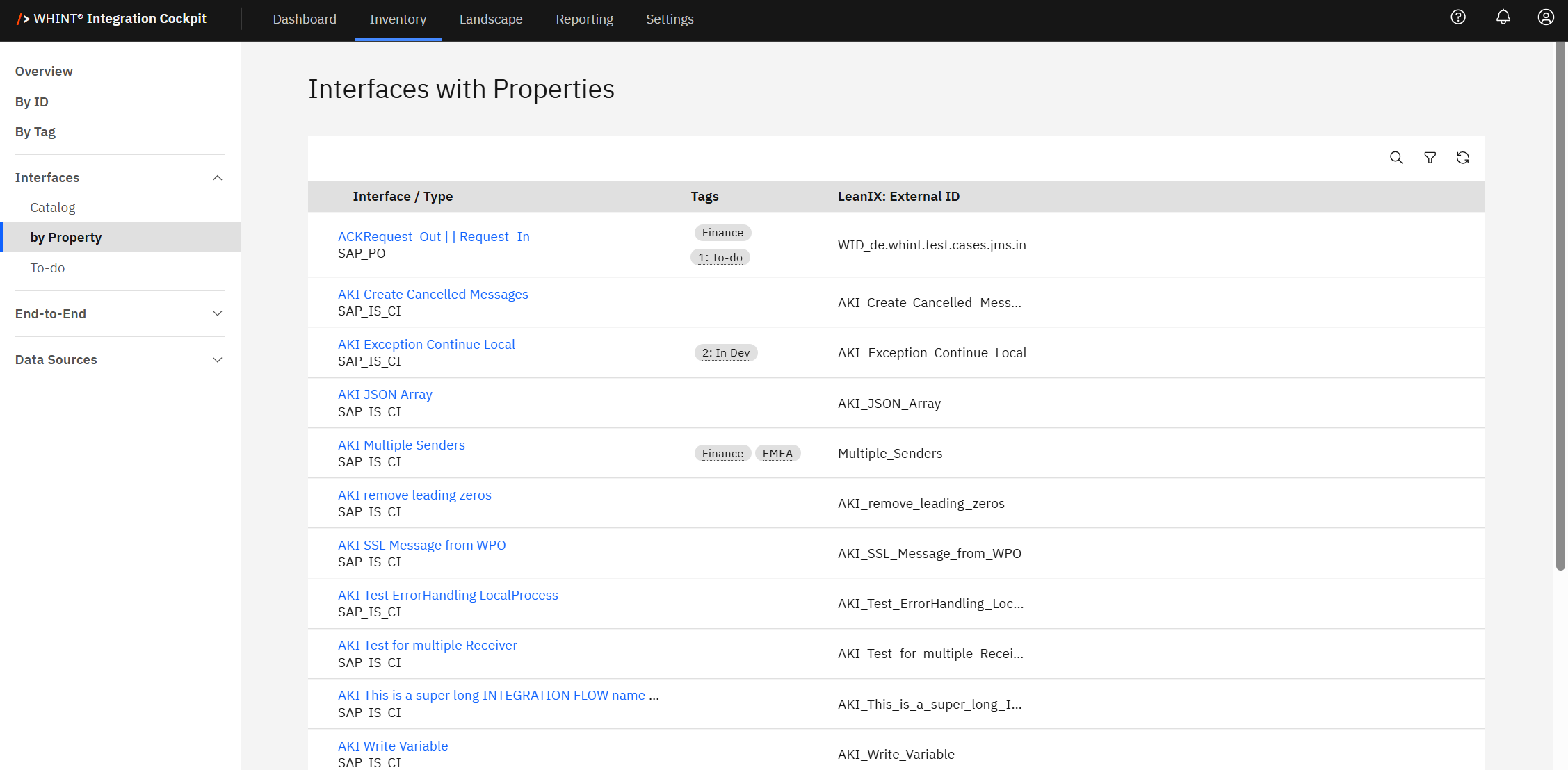
The table displays:
-
Interface / Type: Interface name and technology classification (clickable)
-
Tags: Applied categorization labels for additional context
-
Property Columns: Enabled property values (e.g. LeanIX: External ID showing external system references)
Property Value Analysis
Each enabled property appears as a dedicated column showing:
-
Populated Values: Interfaces with assigned property data (e.g. "WID_de.whint.test.cases.jms.in", "AKI_Create_Cancelled_Messages")
-
Empty Cells: Interfaces without values for that property
-
Multiple Properties: When multiple properties are enabled, you see comprehensive organizational metadata
Best Practice
Use property-based views for governance reporting, team responsibility tracking and enterprise architecture alignment.
Clicking an interface name (e.g. "AKI Create Cancelled Messages") opens the detailed interface view with complete configuration, properties and metadata.
Filtering and Search
Use the toolbar controls to refine your property-based analysis:
-
Search: Find interfaces by name, property values or metadata
-
Filter: Apply criteria to show only interfaces with specific property values
-
Refresh: Update the view to reflect recent property assignments
Last Updated: August 19, 2025