

The By ID view allows you to search and browse interfaces by specific identifier types configured in your system. Use this lookup method when you have business-relevant IDs like external system references, global interface identifiers or custom naming schemes.
Workflow Integration: The By ID lookup connects identifier-based discovery with complete interface analysis, enabling seamless navigation from external references to detailed technical information.
Navigate to Inventory → By ID to access ID-based interface lookup with configurable identifier types for targeted interface discovery.
Select ID
The Select ID dropdown displays all configured identifier types available for interface lookup. These identifiers are defined in your Properties configuration and represent different ways to reference interfaces across your integration landscape.
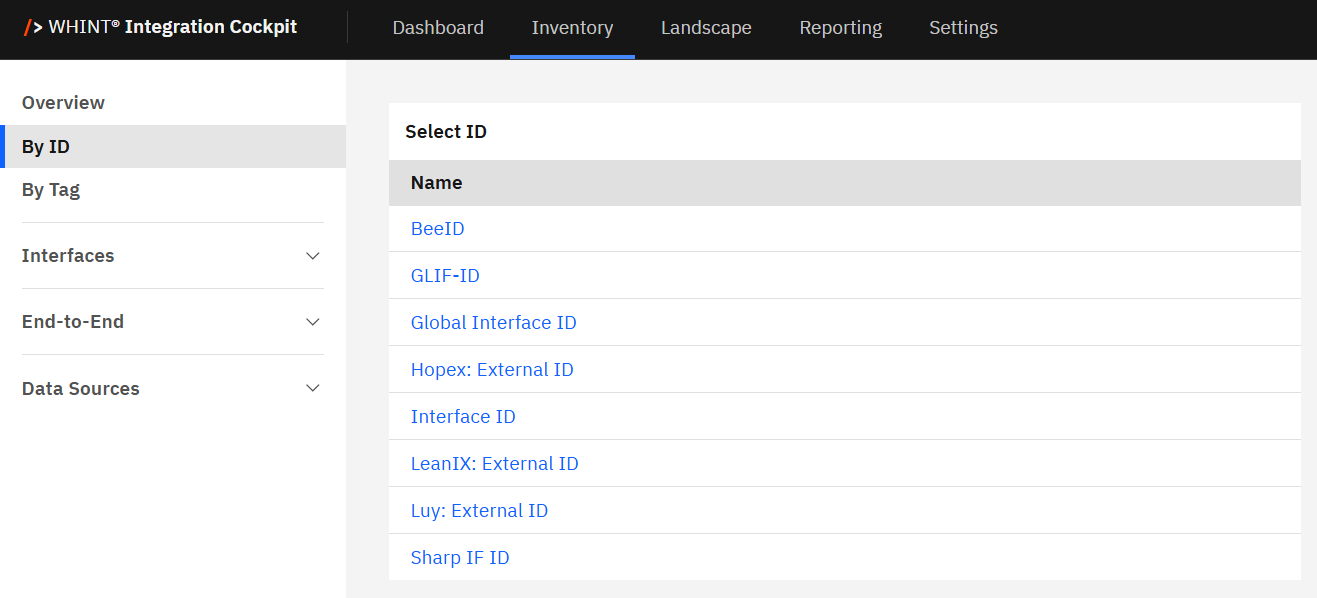
Common identifier types include:
-
Global Interface ID: Enterprise-wide interface references
-
LeanIX: External ID: LeanIX application portfolio management references
Clicking an identifier type (e.g. "LeanIX: External ID") opens the ID-specific interface list view with all interfaces that have this identifier type assigned.
Identifier Configuration
You can configure which ID types appear in this list through Settings → Configuration → Properties. For detailed setup instructions, see Properties Configuration.
Common Use Cases
-
Architect: Locate interfaces using enterprise architecture tool IDs for governance reporting
-
Developer: Look up interfaces by global IDs for troubleshooting cross-system flows
Quick Discovery
Use By ID when you have specific external references from other tools and need to find the corresponding interfaces in WHINT Integration Cockpit.
By ID (selected)
After selecting an identifier type, the By ID view displays all unique ID values for that identifier type, with expandable sections showing related interfaces and integrations.
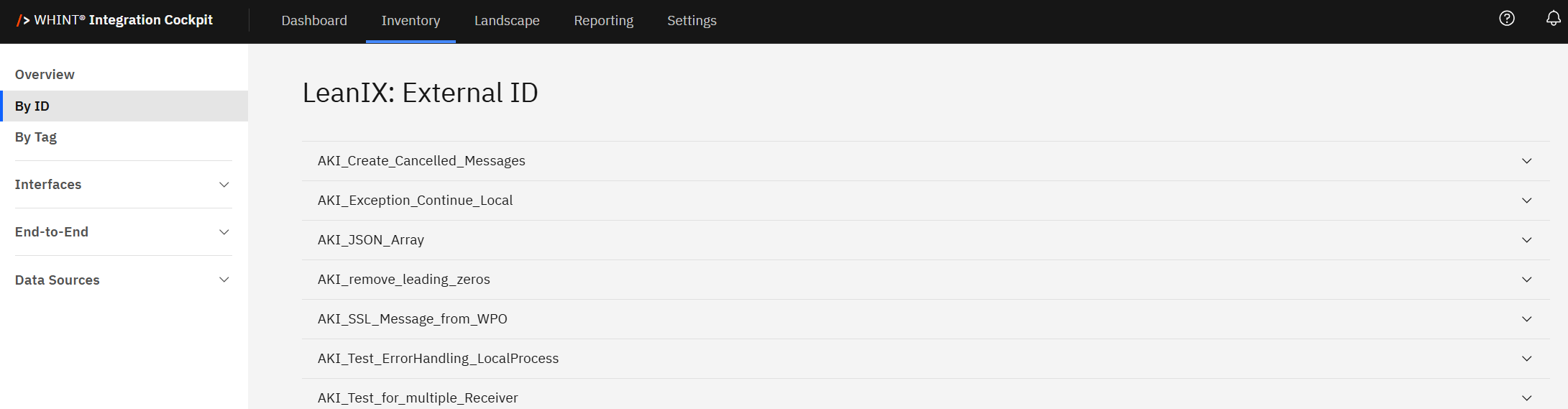
Each ID value appears as an expandable section showing the actual identifier, interface count, and integration references. Clicking the expand arrow (▼) opens detailed information for that specific ID value.
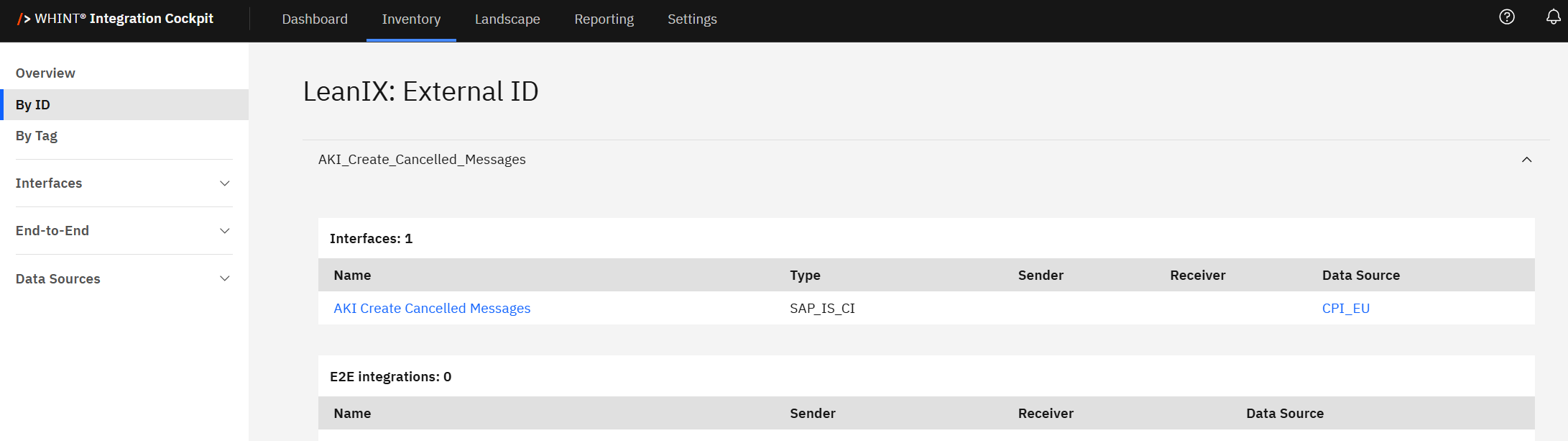
When expanded, you see:
-
Interfaces: Displays interfaces associated with this ID value including Name (clickable), Type, Sender/Receiver (when configured) and Data Source.
-
E2E Integrations: Displays end-to-end integrations with this ID value including Name (clickable), Sender/Receiver (when configured) and Data Source.
Clicking an Interface/E2E Integration name (e.g. "AKI Create Cancelled Messages") opens the detailed interface/E2E view with complete configuration, properties and metadata.
Best Practice: Use By ID lookup when working with external tools or documentation that references WHINT interfaces by business identifiers rather than technical names.
Last Updated: August 18, 2025