

The To-do view lists systems whose properties are not yet fully maintained, based on the system check configured under Settings → To-do.
Purpose: Identify systems with missing properties and complete their classification, either individually or through mass maintenance.
Navigate to Inventory → Systems → To-do to open the view.
Systems to Be Processed
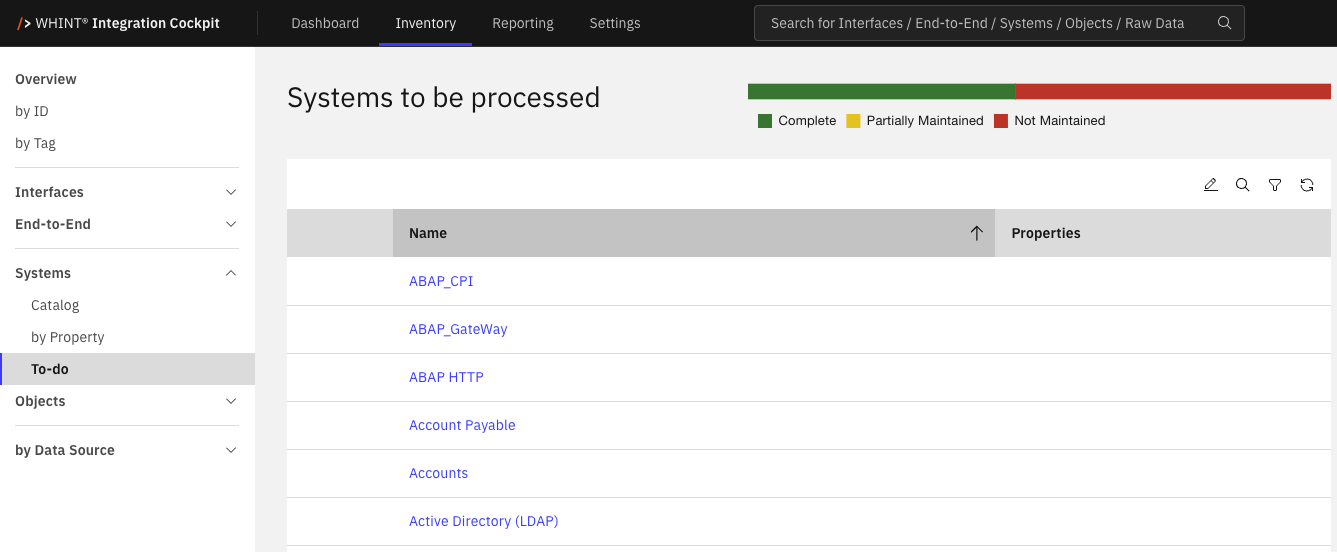
By default, the list shows all systems that are not complete. Click a system name to open its details in Inventory → Systems → Catalog, where you can add the missing properties.
What counts as complete depends on the Properties (System) setting under Settings → To-do:
|
Setting |
Complete |
Partially Maintained |
Not Maintained |
|---|---|---|---|
|
at least one |
The system has at least one property assigned. |
Not applicable. |
The system has no properties assigned. |
|
configured |
The system has all property types marked as required for systems. |
The system has some, but not all, required properties assigned. |
The system has none of the required properties assigned. |
A property counts as assigned even if it has no value. If Properties (System) is set to Inactive, the view displays a message instead of the list.
Status Bar
The bar above the list shows the number of systems in each status: Complete, Partially Maintained and Not Maintained.
The counts take the current search and filters into account, but all three statuses are always displayed.
Click a segment to filter the list by that status. Click the same segment again to return to the default list. The status bar is disabled while mass maintenance is active.
Properties Column
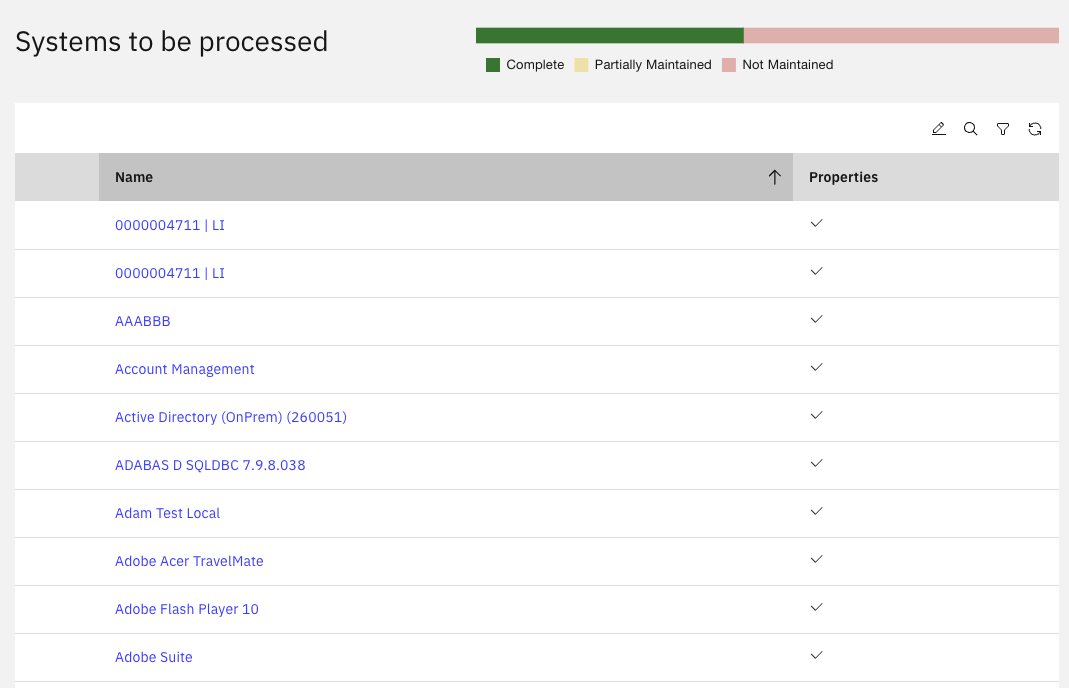
The Properties column displays a check mark only when the list is filtered to Complete. In the default list and when filtering by either of the other statuses, the column remains empty.
Toolbar
|
Control |
What it does |
|---|---|
|
Mass maintenance for properties |
Switches the list to selection mode. Select multiple rows to add or remove properties for all selected systems. |
|
Search |
Searches system names. |
|
Filter |
Filters by Status, Data Source and Property. |
|
Reload |
Reloads the list. |
Mass maintenance is only available to users with write permission. Unlike in the Systems Catalog, you cannot delete systems from this view.
After mass maintenance, the list and status bar are recalculated. Systems that are now complete disappear from the default list.
Related Documentation
-
Inventory → Systems → Catalog — Open a system and maintain its properties.
-
Inventory → Systems → by Property — Compare property values across systems.
-
Settings → To-do — Configure the system check and required properties.
-
Settings → Properties → Overview — Define the property types available for systems.
-
Inventory → Interfaces → To-do — The same view for interfaces.
-
Inventory → End-to-End → To-do — The same view for End-to-End integrations.
Last Updated: November 3, 2026