

The Properties configuration allows you to define structured metadata fields for interfaces, systems, and objects throughout Integration Cockpit, supporting traceability, lifecycle planning, and alignment with architectural and operational standards.
Purpose: Define property fields with specific formats (ID, STRING, URL, DATE, NUMBER, VALUELIST) for consistent metadata capture across interfaces, systems, and objects. Properties can be used for enterprise governance and integration lifecycle management workflows.
Navigate to Settings → Properties → Overview to manage your property definitions across the Interface, Object and System categories.
For detailed guidance on property configuration, see 2.1.1 Properties in the Onboarding Guide.
Properties Overview
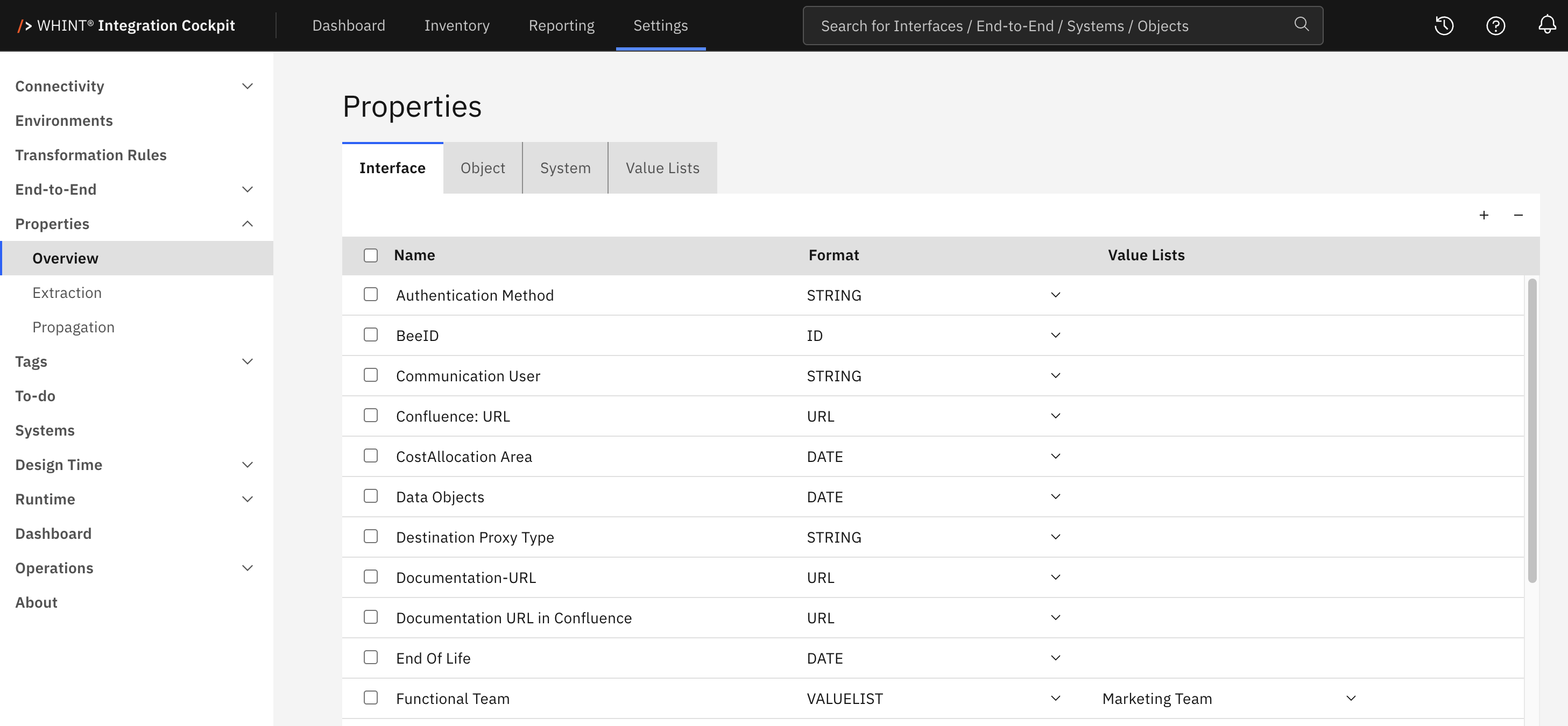
What you see:
-
Category tabs (Interface, Object, System) for the different property scopes, plus a Value Lists tab for maintaining selectable values
-
Properties list with checkboxes for selection (Name column)
-
Format column with a dropdown for the data type of each property (ID, STRING, URL, DATE, NUMBER, VALUELIST)
-
Value Lists column, used only for properties with the VALUELIST format
-
Add/Remove controls (+ and - buttons) for managing property definitions
-
Save and Cancel buttons to apply or discard changes
-
Update Inventory button in the bottom right corner
Property Management
Adding New Properties
-
Select the category tab (Interface, Object, or System) — see Property Categories below.
-
Click the "+" Add button. A new empty row appears at the top of the list.

-
Enter the property name (e.g. Functional Team, End Of Life, Documentation URL).
-
Select the Format from the dropdown (ID, STRING, URL, DATE, NUMBER, VALUELIST) — see Format Type Guidelines below.
-
For the VALUELIST format, select the Value List the property should offer.
-
Click Save to create the property.
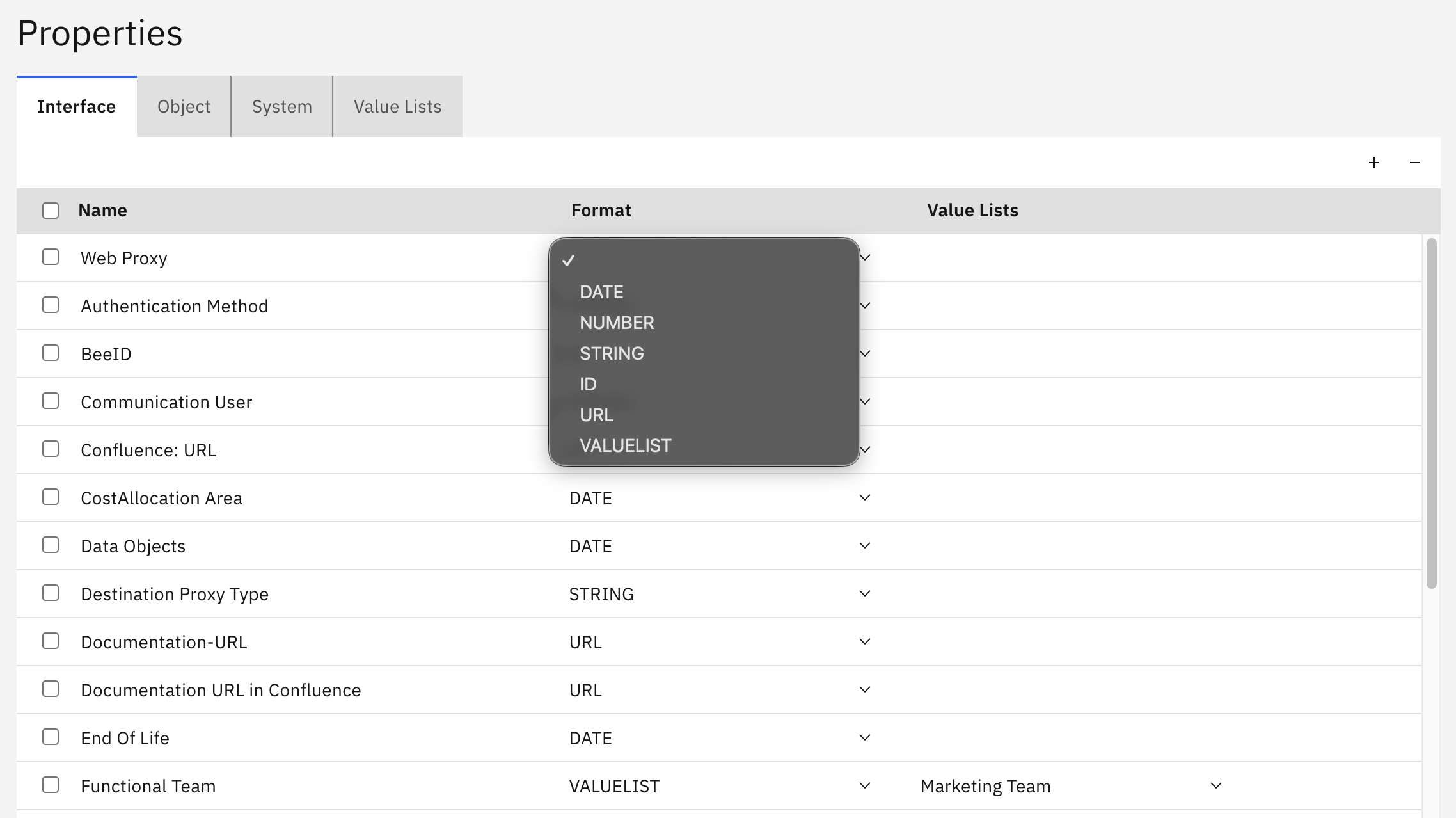
Name and Format are mandatory, and a VALUELIST property cannot be saved without a value list. The property name must be unique within its category — the same name may be used once under Interface and once under System, but not twice under Interface.
Removing Properties
-
Select the checkbox next to the properties you want to remove.
-
Click the "-" button.
-
Click Save to confirm.
Warning: Deleting a property definition also deletes every value captured for it on interfaces, objects, and systems, together with its extraction rules and propagation rules. This cannot be undone and there is no confirmation prompt.
Applying Changes
Saving a property definition stores it, but existing inventory data is not reprocessed automatically. Use the Update Inventory button in the bottom right corner to apply your changes to existing interfaces. You are asked to confirm.
Value Lists
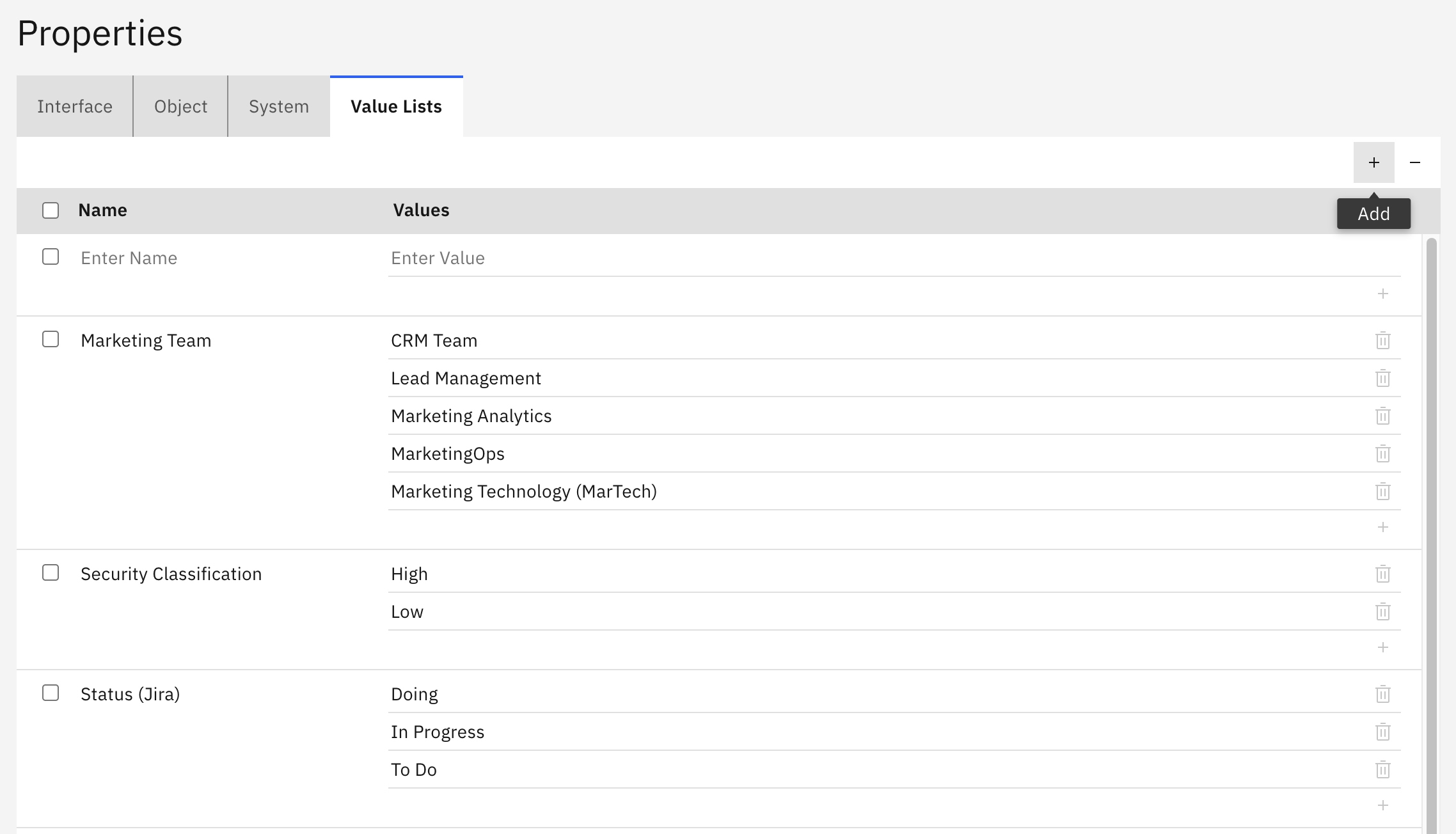
The Value Lists tab defines the sets of selectable values used by properties with the VALUELIST format.
-
Name column — The name of the value list, for example Team or Security Classification
-
Values column — The individual values of that list. Use the + icon next to the values to add another one and the trash icon to remove one. A list always keeps at least one value row.
-
Use the "+" Add and "-" buttons in the toolbar to add or remove complete value lists.
All value list names and all values within them must be unique across this tab. The same text cannot be used twice.
Property Categories
-
Interface Properties — Metadata for individual integration interfaces
-
Object Properties — Metadata for business data objects and entities
-
System Properties — Metadata for applications and backend systems
-
Value Lists — Not a property scope of its own. This tab maintains the value sets that VALUELIST properties in the three categories above refer to.
Format Type Guidelines
ID — Unique identifiers and reference numbers
STRING — Text fields, names, descriptions, and team assignments
URL — Web links to documentation, tools, or external resources
DATE — Lifecycle dates and deadlines
NUMBER — Numeric values, counts, and metrics
VALUELIST — Values selected from a fixed list maintained on the Value Lists tab
Property Configuration Requirements
Properties must be configured before they can be used in:
-
To-do enrichment workflows (see Settings → To-do → Properties)
-
Interface catalog metadata capture and display
-
Property Extraction for automatic capture from interface names, descriptions, and fields
-
Property Propagation for distributing values between interface types
-
Inventory views such as Inventory → Interfaces → by Property and Inventory → by ID
Best practice: Use specific, meaningful property names rather than generic labels. Choose an appropriate format for the intended use — use DATE for lifecycle dates, URL for documentation links, STRING for descriptive text, and VALUELIST when the value should come from a fixed set. Formats describe how a value is intended to be used, they are not validated on input.
Related Documentation
For comprehensive property strategy and implementation guidance:
-
Onboarding Guide - 2.1.1 Properties — Detailed property configuration, recommended property sets, and enterprise alignment strategies
-
Property Extraction — Automatic extraction of metadata from interface raw data
-
Property Propagation — Transfer of property values between interface types
-
To-do Configuration - Properties — Enabling properties for interface enrichment workflows
-
Transformation Rules — Harmonization of system names and business object assignment
Last Updated: August 28, 2026