

The To-do configuration defines when an interface, an End-to-End flow or a system is considered incomplete. Any item that fails one of the active checks appears in the corresponding To-do list.
Purpose: Define your own completeness criteria, so the To-do lists and the Dashboard figures measure metadata quality against your standards instead of a fixed checklist.
Navigate to Settings → To-do to configure the criteria. The page itself is titled Configuration and has three tabs.
Configuration Overview
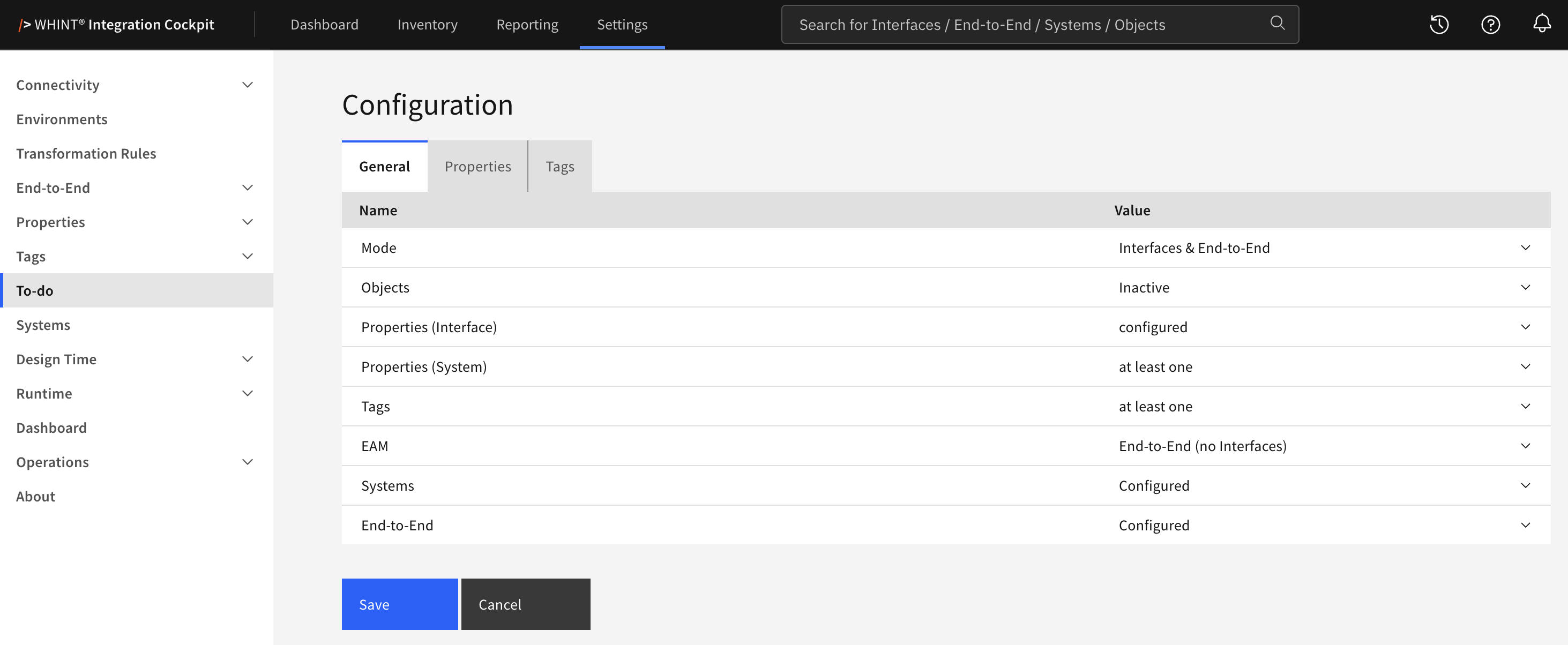
What you see:
-
General tab – the criteria and how strictly each one is applied
-
Properties tab – which properties are required for Integrations and Systems
-
Tags tab – which tag categories are required
-
Save and Cancel buttons on every tab
An item appears in a To-do list as soon as one of the active checks fails.
Each tab has its own Save. Saving on one tab does not store changes made on another — save each tab separately.
Changes take effect immediately. The To-do lists are evaluated when you open them, so no inventory run is required.
General Tab
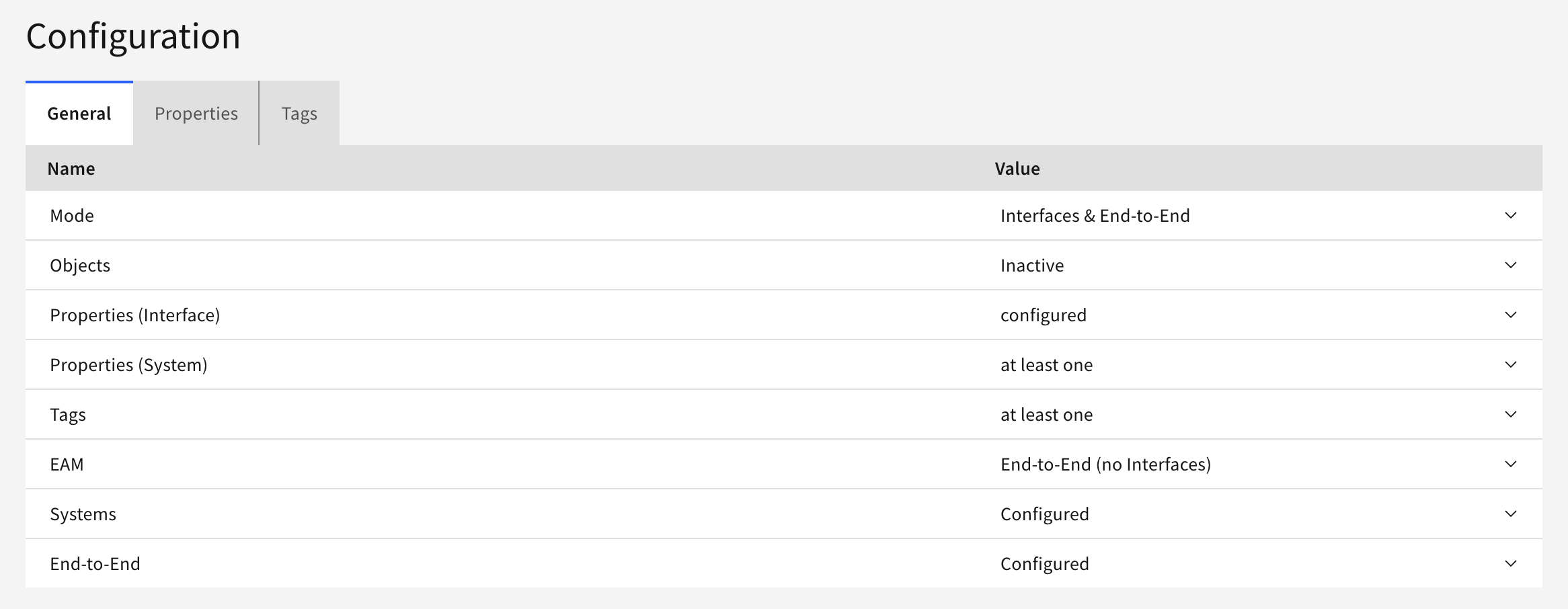
|
Setting |
Options |
What it does |
|---|---|---|
|
Mode |
Inactive, Interfaces (no End-to-End), End-to-End (no Interfaces), Interfaces & End-to-End |
Decides which interface and End-to-End To-do lists are filled — see Mode and EAM in detail below |
|
Objects |
at least one, Inactive |
Flags interfaces that have no business object assigned |
|
Properties (Interface) |
at least one, configured, Inactive |
at least one flags items with no property assigned. configured flags items that are missing one of the properties marked on the Properties tab |
|
Properties (System) |
at least one, configured, Inactive |
The same logic for systems. Inactive switches the system To-do off completely |
|
Tags |
at least one, configured, Inactive |
The same logic for tags, using the Tags tab |
|
EAM |
Inactive, Interfaces (no End-to-End), End-to-End (no Interfaces), Interfaces & End-to-End |
Adds items that have a counterpart in your EAM source, matched through a shared property with the ID format — see Mode and EAM in detail below |
|
Systems |
Configured, Inactive |
Flags interfaces whose sender or receiver is not assigned |
|
End-to-End |
Configured, Inactive |
Flags interfaces that are not part of any End-to-End flow |
Mode and EAM in detail
Both settings offer the same four options, and both refer to the two interface-related To-do lists.
Mode switches those lists on:
-
Interfaces & End-to-End – both Inventory → Interfaces → To-do and Inventory → End-to-End → To-do are filled
-
Interfaces (no End-to-End) – only Inventory → Interfaces → To-do is filled; the End-to-End list stays empty
-
End-to-End (no Interfaces) – only Inventory → End-to-End → To-do is filled; the interface list stays empty
-
Inactive – both lists stay empty. Inventory → Systems → To-do is not affected
Start with Mode set to Interfaces & End-to-End and the requirements set to at least one. That flags everything carrying no metadata at all, without further setup. Switch a requirement to configured only when you want to enforce specific properties or tags — that option needs the Properties and Tags tabs filled in first.
EAM determines in which of those lists the EAM check is applied. It only takes effect in a list that Mode has switched on:
-
Interfaces & End-to-End – in both lists
-
Interfaces (no End-to-End) – in the interface list only
-
End-to-End (no Interfaces) – in the End-to-End list only
-
Inactive – not applied anywhere
Two settings are easy to misread. Systems does not control the system To-do — it checks sender and receiver on interfaces. The system To-do is switched on and off through Properties (System), independently of Mode. With Mode set to Inactive, the interface and End-to-End lists stay empty while the system list still works.
Properties Tab
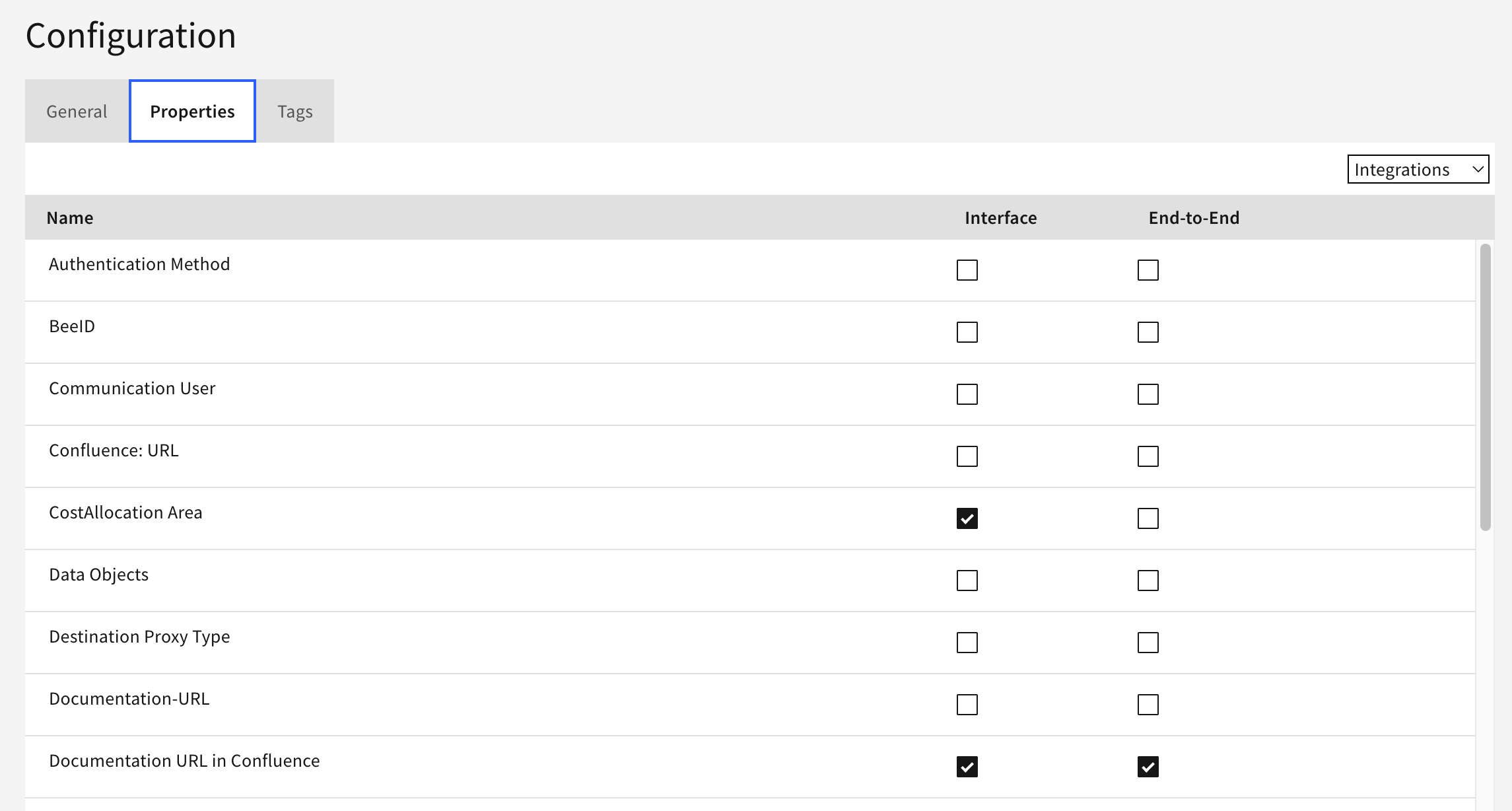
The dropdown in the top right switches the scope:
-
Integrations – interface properties, with a checkbox for Interface and one for End-to-End
-
Systems – system properties, with a checkbox for System
A checkbox marks that property as required. These requirements only take effect where the matching General setting is set to configured. If a General setting is set to configured while nothing is marked here, the check falls back to flagging items with no entry at all.
Only property types of the selected scope are listed. They are maintained under Settings → Properties → Overview.
Tags Tab
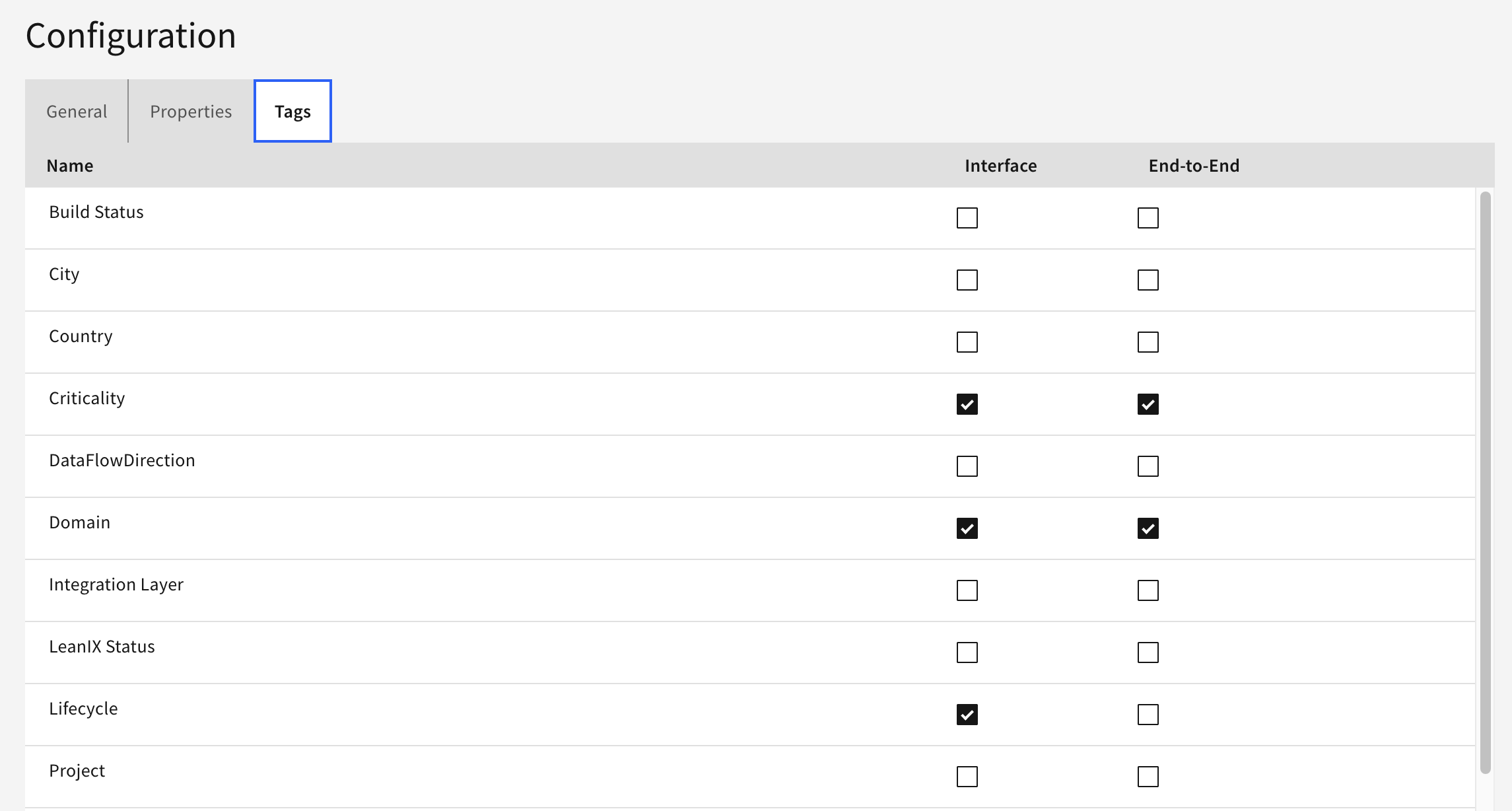
One row per tag category, with a checkbox for Interface and one for End-to-End. As with properties, the marks only take effect while Tags is set to configured in the General tab. If Tags is set to configured while nothing is marked here, the check falls back to flagging items with no tag at all.
Tag categories are maintained under Settings → Tags → Overview.
Where the To-do Lists Appear
-
Inventory → Interfaces → To-do – interfaces
-
Inventory → End-to-End → To-do – End-to-End flows
-
Inventory → Systems → To-do – systems
Click an entry to open the item and add the missing metadata.
Each list shows how many items are completely maintained, partially maintained or not maintained at all, measured against the configured criteria. The same figures feed the To-do numbers on the Dashboard.
Interfaces of the types OTHER, EAM and PLANNED are never listed in the interface To-do.
Related Documentation
-
Properties – Creating and maintaining property types
-
Tags – Defining tag categories and their values
Last Updated: August 31, 2026