

The Dashboard configuration allows you to customize which dashboard elements are displayed, define KPI thresholds, configure the inventory panel and Quicklinks, and arrange the dashboard layout.
Purpose: Configure the dashboard to match your team's needs and provide quick access to the information most relevant to your integration landscape.
Navigate to Settings → Dashboard to access the dashboard configuration tabs.
For detailed guidance on dashboard configuration, see 2.2 Dashboard in the Onboarding Guide.
Configuration Overview
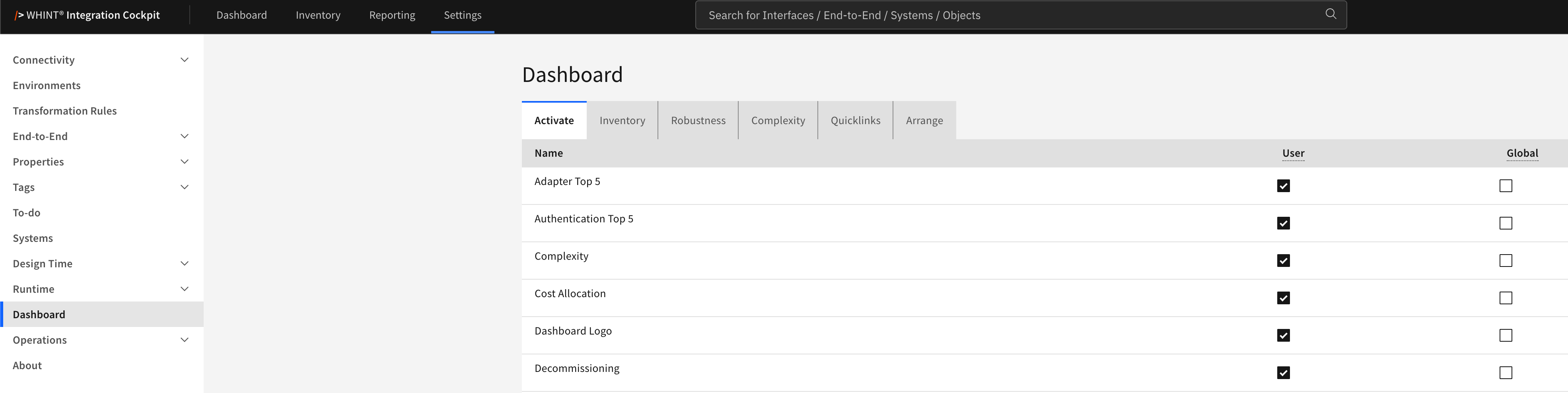
What you see:
-
Configuration tabs for the different aspects of the dashboard
-
User and Global columns on the Activate, Inventory and Quicklinks tabs
-
Save and Cancel on the configuration tabs; Arrange has its own Save Order and Reset to Default
Configuration Tabs
-
Activate → Control which dashboard elements are displayed, per user or globally (configuration guide)
-
Inventory → Configure the Recently Added period and the tag values counted in the inventory panel (configuration guide | KPI details)
-
Robustness → Define the green and red thresholds for the Robustness KPI (configuration guide | KPI details)
-
Complexity → Define the thresholds used to classify interface complexity (configuration guide | KPI details)
-
Quicklinks → Configure the Quicklinks widget and its links (configuration guide)
-
Arrange → Control the position and order of the dashboard widgets (configuration guide)
Click Save to apply your configuration changes.
Usage and KPI Details
Configuration changes take effect the next time the dashboard is opened.
For the meaning of the individual KPIs and for step-by-step configuration:
-
Dashboard Overview – All dashboard KPIs and widgets and what they show
-
2.2 Dashboard – Step-by-step configuration with recommended values
Related Configuration
Some dashboard elements use rules configured in other settings sections:
-
Decommissioning → Decommissioning | KPI details
-
Design Check → Design Check
-
Naming Check → Naming Conventions
-
Strategy Fit: Adapter and Strategy Fit: Authentication → Integration Strategy
-
Version Check → Version Comparison | KPI details
These evaluations are configured in their respective settings sections and can then be activated as dashboard elements under Activate.
Last Updated: September 2, 2026