

The Systems section controls which system ID properties are displayed below sender and receiver names on interface and End-to-End detail pages.
Purpose: Select the system ID properties that are most relevant to your organization, so users can see the required identifiers directly on interface and End-to-End details without opening the system record.
Navigate to Settings → Systems to configure which system ID properties are displayed.
Systems Overview
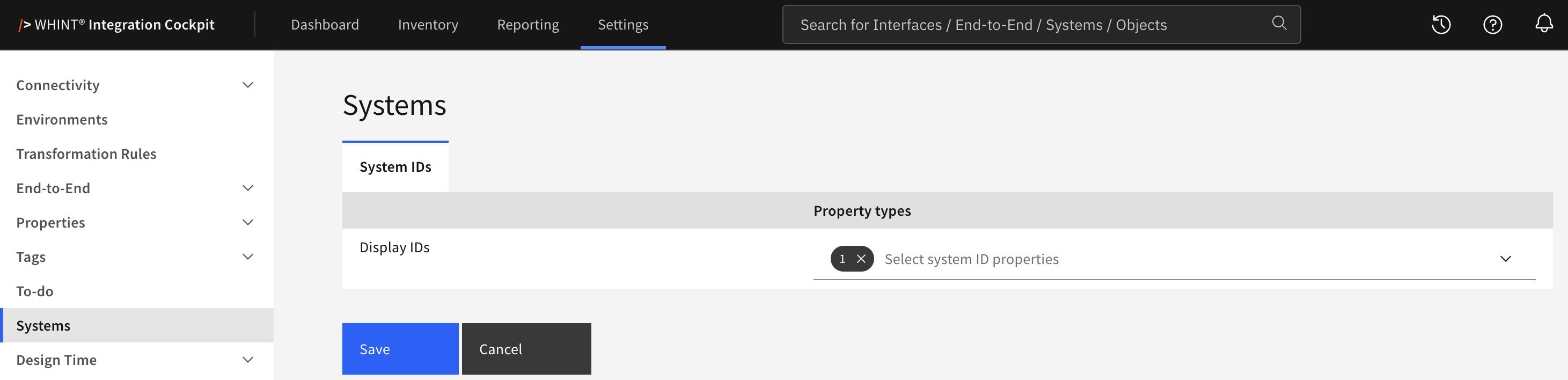
What you see:
-
System IDs tab – the only tab in this section
-
Display IDs – the configuration for selecting system ID properties
-
Select system ID properties – a filterable multiselect with the available system ID property types
-
Save and Cancel buttons to apply or discard your changes
Available Property Types
Only property types that meet both criteria are available for selection:
|
Attribute |
Required value |
|---|---|
|
Kind |
|
|
Format |
|
The list is sorted alphabetically by property type name. Property types are maintained under Settings → Properties → Overview.
If no system property type with format ID exists, the selection list remains empty and a hint is shown below the table.
Configuring Display IDs
-
Open Settings → Systems.
-
Open the Select system ID properties dropdown. Use the filter field to search by name.
-
Select the ID property types that should be displayed. Multiple selections are allowed.
-
Click Save.
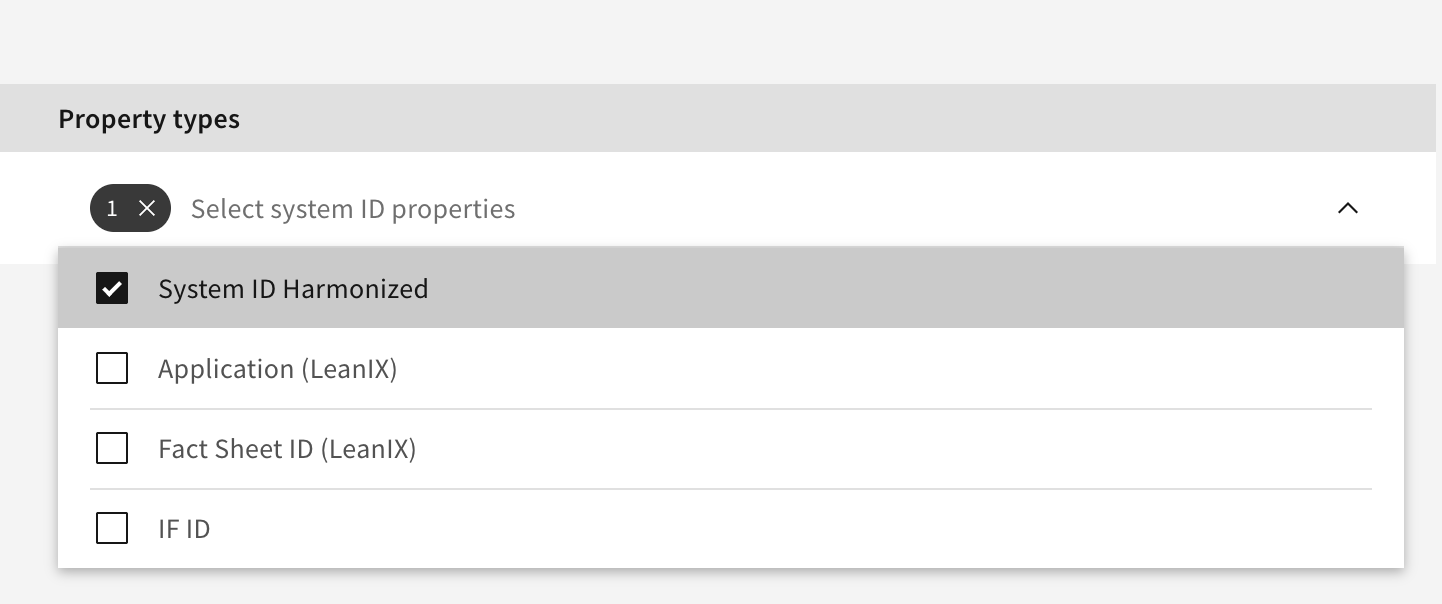
The “✓” on the selection count clears all selected properties. Cancel discards unsaved changes and reloads the saved configuration.
Where the IDs Appear
After saving, values of the selected ID properties are displayed directly below the system name:
|
Page |
Position |
|---|---|
|
Inventory → Interfaces → interface detail |
Under Sender and Receiver, right-aligned |
|
Inventory → End-to-End → flow detail |
Under Sender and each Receiver, indented under the system name |
The values are read from the properties of the system itself, not from the interface or End-to-End flow.
Only selected properties that have a value for the system are displayed.
No inventory or configuration run is required, changes take effect when the detail page is reopened or reloaded.
No selection means no IDs. If no system ID properties are selected, nothing is displayed below sender and receiver names. The system does not fall back to displaying all ID properties.
Related Documentation
-
Properties → Overview – Creating and maintaining property types
-
Interfaces – Viewing interface details
-
End-to-End – Viewing End-to-End details
Last Updated: September 1, 2026