

The Integration Strategy configuration classifies adapters and authentication types by strategic fit, helping you measure how closely your integration landscape aligns with your target architecture.
Purpose: Define which adapters and authentication types are a Good Fit, Partial Fit or No Fit for your integration strategy. These classifications support architecture governance, technology standardization and modernization planning.
Navigate to Settings → Design Time → Integration Strategy to configure the classifications.
For detailed guidance on integration strategy configuration, see 2.3 Integration Strategy in the Onboarding Guide.
Configuration Overview
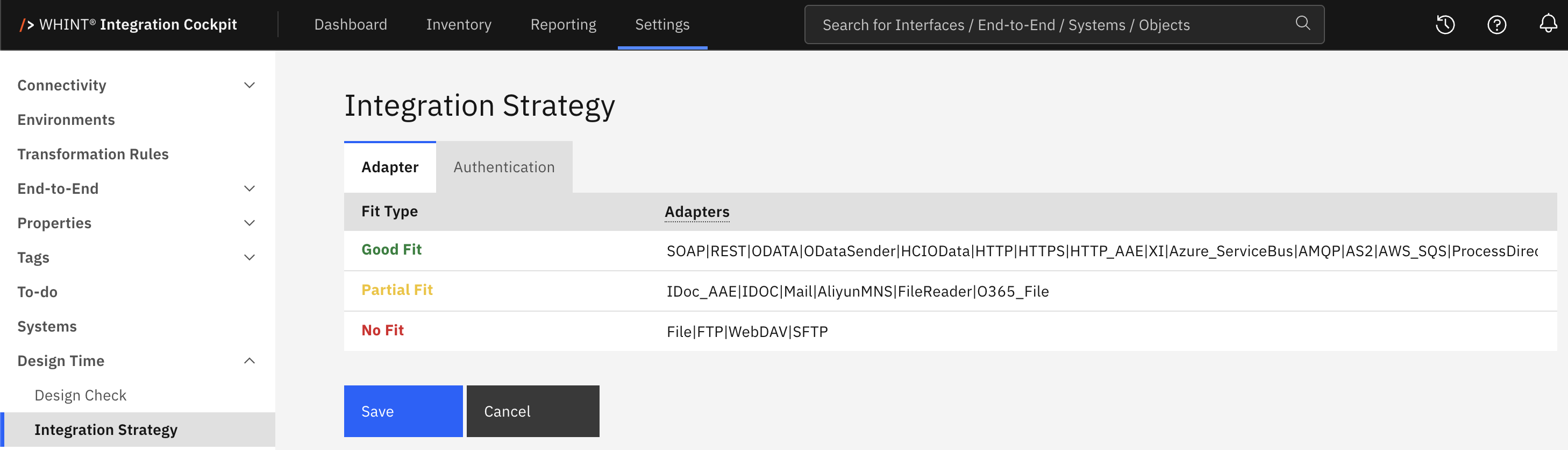
What you see:
-
Adapter and Authentication tabs for classifying each technology type
-
Fit Type classifications: 🟩 Good Fit, 🟨 Partial Fit and 🟥 No Fit
-
Adapters / Authentication Types assigned to each classification, separated by a pipe (
|) -
Save and Cancel buttons to apply or discard changes
Fit Classifications
-
Good Fit – aligned with your integration strategy
-
Partial Fit – tolerated where no better alternative is available
-
No Fit – to be avoided due to technical debt, security risks or strategic misalignment
An adapter or authentication type that is not assigned to any classification is reported as N/A. It is not treated as No Fit.
N/A indicates an incomplete classification. Adapters or authentication types that are not assigned to a fit type are reported as N/A and are not treated as No Fit.
Configuring the Classification
-
Open the Adapter or Authentication tab.
-
Enter the values for each fit type, separated by a pipe (
|) — for exampleSOAP|REST|ODATA|HTTPS. -
Click Save.
Cancel discards unsaved changes. Both tabs are saved together.

Values are matched exactly against the adapter or authentication type collected from the source system, including upper and lower case. Surrounding spaces are ignored.
If the same value is assigned to multiple fit types, Good Fit takes precedence over Partial Fit, which takes precedence over No Fit.
Where Results Appear
The classifications are used in:
-
Dashboard → Strategy Fit – shows the distribution of Good Fit, Partial Fit, No Fit and N/A for adapters and authentication types
-
Reporting → Designtime → Adapter → Overview – shows adapter usage and strategic fit
-
Reporting → Designtime → Authentication → Overview – shows authentication usage and strategic fit
-
Inventory → Interfaces → Interface Details – shows adapter and authentication fit in the interface checks
The distributions count adapter and authentication occurrences, not interfaces. An interface using multiple adapters therefore contributes multiple entries.
Related Documentation
-
Dashboard Configuration – Enabling the Strategy Fit KPI elements
Last Updated: September 1, 2026