

The Adapter Usage End-to-End view shows how adapter technologies are used across complete end-to-end integration processes. Use this analysis to understand adapter dependencies in business workflows, assess technology standardization across integration chains and plan modernization efforts at the process level.
Navigate to Reporting → Adapter Usage → End-to-End to access end-to-end integration adapter analytics and business process technology assessment.
End-to-End Overview
Adapter Usage End-to-End displays complete integration workflows and the adapter technologies they utilize, helping you understand technology dependencies across entire business processes.
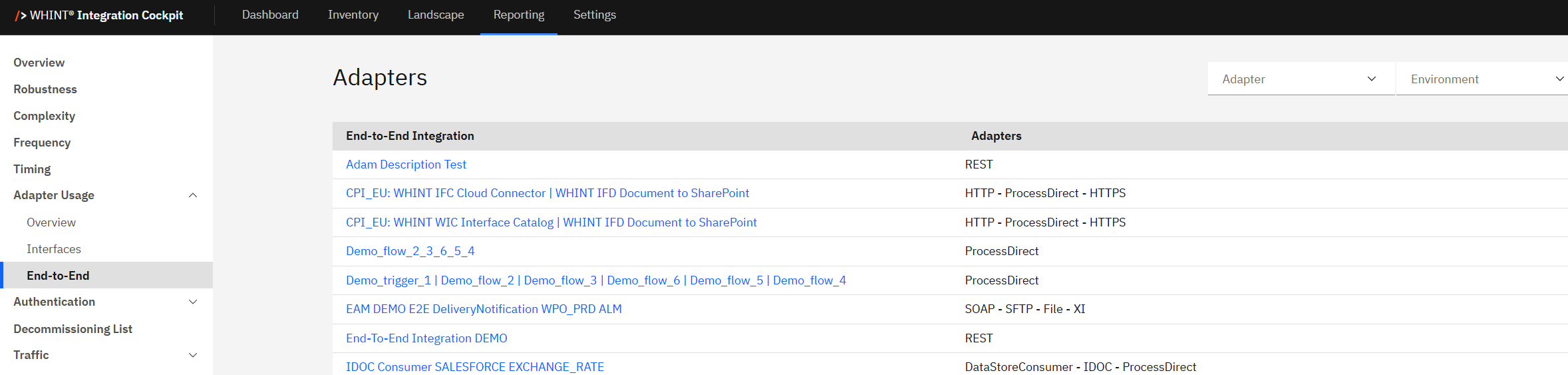
What you see:
-
End-to-End integration table with process names and adapter technology combinations
-
Adapter filter to focus on specific adapter technologies across processes
-
Environment filter to switch between environment views e.g. Production, Test, Development
-
Sortable columns for organizing end-to-end processes
Using End-to-End Information
End-to-End table provides process-level view of adapter technology usage:
|
Column |
Description |
Purpose |
|---|---|---|
|
End-to-End Integration |
Complete business process name (clickable blue links) |
Navigate to process details |
|
Adapters |
Adapter technologies used in this process |
Understand technology stack |
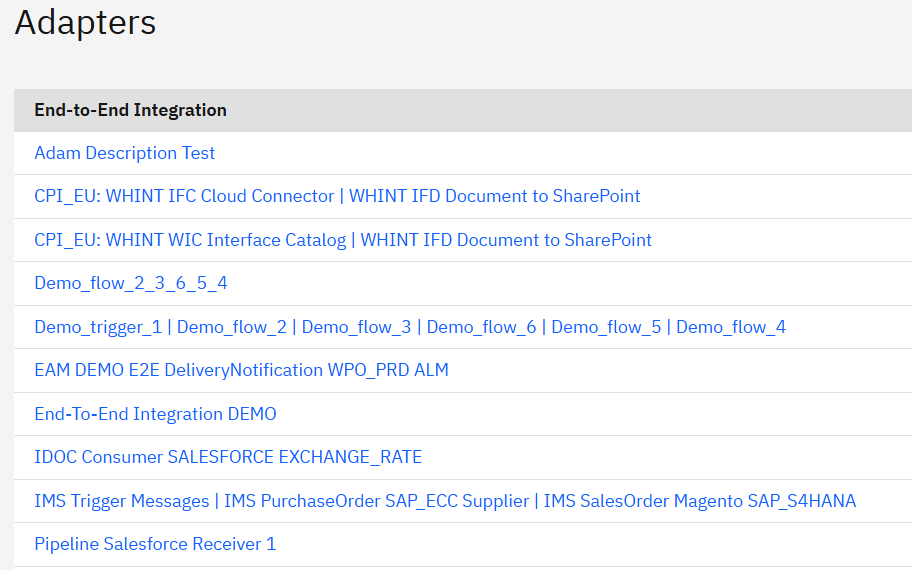
How to use the process data:
End-to-End Integration names (blue links):
-
Click "Adam Description Test" → Navigate to detailed process analysis with REST adapter
-
Click "CPI_EU: WHINT IFC Cloud Connector | WHINT IFD Document to SharePoint" → View SharePoint integration using HTTP - ProcessDirect - HTTPS
-
Click "EAM DEMO E2E DeliveryNotification WPO_PRD ALM" → See complex process using SOAP - SFTP - File - XI
-
Click any process name to access comprehensive process details
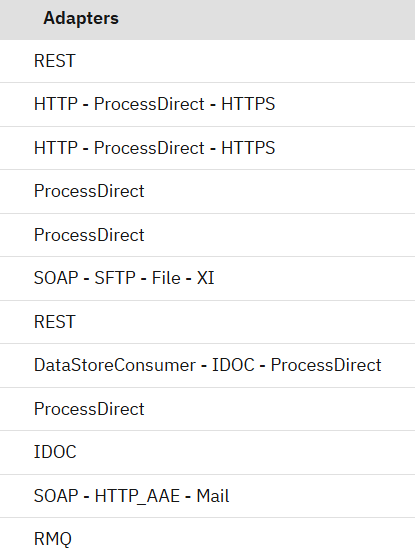
Adapter technology combinations:
-
REST → Simple API-based integration
-
HTTP - ProcessDirect - HTTPS → Secure web-based integration chain
-
ProcessDirect → Internal SAP Cloud Integration processing
-
SOAP - SFTP - File - XI → Complex multi-protocol integration involving web services, file transfer, and SAP protocols
-
DataStoreConsumer - IDOC - ProcessDirect → SAP-centric integration with data storage
Filtering and Analysis
Filter options help you analyze adapter usage across end-to-end processes:
Adapter Filter:
-
Select specific adapter types to see which end-to-end processes use that technology
-
Useful for impact analysis when planning adapter migrations or deprecations
-
Identify processes that would be affected by adapter strategy changes
Environment Filter:
-
Switch between Production, Test, Development environments
-
Compare end-to-end adapter usage across different landscape tiers
-
Validate technology consistency across deployment environments
Analysis workflow:
-
Review adapter combinations to understand technology complexity per process
-
Use adapter filter to find all processes using specific technologies
-
Click process names to investigate detailed implementations
-
Assess modernization impact at the business process level
End-to-End (Selected)
When you click any blue end-to-end integration name, you'll see the End-to-End Details view with comprehensive information about that complete business process.
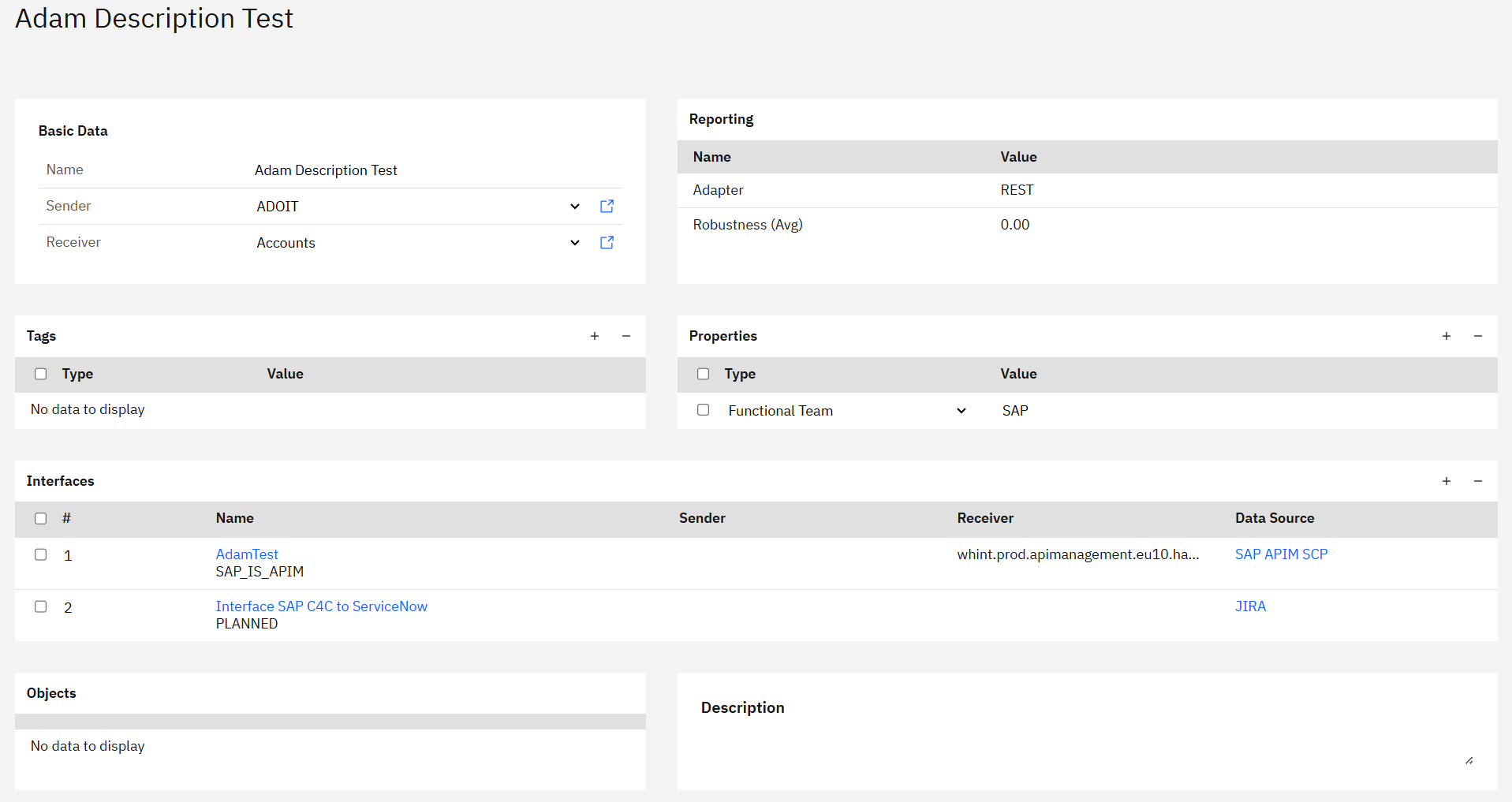
What you see after clicking a process:
-
Process name header with the specific end-to-end integration identifier
-
Basic Data section showing Name, Sender and Receiver systems
-
Reporting section with Adapter type and Robustness metrics
-
Properties section for process metadata (e.g. Functional Team)
-
Interfaces table showing all interfaces within this end-to-end process
-
Objects section for associated business objects
-
Description section for process documentation
Key information displayed:
-
Primary adapter (e.g. REST) used in this end-to-end process
-
Robustness (Avg) showing process-level stability (e.g. 0.00 - not calculated in this case)
-
Functional Team ownership (e.g. SAP)
-
Interface breakdown showing individual interfaces that make up the process
-
System context via Sender and Receiver information
Use the end-to-end details to:
-
Understand process scope through the interfaces table
-
Assess process health via robustness and adapter metrics
-
Identify ownership through properties like Functional Team
-
Plan technology changes by understanding all interfaces involved
End-to-End Adapter Insights
Process-level analysis helps with:
Technology standardization:
-
Identify processes using consistent adapter technologies (Good Fit patterns)
-
Find processes with mixed or deprecated adapter usage
-
Support standardization initiatives at the business process level
Migration planning:
-
Understand which complete business processes would be affected by adapter changes
-
Assess migration complexity by reviewing adapter combinations per process
-
Plan migration sequencing based on business process criticality
Architecture assessment:
-
Review adapter technology distribution across business workflows
-
Identify overly complex processes with multiple adapter types
-
Support simplification efforts by understanding technology dependencies
Best practices:
-
Use this view to assess technology consistency across business processes
-
Regular review helps identify processes with technology drift
-
Combine with Strategy Fit data to prioritize process-level modernization
Navigation
Return to other views:
-
Navigate to Adapter Usage → Overview for technology distribution summary
-
Navigate to Adapter Usage → Interfaces for interface-level adapter analysis
-
Use browser back button to return to previous analysis
Cross-reference with other analytics:
-
Compare end-to-end adapter usage with individual interface patterns
-
Use with Complexity and Robustness data for comprehensive process assessment
-
Reference Strategy Fit classifications for modernization planning
Related Documentation
For comprehensive end-to-end and adapter analysis:
-
Onboarding Guide - 2.3.1 Adapter - Adapter strategy configuration
Last Updated: August 22, 2025