

The Landscape Overview summarizes the main elements of your integration landscape: interface types, systems, enterprise architecture content, business objects, tags, and B2B partners.
Purpose: Use the Landscape Overview to get a consolidated view of your integration landscape and quickly identify how interfaces, systems, objects, tags, enterprise architecture content, and B2B partners are distributed.
Navigate to Reporting → Landscape → Overview to open the landscape overview.
Landscape Overview
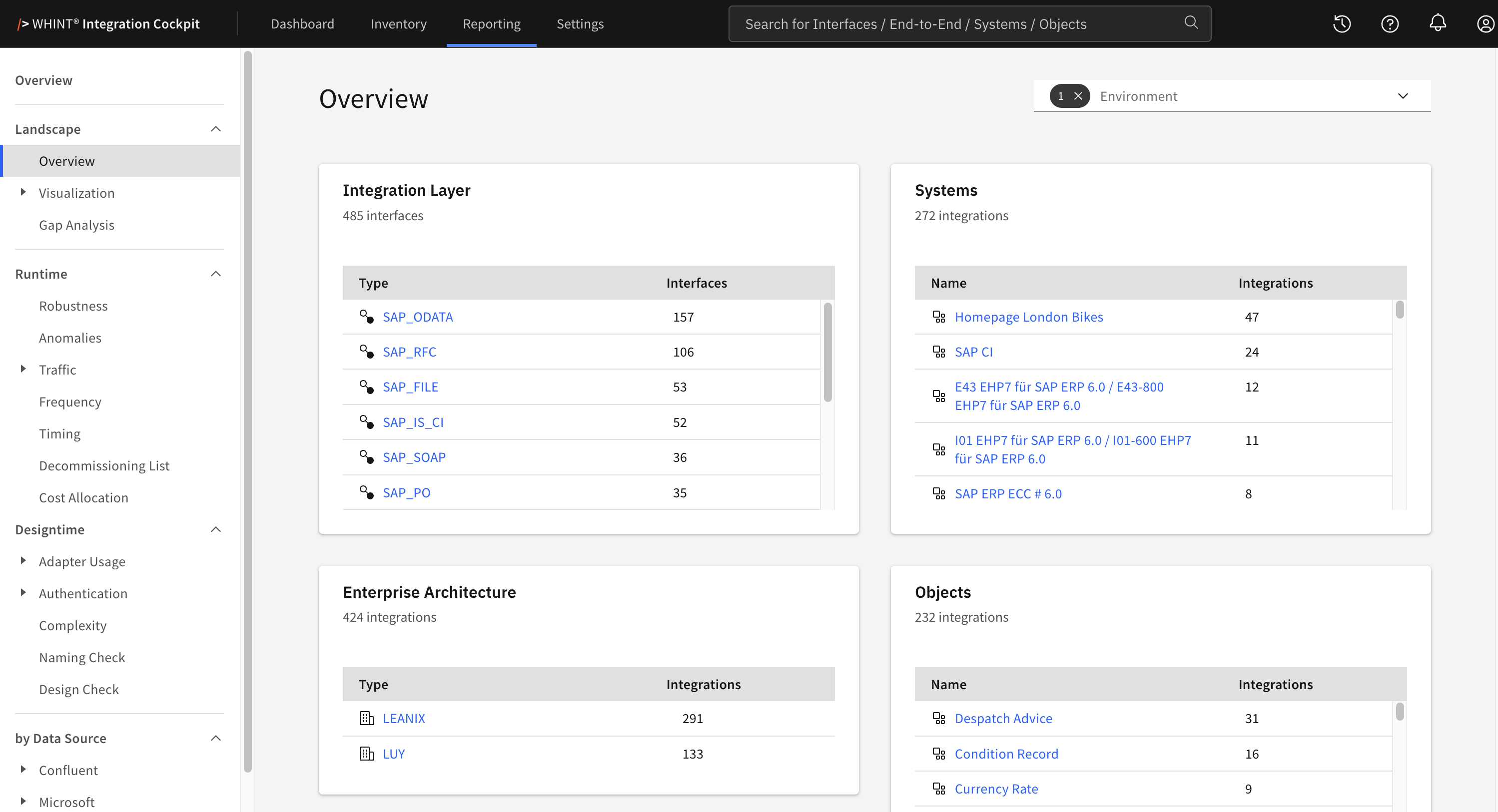
What you see:
-
Integration Layer — Interfaces grouped by interface type
-
Systems — Systems connected through interfaces and End-to-End integrations
-
Enterprise Architecture — Integration content from connected enterprise architecture tools
-
Objects — Business objects linked to interfaces
-
Tags — Tag values with separate Interface and End-to-End counts
-
B2B Partners — Systems marked as B2B partners and their integration counts
Use the Environment filter in the top right to scope the overview to one or more environments.
Each card shows its total below the title. The Tags card shows separate totals for Interface and End-to-End tag assignments.
The cards use different counting bases and their totals should therefore not be compared directly.
Interfaces and End-to-End integrations carrying a tag value configured under Settings → Tags → Ignore are excluded from the Landscape Overview evaluations.
The Tags card is the exception and still shows these tag assignments. If counts are lower than expected compared with the Inventory, check the Ignore configuration.
Integration Layer
The Integration Layer card shows interfaces grouped by interface type.
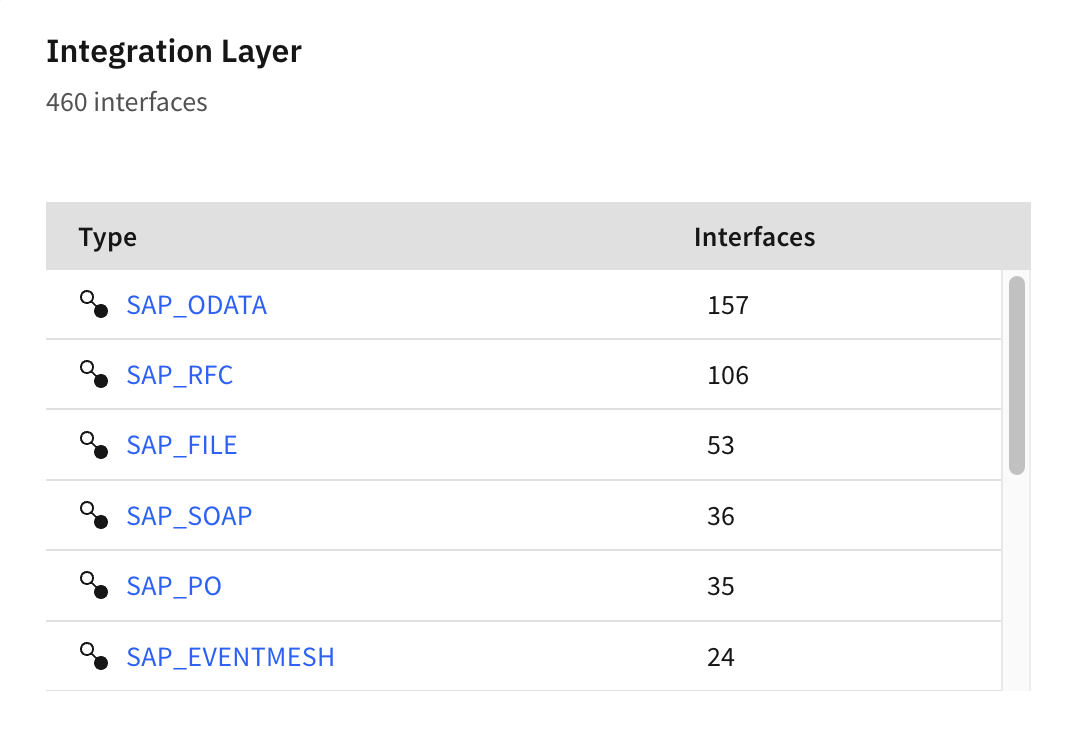
What you see:
-
Type — Interface type
-
Interfaces — Number of interfaces of that type
Interfaces imported from enterprise architecture tools and planned interfaces are not included.
Click an interface type to open the corresponding interface list in the Inventory, filtered by type and environment.
Systems
The Systems card shows the harmonized systems connected through your integrations.
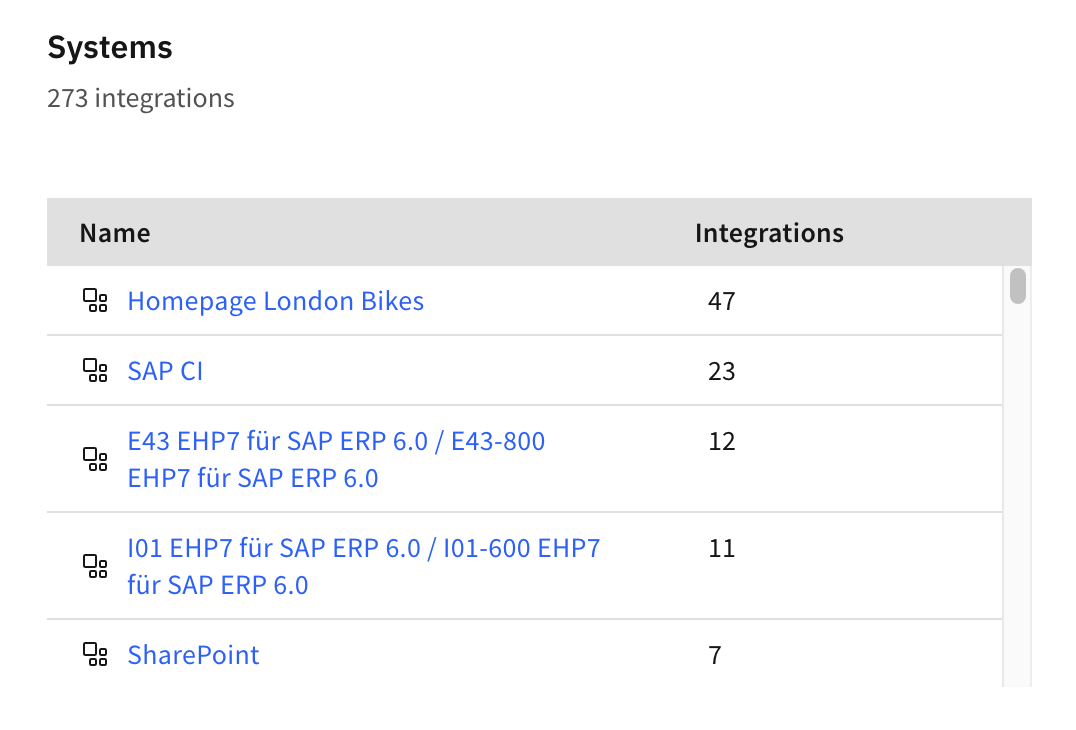
What you see:
-
Name — Harmonized system name
-
Integrations — Number of interfaces and End-to-End integrations in which the system is sender or receiver
An integration can contribute to more than one system because sender and receiver systems are counted separately.
If the same system appears under multiple names, harmonization may be missing. Use Settings → Transformation Rules to map the entries to a common name.
Systems that are only defined as the target of a transformation rule can appear without an integration count. Systems marked as B2B partners are shown separately under B2B Partners.
Click a system name to open the corresponding system in the Inventory.
Enterprise Architecture
The Enterprise Architecture card shows integration content read from connected enterprise architecture tools.
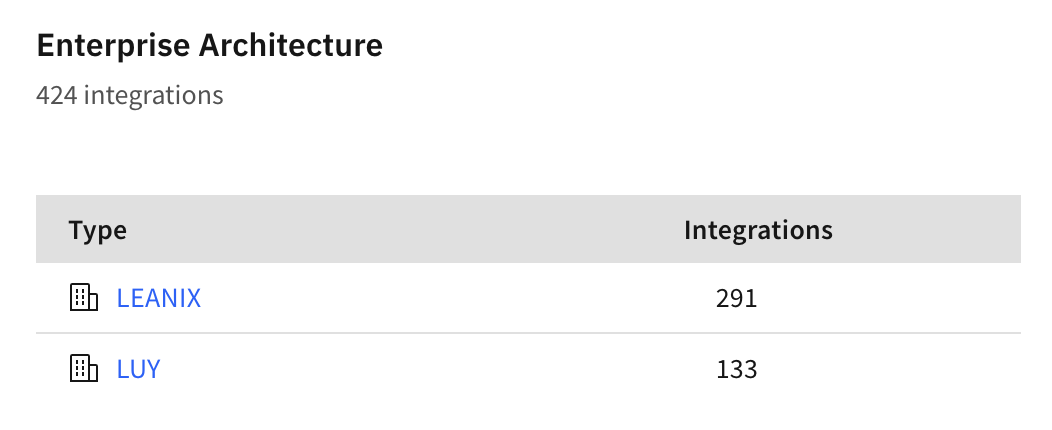
What you see:
-
Type — Enterprise architecture data source type
-
Integrations — Number of integrations provided by that data source type
Only enterprise architecture data sources assigned to the selected environment are listed.
Click a data source type to open the data sources of that type in Settings.
Objects
The Objects card shows the business objects linked to your interfaces.
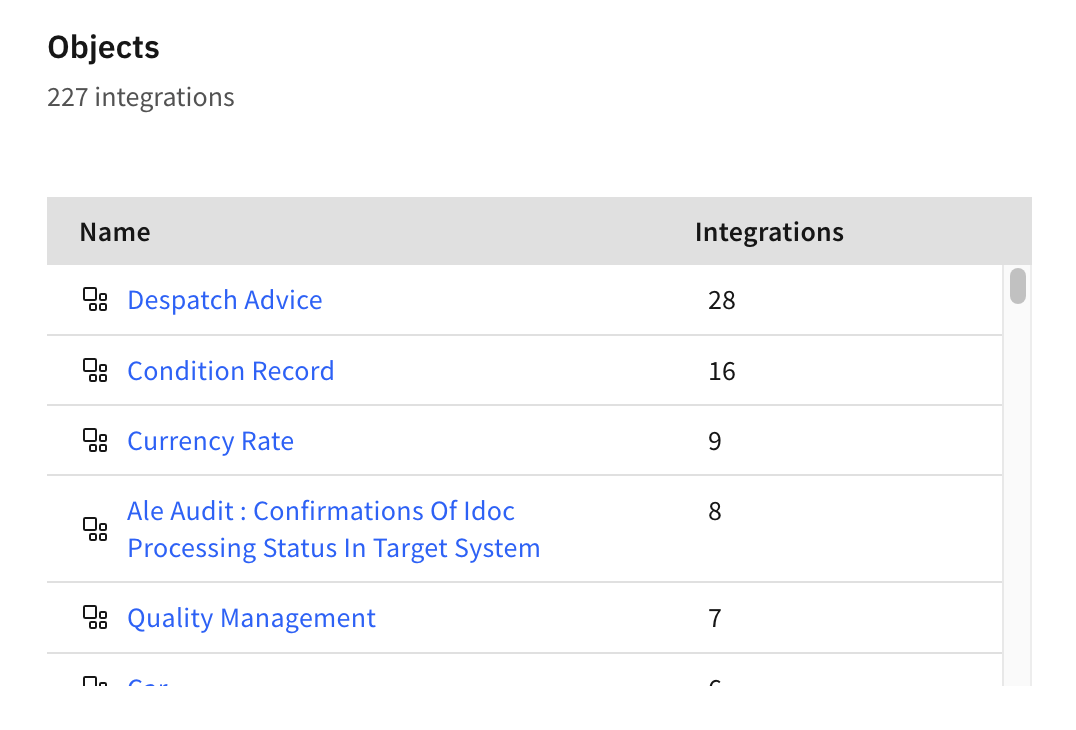
What you see:
-
Name — Business object
-
Integrations — Number of interfaces linked to that object
Objects that are only defined as the target of an object transformation rule can appear without an integration count.
Click an object name to open the corresponding object in the Inventory.
Tags
The Tags card shows the tag values currently assigned to interfaces and End-to-End integrations.
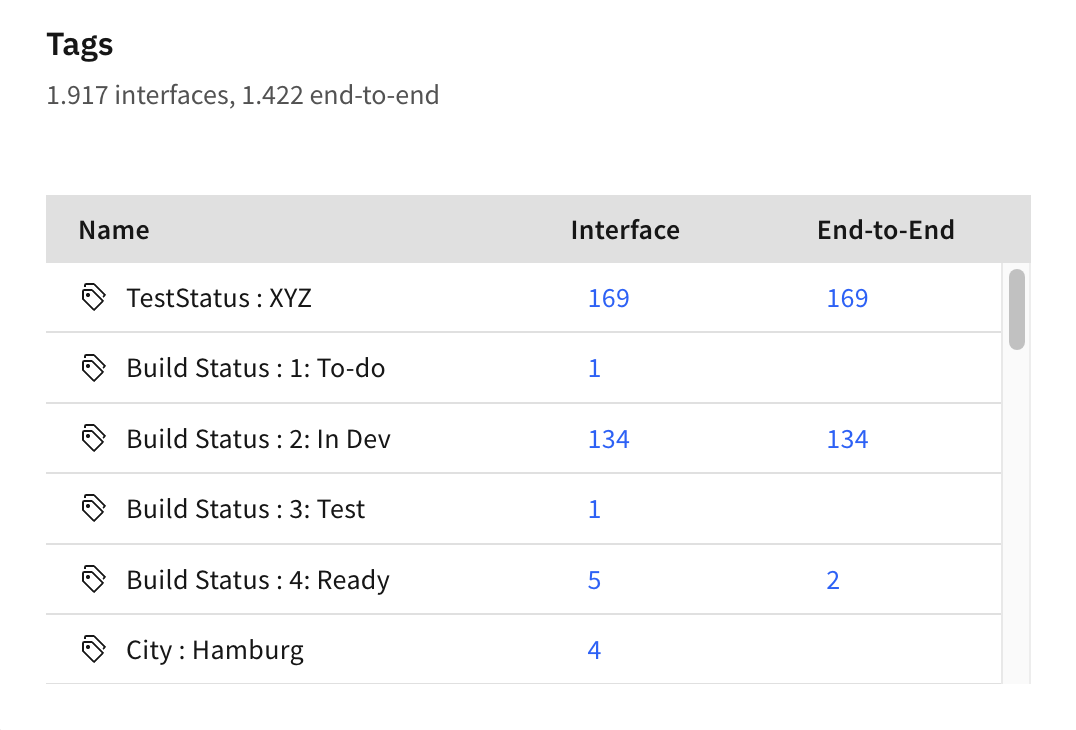
What you see:
-
Name — Tag and tag value
-
Interface — Number of interfaces carrying the tag value
-
End-to-End — Number of End-to-End integrations carrying the tag value
Only tag values that are assigned at least once are shown. An empty cell means that the tag value is not assigned to that object type.
The totals represent tag assignments, not unique interfaces or End-to-End integrations. An interface or integration with several tags therefore contributes to several entries.
Click an Interface or End-to-End count to open the corresponding Inventory view filtered by that tag value.
B2B Partners
The B2B Partners card shows systems marked as B2B partners.
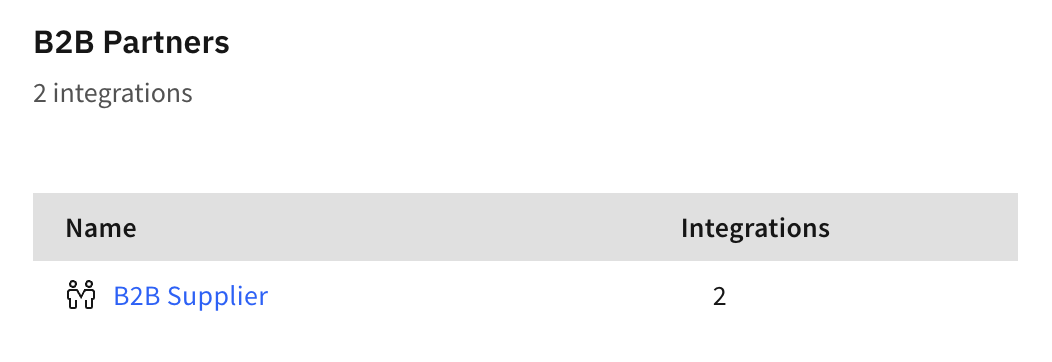
What you see:
-
Name — B2B partner system
-
Integrations — Number of interfaces and End-to-End integrations in which the partner is sender or receiver
Click a partner name to open the corresponding system in the Inventory.
Related Documentation
-
Reporting → Landscape → Visualization — Visualize relationships between systems, interfaces, and End-to-End integrations
-
Reporting → Landscape → Gap Analysis — Identify gaps and inconsistencies in the integration layer
-
Inventory → Interfaces — Browse and filter the interfaces represented in the overview
-
Inventory → End-to-End — Browse the End-to-End integrations represented in the overview
-
Settings → Transformation Rules — Configure system and object harmonization
-
Settings → Tags → Ignore — Exclude tagged interfaces and End-to-End integrations from selected evaluations
Last Updated: September 21, 2026