

The Microsoft Azure Logic Apps section displays components from your Azure Logic Apps services organized into Consumption and Standard hosting models. This inventory helps organizations manage automated business processes, B2B enterprise integration artifacts,and track workflow execution across multitenant and single-tenant environments.
Navigate to Inventory → Data Sources → Microsoft → Azure → <Azure Subscription> → <Resource Group> → <Data Source Name> → Logic Apps to access these component catalogs.
Consumption
The Consumption model provides multitenant Logic Apps with pay-per-execution pricing, where each Logic App contains a single workflow. This model helps organizations implement automated business processes and B2B integration scenarios with serverless scalability.
Integration Accounts
The Integration Accounts catalog displays cloud-based containers that store B2B artifacts for enterprise integration scenarios. This view helps you understand your B2B integration assets including trading partner configurations, EDI protocols (AS2, X12, EDIFACT, RosettaNet), and business document transformation capabilities.
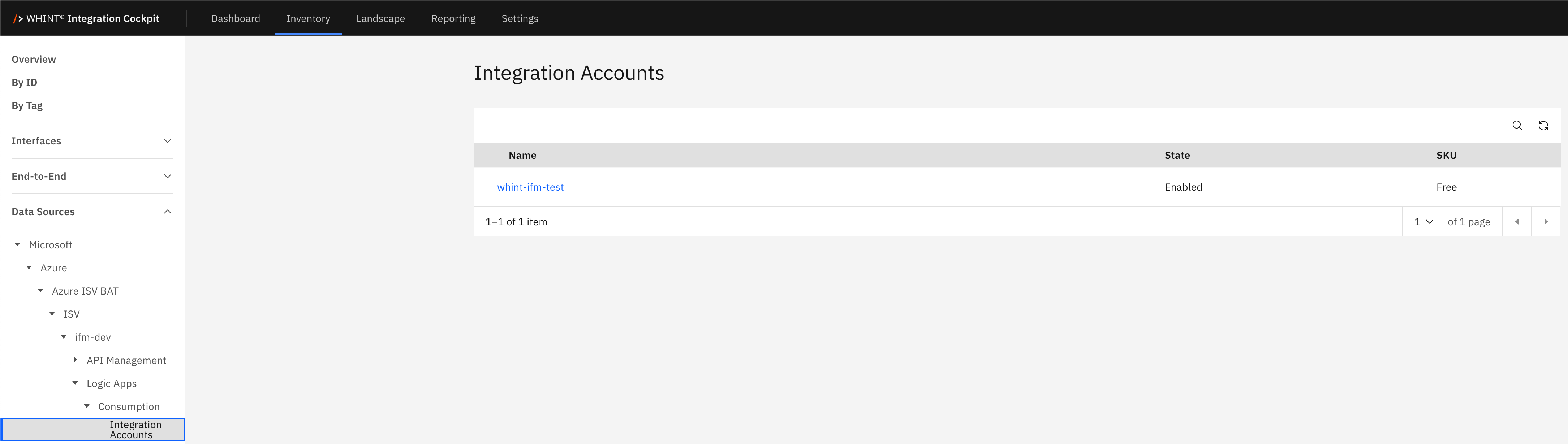
What you see:
-
Name: Integration account identifier (clickable)
-
State: Current account status (Enabled/Disabled)
-
SKU: Service tier indicating feature capabilities (Free/Basic/Standard)
Integration Account Detail View
Clicking an integration account name opens a detailed view showing:
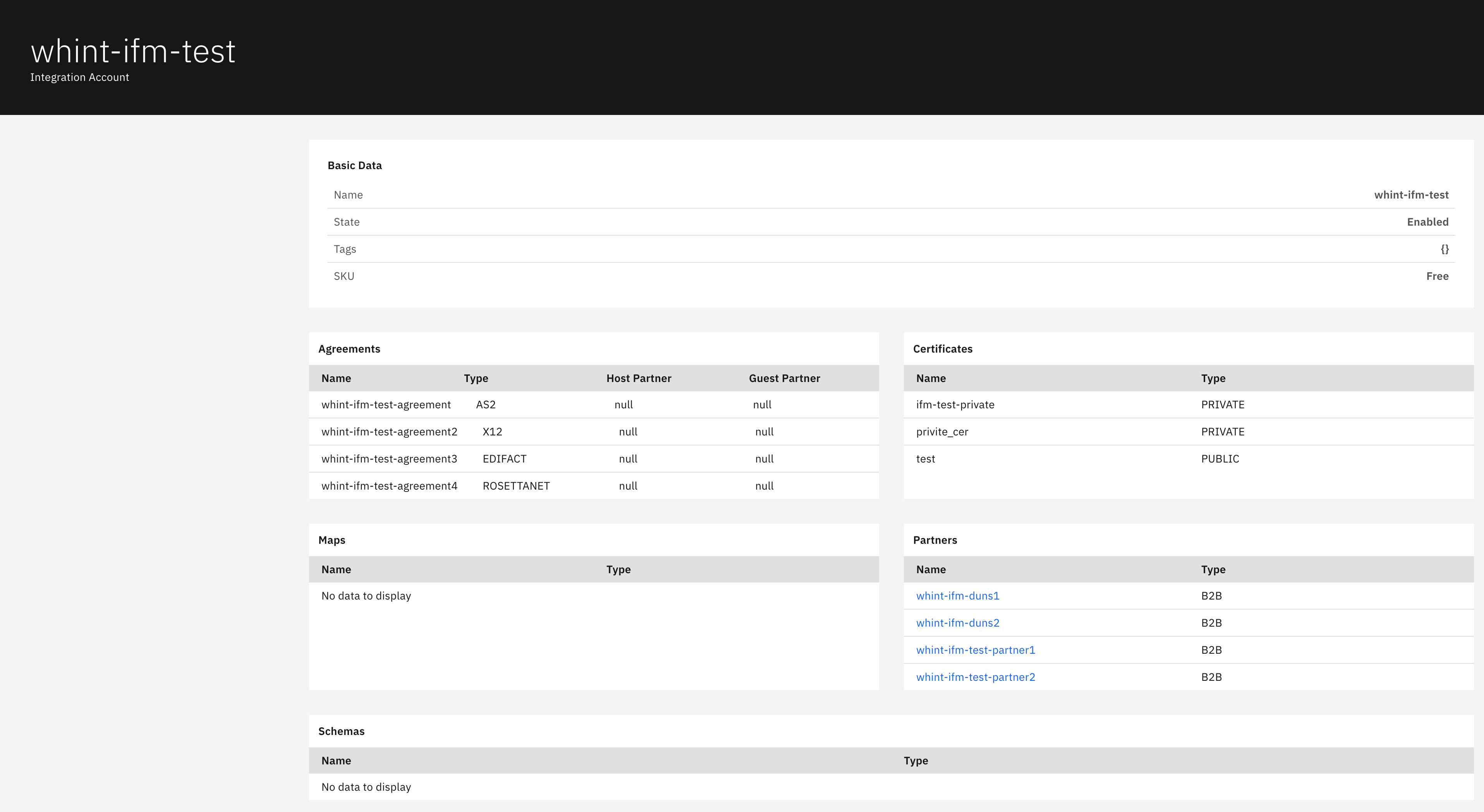
Basic Data section displays:
-
Name: Integration account identifier
-
State: Account operational status
-
Tags: Applied categorization labels
-
SKU: Service tier and capabilities
Agreements section displays:
-
Name: Trading partner agreement identifier
-
Type: Protocol type (AS2, X12, EDIFACT, ROSETTANET)
-
Host Partner: Your organization identifier
-
Guest Partner: External trading partner identifier
Certificates section displays:
-
Name: Certificate identifier
-
Type: Certificate classification (PRIVATE/PUBLIC)
Maps section displays:
-
Name: Transformation map identifier
-
Type: Map format and purpose Note: Shows "No data to display" when no maps are configured
Partners section displays:
-
Name: Trading partner identifier (clickable)
-
Type: Partner classification (B2B)
Schemas section displays:
-
Name: Document schema identifier
-
Type: Schema format specification Note: Shows "No data to display" when no schemas are configured
Workflows
The Workflows catalog displays automated business processes and integration workflows created in Logic Apps Consumption. This view helps you track workflow endpoints, operational status, and business process automation in multitenant environments where each Logic App contains a single workflow.
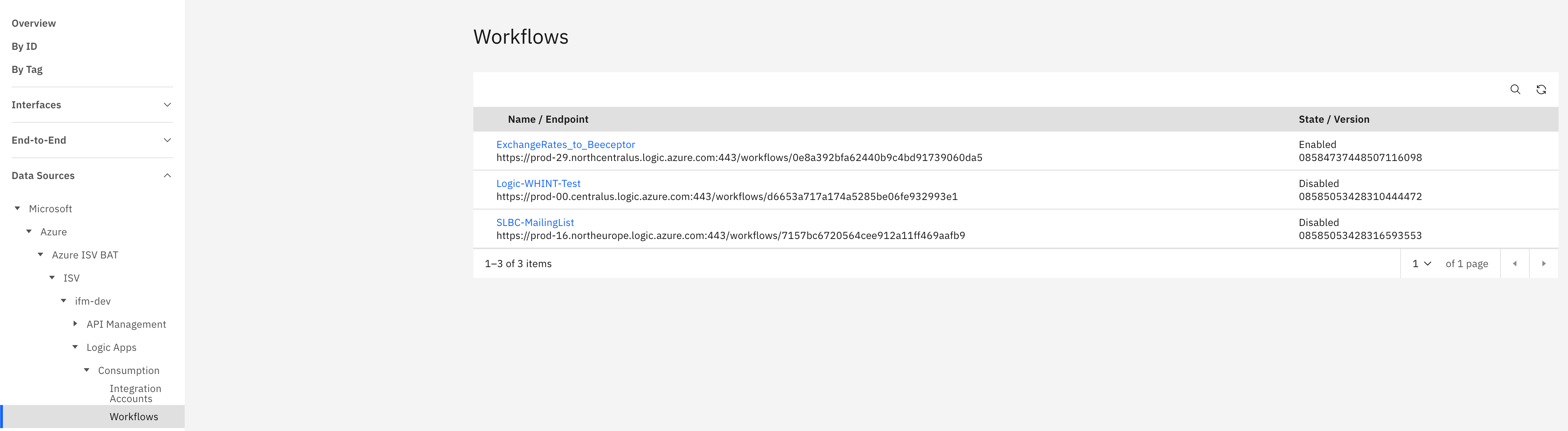
What you see:
-
Name / Endpoint: Workflow identifier with HTTP endpoint URL below
-
State / Version: Current operational status and version identifier
Alternative view shows:
-
Name: Workflow identifier
-
Application: Associated Logic Apps application
-
Kind / State: Workflow type and operational status
Standard
The Standard model provides single-tenant Logic Apps with fixed hosting plan pricing, where each Logic App can contain multiple workflows. This model helps organizations implement enterprise-grade integration scenarios with dedicated resources, VNET integration, and enhanced performance.
Workflows
The Workflows catalog displays workflows within Standard Logic Apps, which support multiple workflows per Logic App resource in single-tenant environments. This view helps you track individual workflow components within Logic App applications, their operational status (Stateful/Stateless), and performance characteristics.
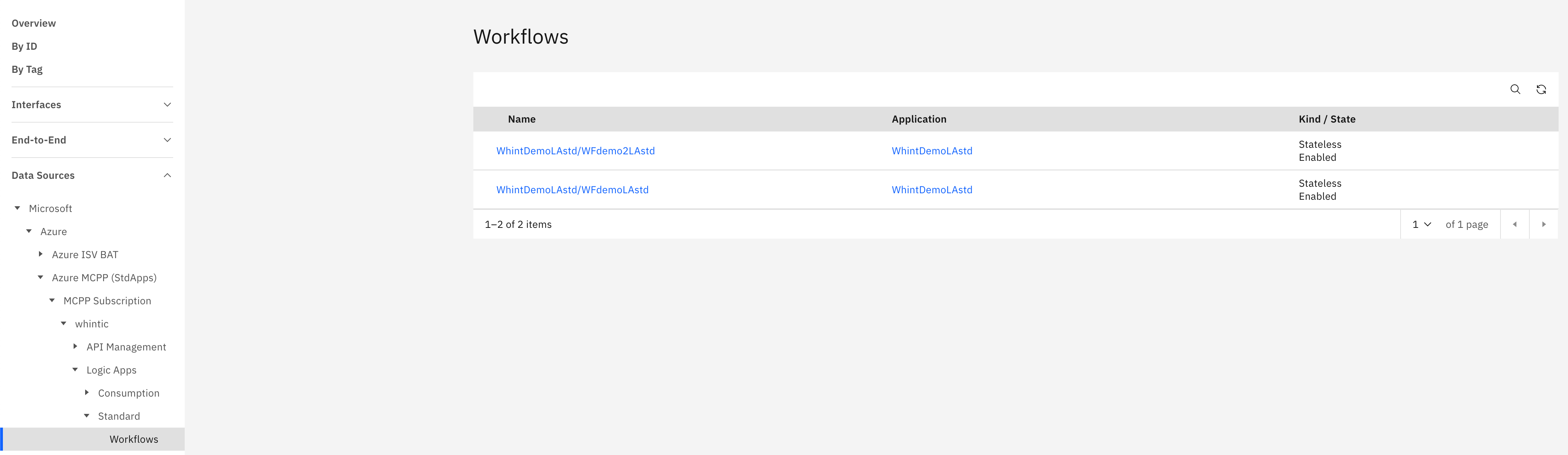
What you see:
-
Name: Individual workflow identifier within the Logic App (clickable)
-
Application: Parent Standard Logic App application name (clickable)
-
Kind / State: Workflow execution type (Stateless/Stateful) and operational status (Enabled/Disabled)
Workflow Detail View
Clicking a workflow name opens a detailed view showing:
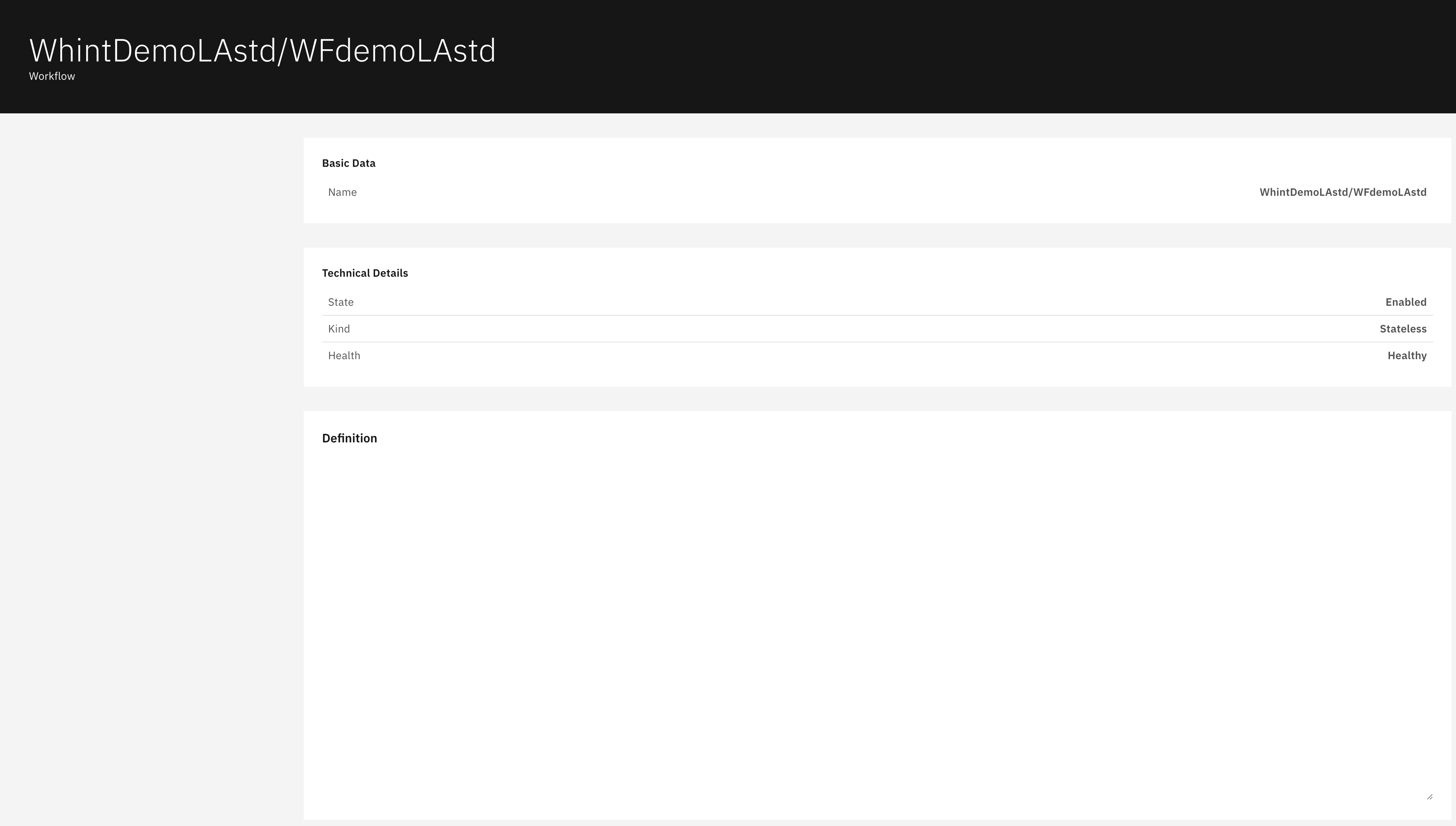
Basic Data section displays:
-
Name: Complete workflow identifier path
Technical Details section displays:
-
State: Workflow operational status (Enabled/Disabled)
-
Kind: Workflow execution type (Stateless/Stateful)
-
Health: Current workflow health status (Healthy/Unhealthy)
Definition section displays:
-
Workflow definition details and configuration information
Navigation
All catalog views include:
-
Search icon (magnifying glass) in the top right toolbar
-
Refresh icon next to the search
-
Blue-highlighted names that open detailed views with additional configuration information
Last Updated: September 09, 2025