

The Microsoft Azure Event Grid section displays event-driven architecture components from your Azure Event Grid services organized into Domain Topics, Domains, Event Subscriptions, System Topics and Topics. This inventory helps organizations manage publish-subscribe messaging patterns, track event delivery flows and maintain visibility into event-driven integrations for reactive application architectures and serverless computing scenarios.
Navigate to Inventory → Data Sources → Microsoft → Azure → <Azure Subscription> → <Resource Group> → <Data Source Name> → Event Grid to access these event routing catalogs.
Domain Topics
The Domain Topics catalog displays topics that exist within Event Grid domains for multitenant event management. This view helps you understand event routing within domain structures, enabling scalable management of topics across multiple business organizations or applications without individual topic endpoint management.
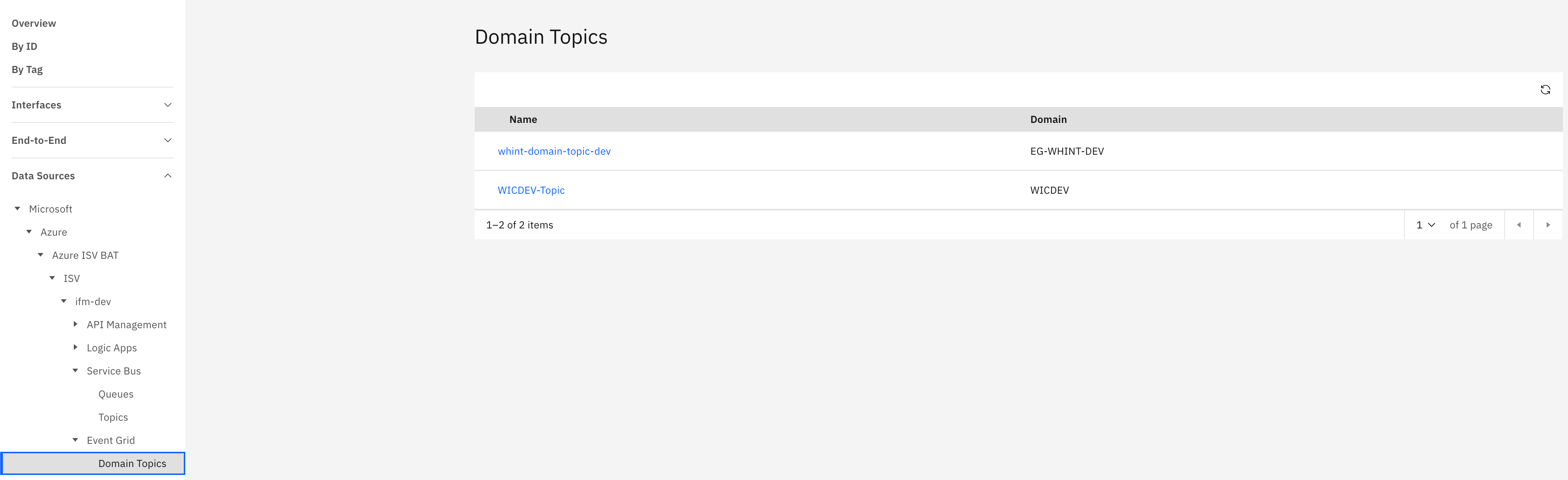
What you see:
-
Name: Domain topic identifier (clickable)
-
Domain: Parent domain containing the topic
Domain Topic Detail View
Clicking a domain topic name opens a detailed view showing:
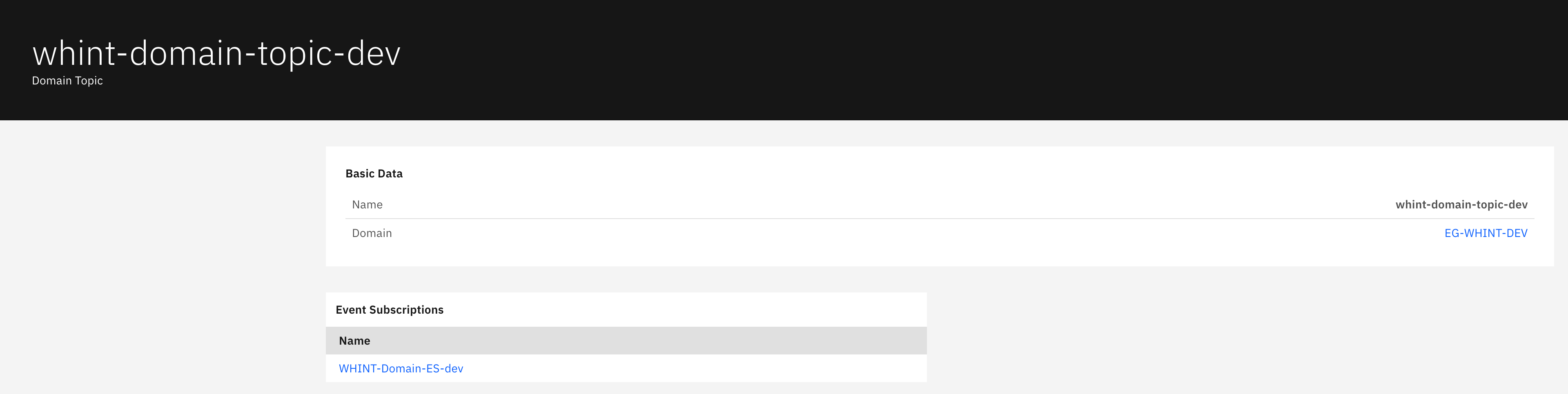
Basic Data section displays:
-
Name: Domain topic identifier
-
Domain: Parent domain name (clickable)
Event Subscriptions section displays:
-
Name: Subscription identifier that receives events from this domain topic (clickable)
This shows which subscriptions are listening to events published to this specific topic within the domain.
Domains
The Domains catalog displays event domain containers that enable multitenant event-driven architectures at scale. This view helps you manage authentication, authorization, and topic partitioning across multiple tenants while providing centralized event routing and management for enterprise scenarios.
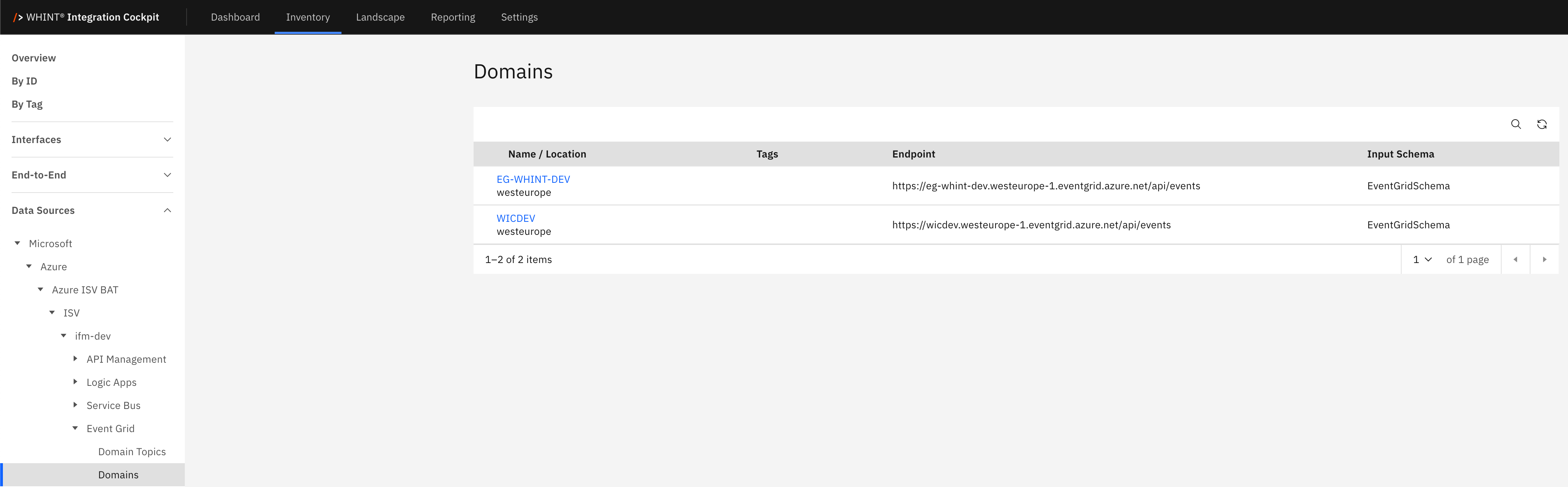
What you see:
-
Name / Location: Domain identifier with Azure region location below
-
Tags: Applied categorization labels for domain organization
-
Endpoint: Event publishing endpoint URL for the domain
-
Input Schema: Event schema format (EventGridSchema/CloudEventSchema)
Domain Detail View
Clicking a domain name opens a detailed view showing:
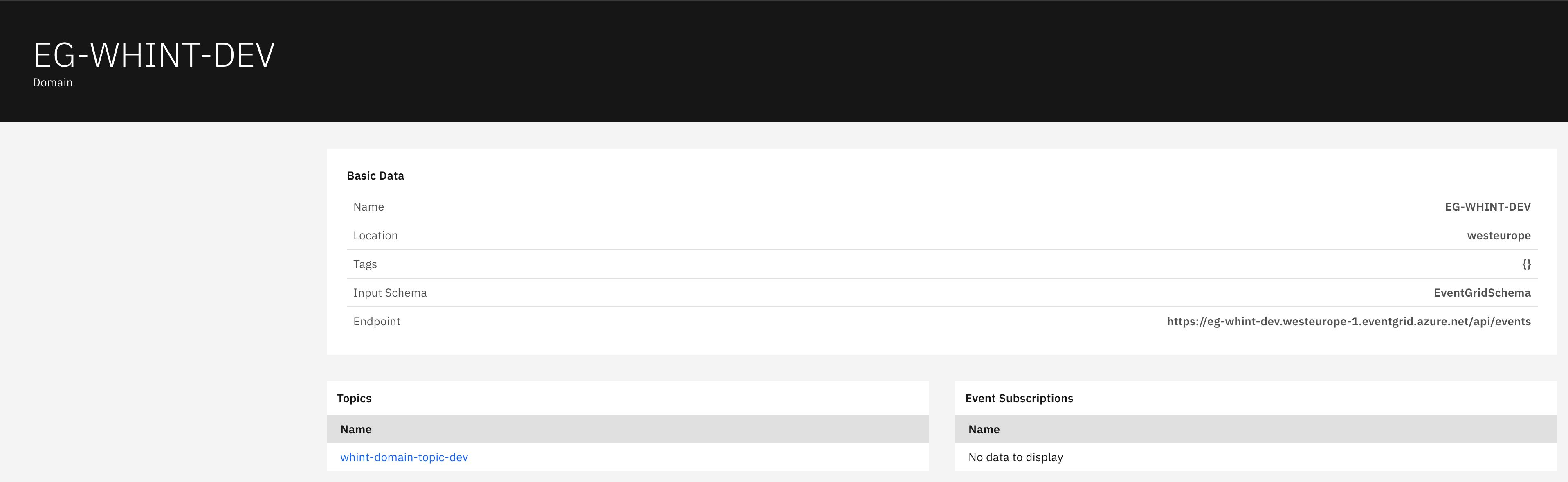
Basic Data section displays:
-
Name: Domain identifier
-
Location: Azure region hosting the domain
-
Tags: Applied categorization labels
-
Input Schema: Event schema format specification
-
Endpoint: Complete domain publishing endpoint URL
Topics section displays:
-
Name: Topic identifier within this domain (clickable)
Event Subscriptions section displays:
-
Name: Subscription identifier Note: Shows "No data to display" when no domain-level subscriptions exist
Event Subscriptions
The Event Subscriptions catalog displays event routing configurations that specify which events to receive and where to deliver them. This view helps you track event delivery patterns, manage subscription endpoints, and monitor event routing from topics to various Azure services or custom webhooks.
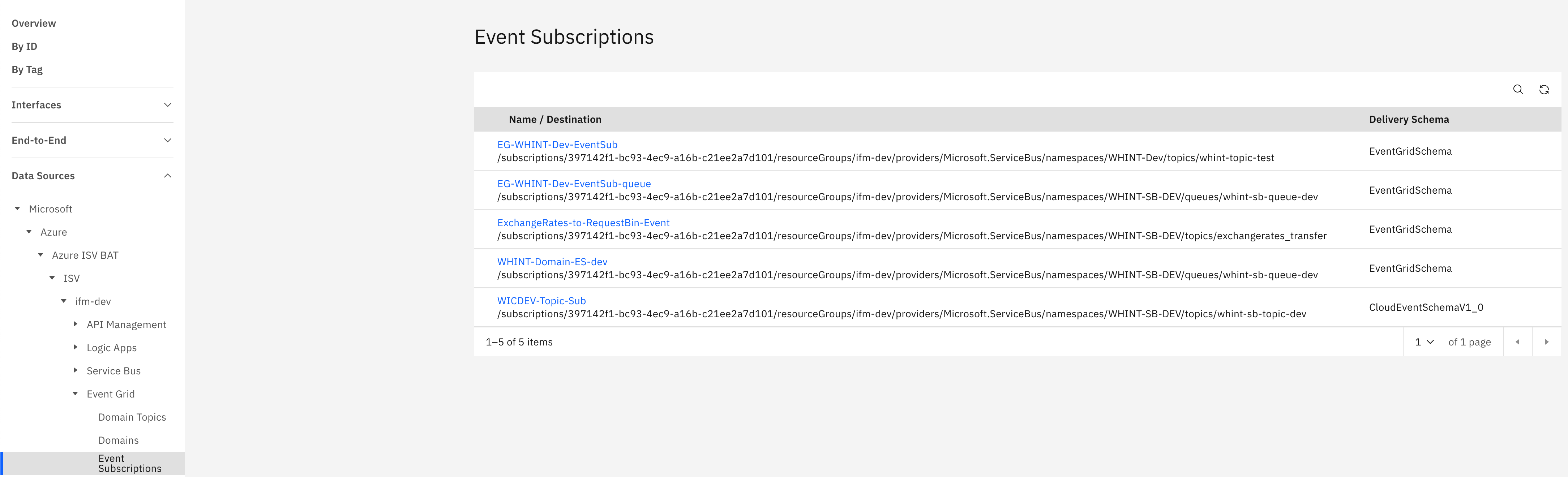
What you see:
-
Name / Destination: Subscription identifier with Azure resource destination path below
-
Delivery Schema: Event delivery format (EventGridSchema/CloudEventSchemaV1_0)
Event Subscription Detail View
Clicking a subscription name opens a detailed view showing:
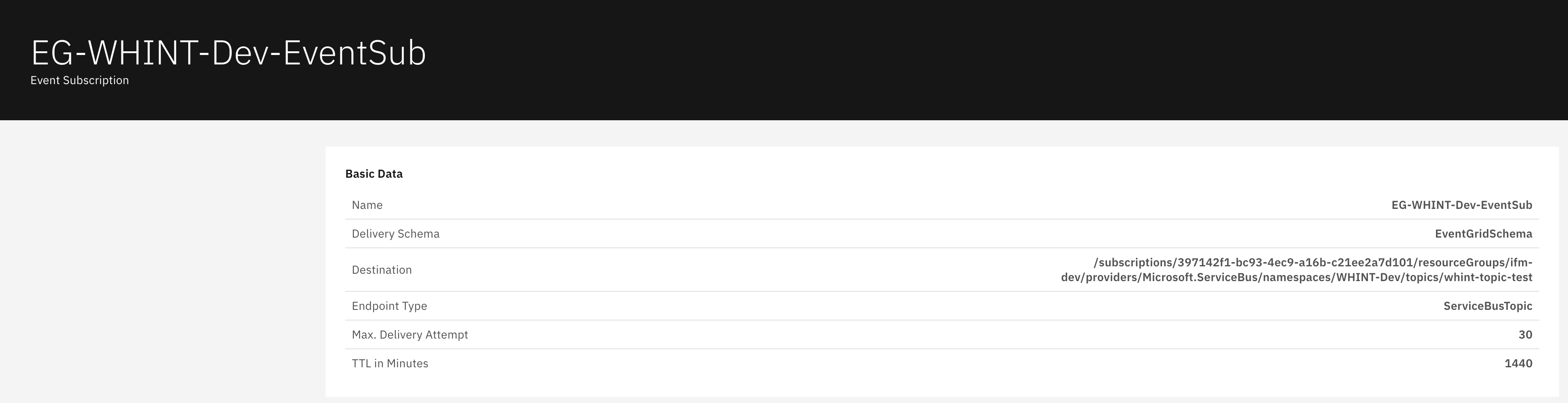
Basic Data section displays:
-
Name: Event subscription identifier
-
Delivery Schema: Event format for delivery (EventGridSchema)
-
Destination: Complete Azure resource path for event delivery
-
Endpoint Type: Destination service type (ServiceBusTopic/ServiceBusQueue/WebHook/etc.)
-
Max. Delivery Attempt: Maximum retry attempts for failed deliveries
-
TTL in Minutes: Event time-to-live before expiration
System Topics
The System Topics catalog displays automatically created topics for Azure services that publish events to Event Grid. This view helps you understand system-generated event sources from Azure services like Storage Accounts, Event Hubs, or Resource Groups for infrastructure automation and monitoring scenarios.
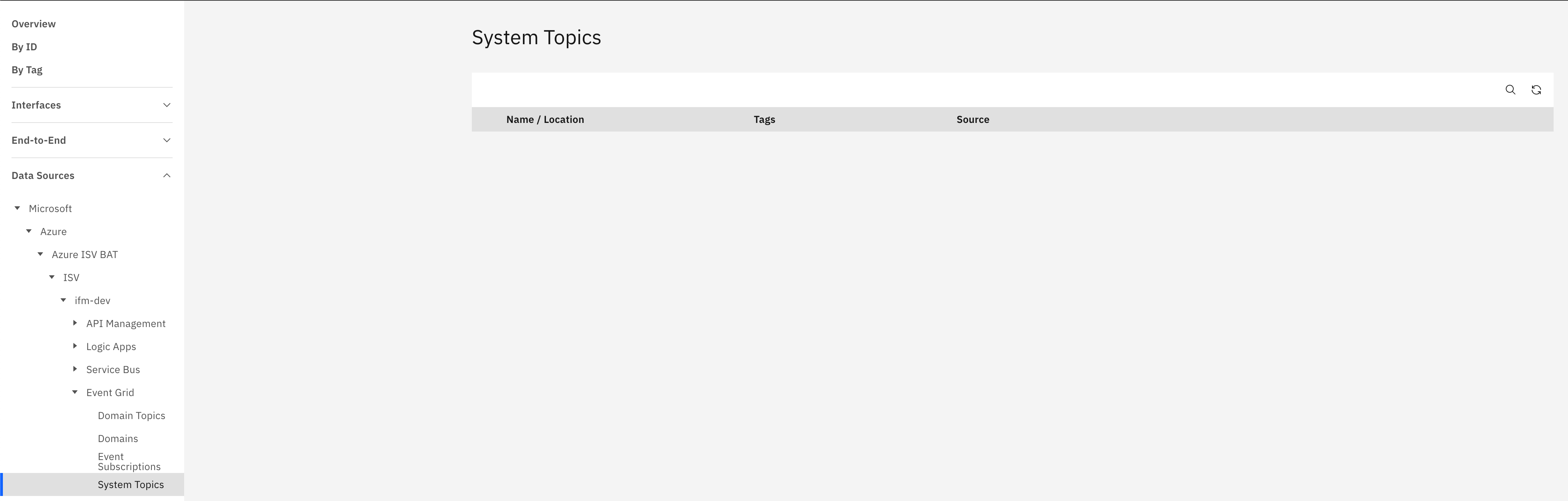
What you see:
-
Name / Location: System topic identifier with Azure region location below
-
Tags: Applied categorization labels
-
Source: Azure service or resource generating the events
Note: System topics are automatically created when Azure services are configured to publish events to Event Grid
Topics
The Topics catalog displays custom event publishing endpoints for application-generated events. This view helps you manage custom event sources, track event publishing patterns, and maintain visibility into application-to-application communication through event-driven architectures.
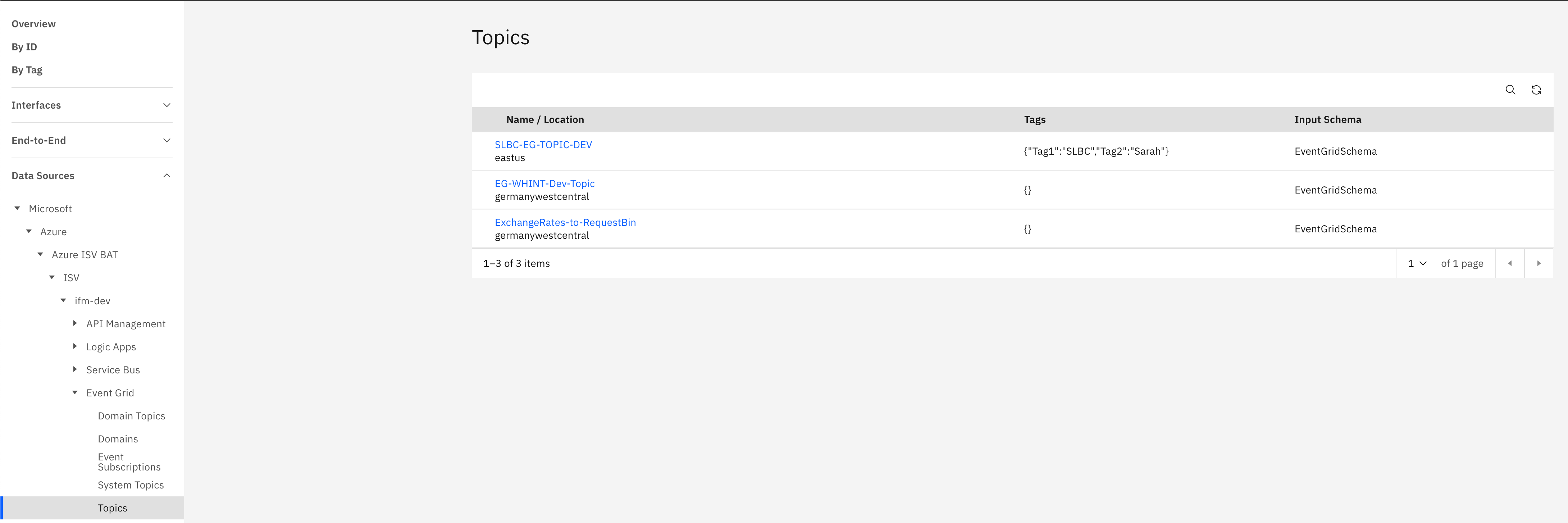
What you see:
-
Name / Location: Topic identifier with Azure region location below
-
Tags: Applied categorization labels for topic organization
-
Input Schema: Event schema format (EventGridSchema/CloudEventSchema)
Topic Detail View
Clicking a topic name opens a detailed view showing:
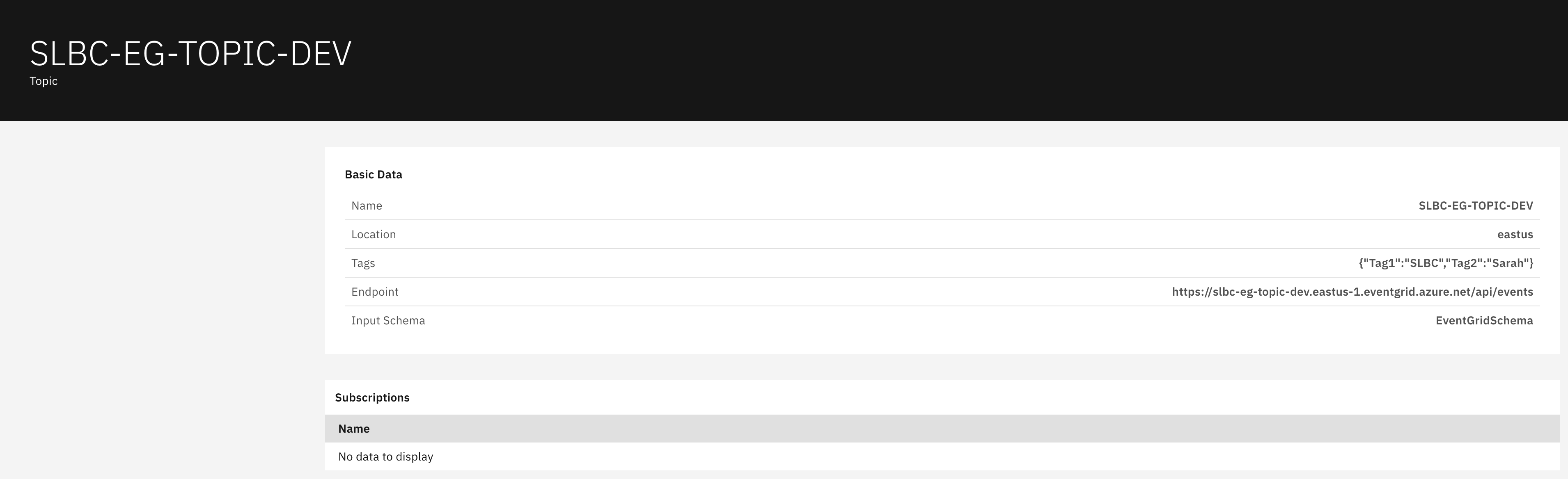
Basic Data section displays:
-
Name: Topic identifier
-
Location: Azure region hosting the topic
-
Tags: Applied categorization labels in JSON format
-
Endpoint: Event publishing endpoint URL
-
Input Schema: Event schema format specification
Subscriptions section displays:
-
Name: Subscription identifier for topic consumers Note: Shows "No data to display" when no subscriptions exist
This section shows all subscriptions listening to events published to this topic, enabling the publish-subscribe messaging pattern.
Navigation
All catalog views include:
-
Search icon (magnifying glass) in the top right toolbar
-
Refresh icon next to the search
-
Pagination controls showing item counts and page navigation
-
Blue-highlighted names that open detailed views with additional configuration information
Last Updated: September 09, 2025