

The SAP Process Orchestration section displays components from your SAP Process Integration (PI) and Business Process Management (BPM) environments. This inventory helps organizations manage enterprise-wide integration scenarios, centralize message routing between SAP and non-SAP systems and orchestrate business processes through a unified middleware platform that eliminates point-to-point connections.
Navigate to Inventory → Data Sources → SAP → Process Orchestration → <Data Source Name> to access these component catalogs.
Integrated Configurations
The Integrated Configurations catalog displays end-to-end integration scenarios that connect different systems for application-to-application (A2A) and business-to-business (B2B) communication. This view helps you understand complete integration flows, including sender and receiver relationships, interface mappings and message transformation processes.
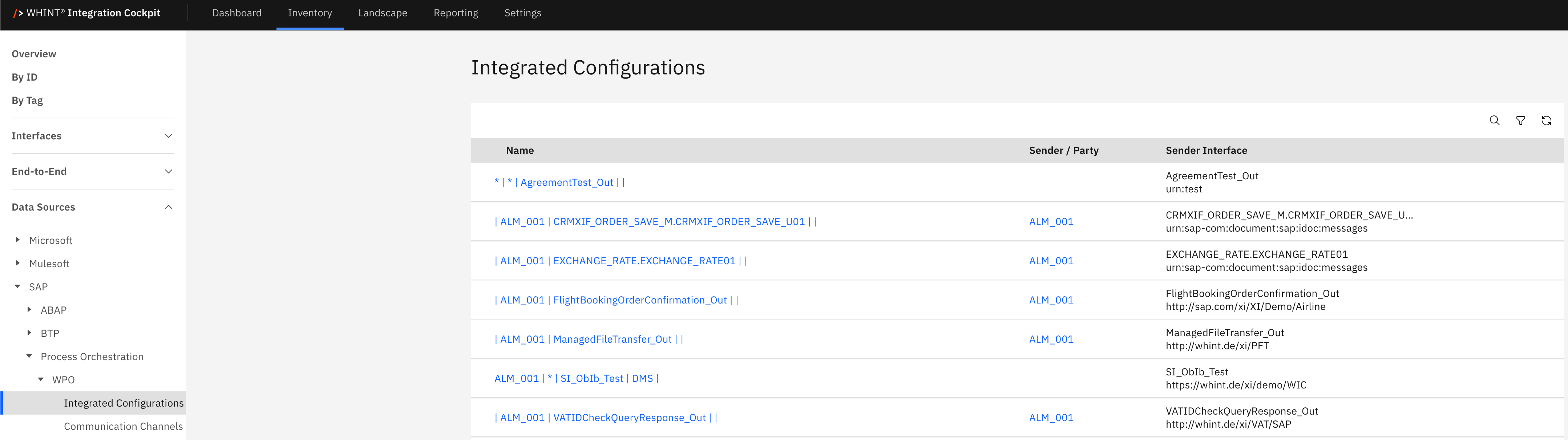
What you see:
-
Name: Integration scenario identifier (clickable)
-
Sender / Party: Source system or business party initiating the message
-
Sender Interface: Outbound interface used by the sender system
Integrated Configuration Detail View
Clicking an integrated configuration name opens a detailed view showing:
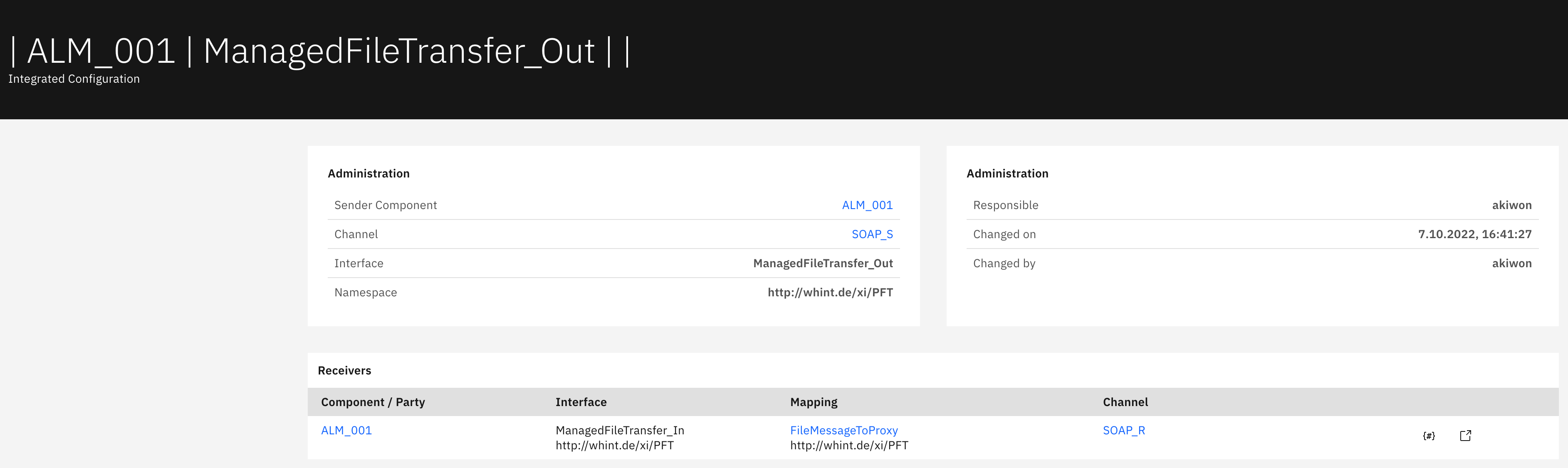
Administration section displays:
-
Sender Component: Source system identifier
-
Channel: Communication channel name
-
Interface: Interface identifier
-
Namespace: Technical namespace URL
-
Responsible: Configuration owner
-
Changed on: Last modification timestamp
-
Changed by: User who made the last change
Receivers section displays:
-
Component / Party: Target system or business party
-
Interface: Inbound interface at receiver system
-
Mapping: Data transformation rule applied
-
Channel: Communication channel used for delivery
Interface Actions:
-
Parameters button (#): Opens configuration parameters dialog showing technical settings like Directory, File, Job, Program values
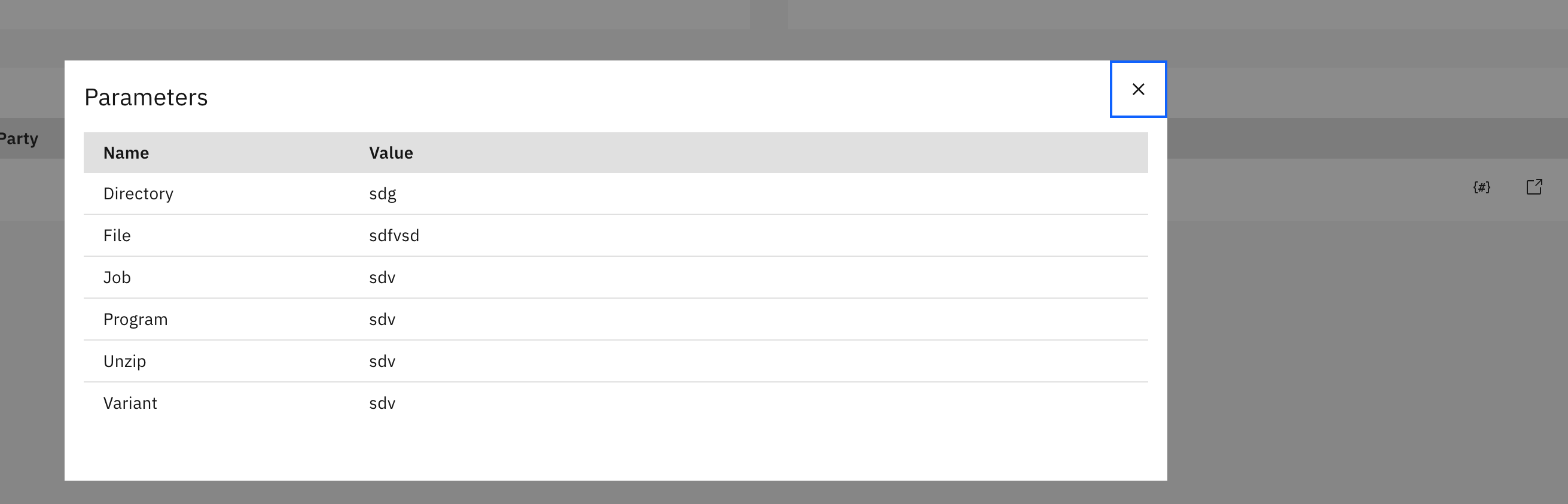
Parameters, Parameters button and Raw object button on the right -
Raw object button: Opens interface definition with complete technical specifications and metadata
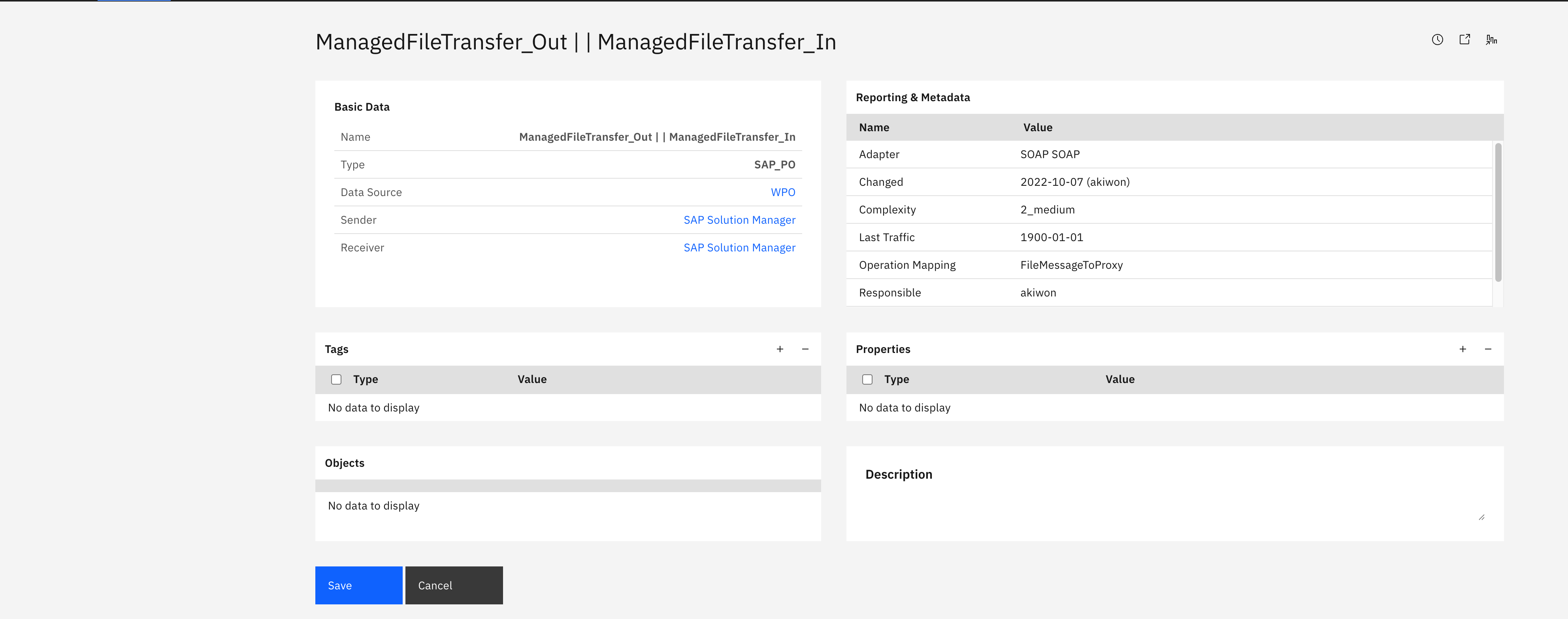
Communication Channels
The Communication Channels catalog displays technical communication endpoints that handle message routing and protocol conversion between connected systems. This view helps you understand how systems communicate, including protocol types (e.g. SOAP, REST, RabbitMQ), adapter engines and namespace configurations.
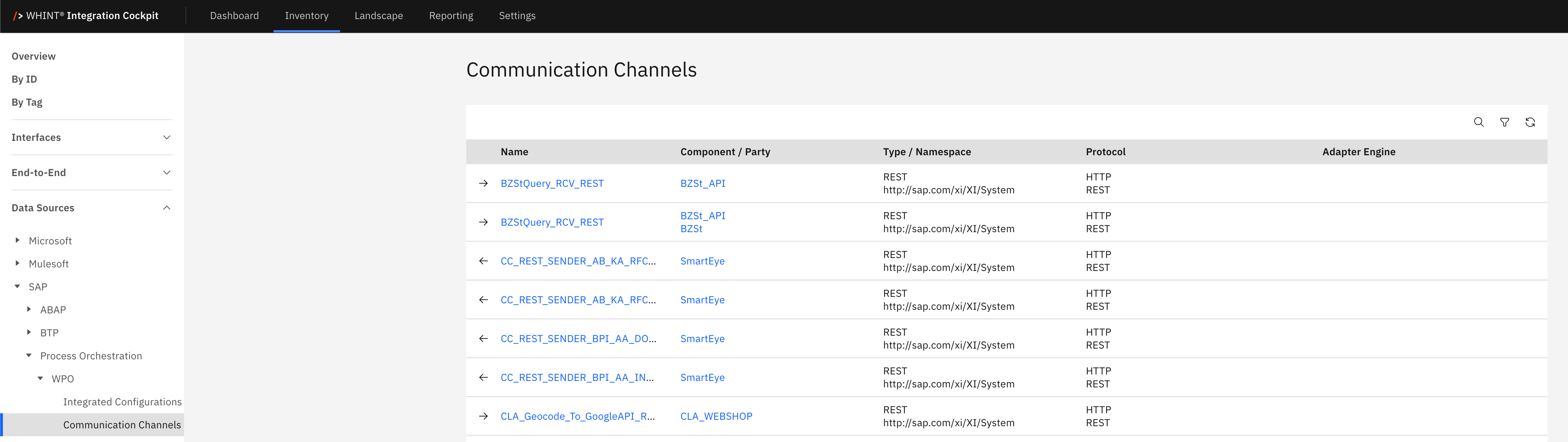
What you see:
-
Name: Communication channel identifier (clickable)
-
Component / Party: Associated system or business partner
-
Type / Namespace: Channel type and technical namespace
-
Protocol: Communication protocol (e.g. SOAP, RabbitMQ, REST)
-
Adapter Engine: Processing engine handling the communication
Communication Channel Detail View
Clicking a communication channel name opens a detailed view showing:
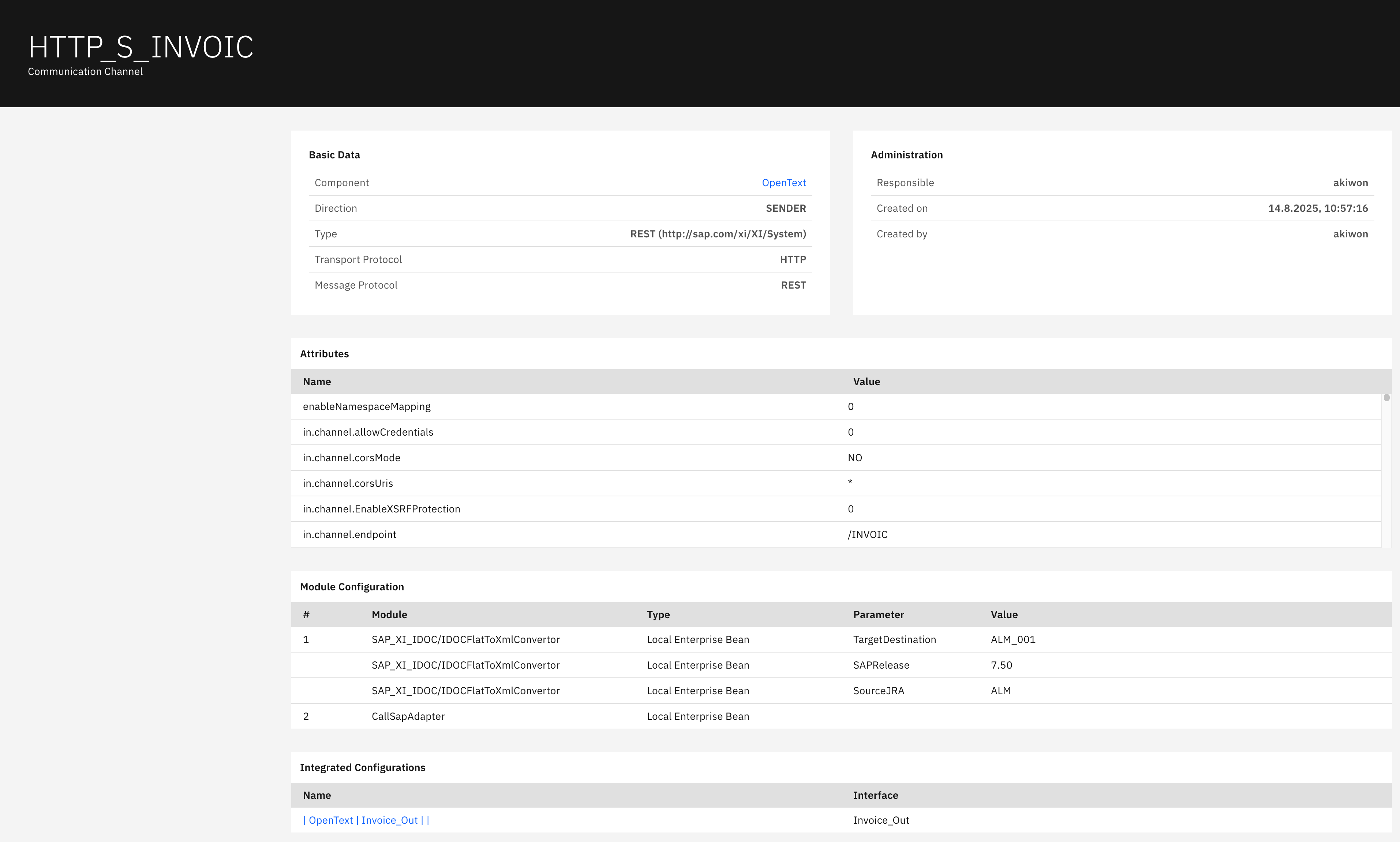
Basic Data section displays:
-
Component: Associated system identifier
-
Direction: Message flow direction (SENDER/RECEIVER)
-
Type: Channel type with namespace
-
Transport Protocol: Underlying transport protocol (HTTP/HTTPS)
-
Message Protocol: Message format protocol (REST/SOAP)
Administration section displays:
-
Responsible: Channel owner
-
Created on: Creation timestamp
-
Created by: Creator user
Attributes section displays:
-
Name: Configuration attribute names
-
Value: Attribute values (e.g., endpoint URLs, security settings)
Module Configuration section displays:
-
#: Module sequence number
-
Module: Module identifier (e.g., SAP_XI_IDOC/FlatToXml/Converter)
-
Type: Module type classification
-
Parameter: Configuration parameter name
-
Value: Parameter value
Integrated Configurations section displays:
-
Name: Related integration scenario names
-
Interface: Associated interface identifiers
Cloud Integration
The Cloud Integration subsection contains integration artifacts and configurations for cloud-based integration scenarios. This area helps organizations manage hybrid integration between on-premises SAP systems and cloud applications through standardized content packages, authentication credentials and service endpoints.
Content
The Content catalog displays integration packages, flows, and reusable artifacts deployed in cloud integration environments. This view helps you track integration content versions, deployment status, and artifact lifecycle management.
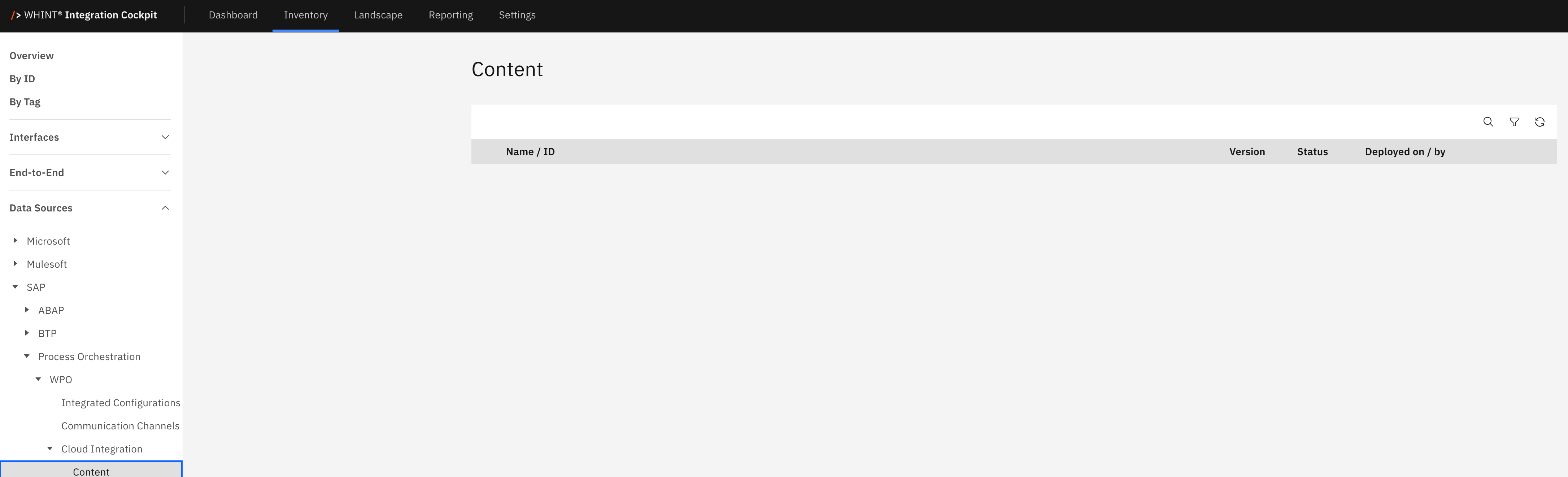
What you see:
-
Name / ID: Integration package or artifact identifier
-
Version: Content version number
-
Status: Deployment status (Published/Draft/Deployed)
-
Deployed on / by: Deployment timestamp and responsible user
Note: This section shows available integration content such as pre-built integration packages, custom integration flows, value mappings, and reusable message transformation artifacts.
Credentials
The Credentials catalog displays authentication credentials and security artifacts used for secure system connections. This view helps you manage authentication mechanisms, certificates, and security policies for integration scenarios.
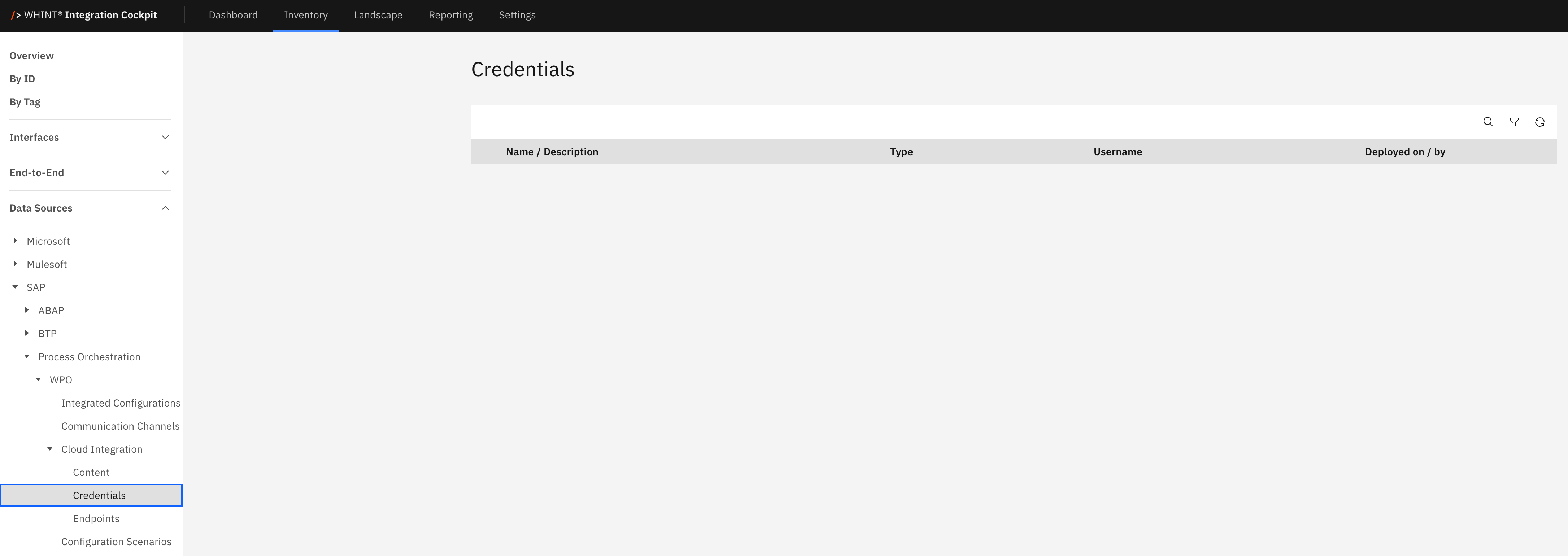
What you see:
-
Name / Description: Credential identifier with description
-
Type: Authentication type (OAuth, Basic, Certificate)
-
Username: Associated user account (when applicable)
-
Deployed on / by: Deployment timestamp and responsible user
Note: This section contains security credentials such as OAuth tokens, basic authentication credentials, X.509 certificates and API keys required for secure system-to-system communication.
Endpoints
The Endpoints catalog displays service endpoints and connection details for cloud integration scenarios. This view helps you manage service URLs, version informationband protocol configurations for external system connectivity.
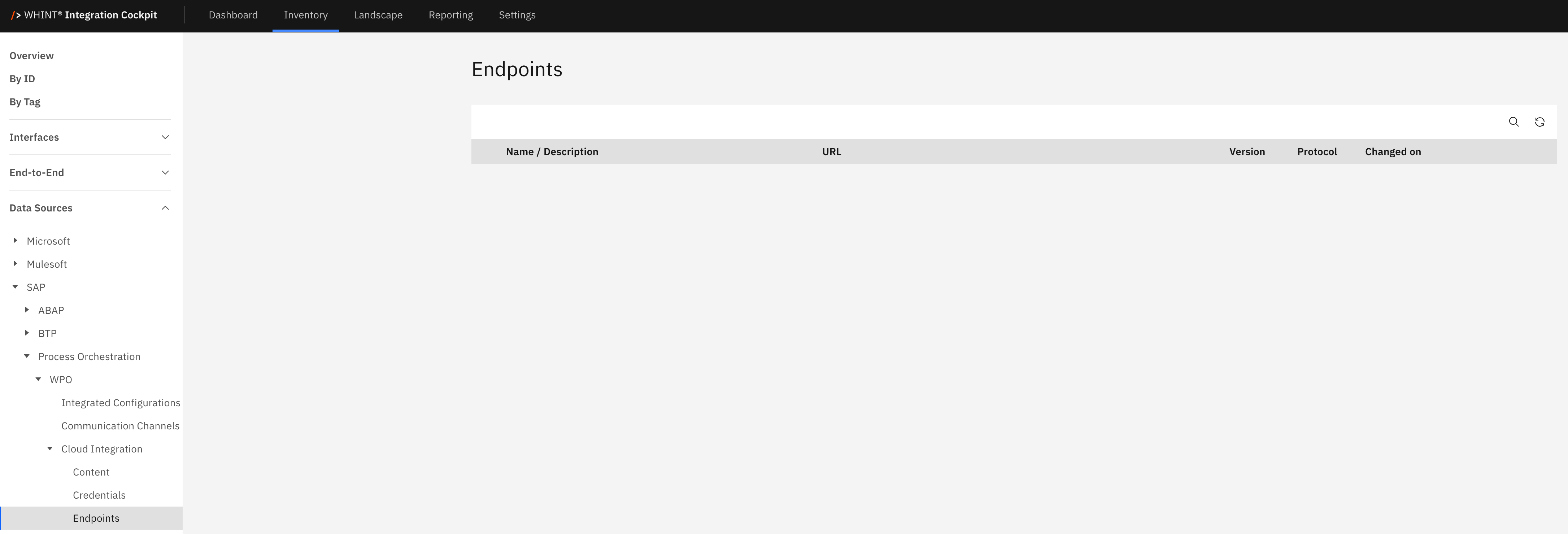
What you see:
-
Name / Description: Endpoint identifier with description
-
URL: Service endpoint URL
-
Version: Endpoint version identifier
-
Protocol: Communication protocol (REST/SOAP/OData)
-
Changed on: Last modification timestamp
Note: This section manages service endpoints including REST APIs, SOAP web services, OData services and cloud application connection points required for integration scenarios.
Configuration Scenarios
The Configuration Scenarios catalog displays predefined integration templates and business scenarios that can be reused across multiple implementations. This view helps you leverage standard integration patterns, reducing development time and ensuring best practice implementations.
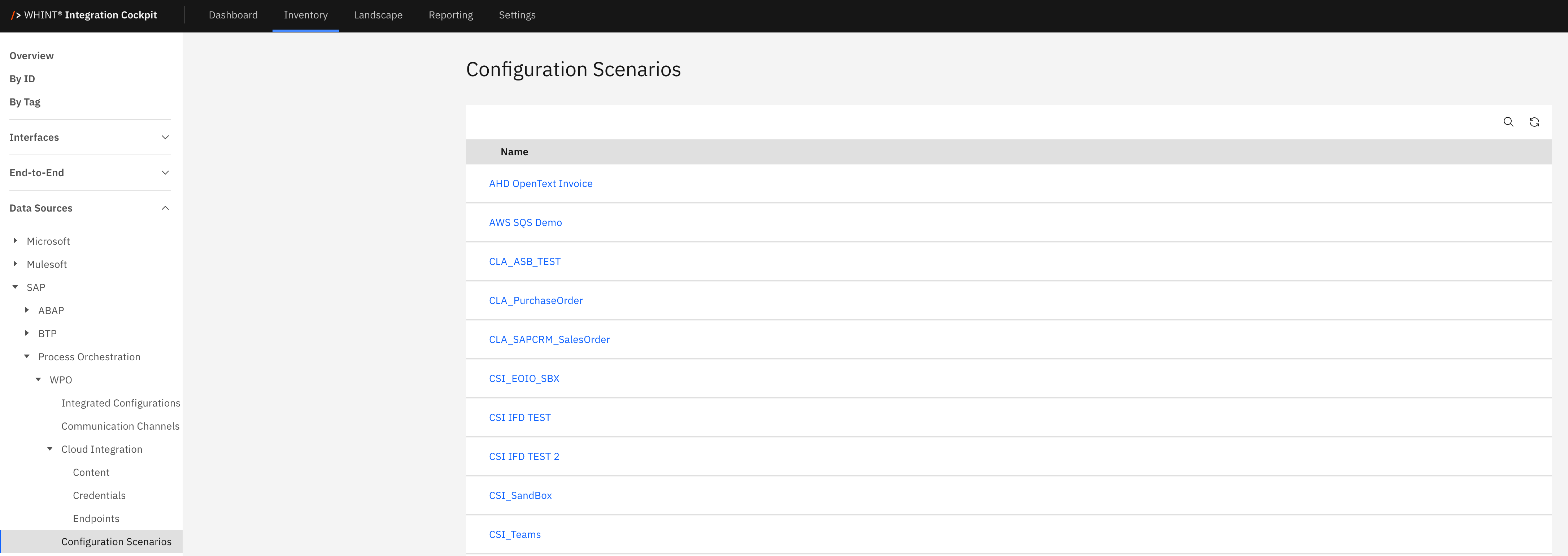
What you see:
-
Name: Configuration scenario identifier (clickable)
Configuration Scenario Detail View
Clicking a configuration scenario name opens a detailed view showing:
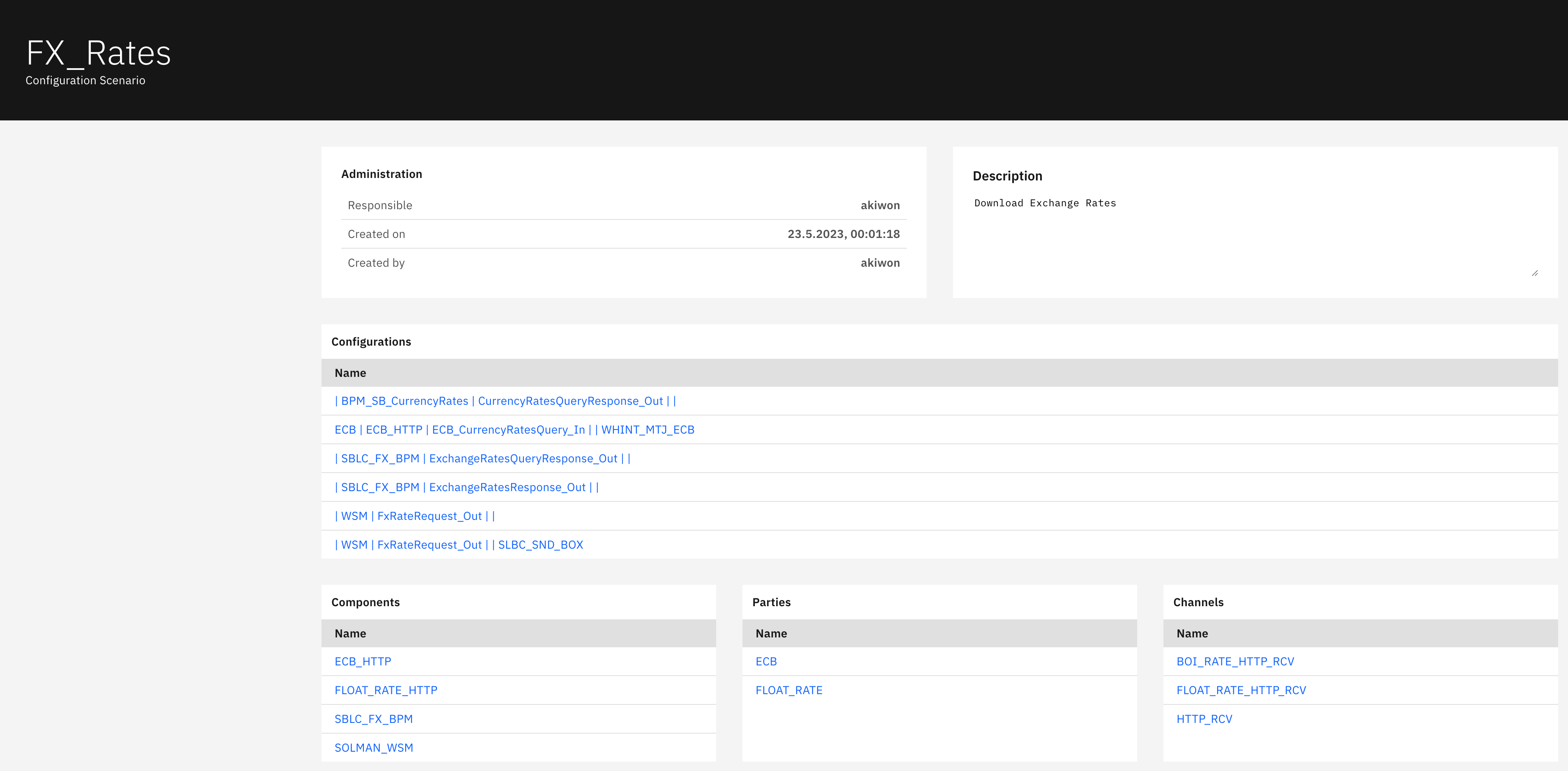
Administration section displays:
-
Responsible: Scenario owner
-
Created on: Creation timestamp
-
Created by: Creator user
Description section displays:
-
Free-text description of the scenario purpose and functionality
Configurations section displays:
-
Name: Related integration configuration names (clickable)
Components section displays:
-
Name: Technical component identifiers involved in the scenario
Parties section displays:
-
Name: Business parties or trading partners
Channels section displays:
-
Name: Communication channels used in the scenario
Software Components
The Software Components catalog displays installed software packages and their versions within the SAP Process Orchestration environment. This view helps you track software inventory, version management and vendor information for system maintenance and compliance purposes.
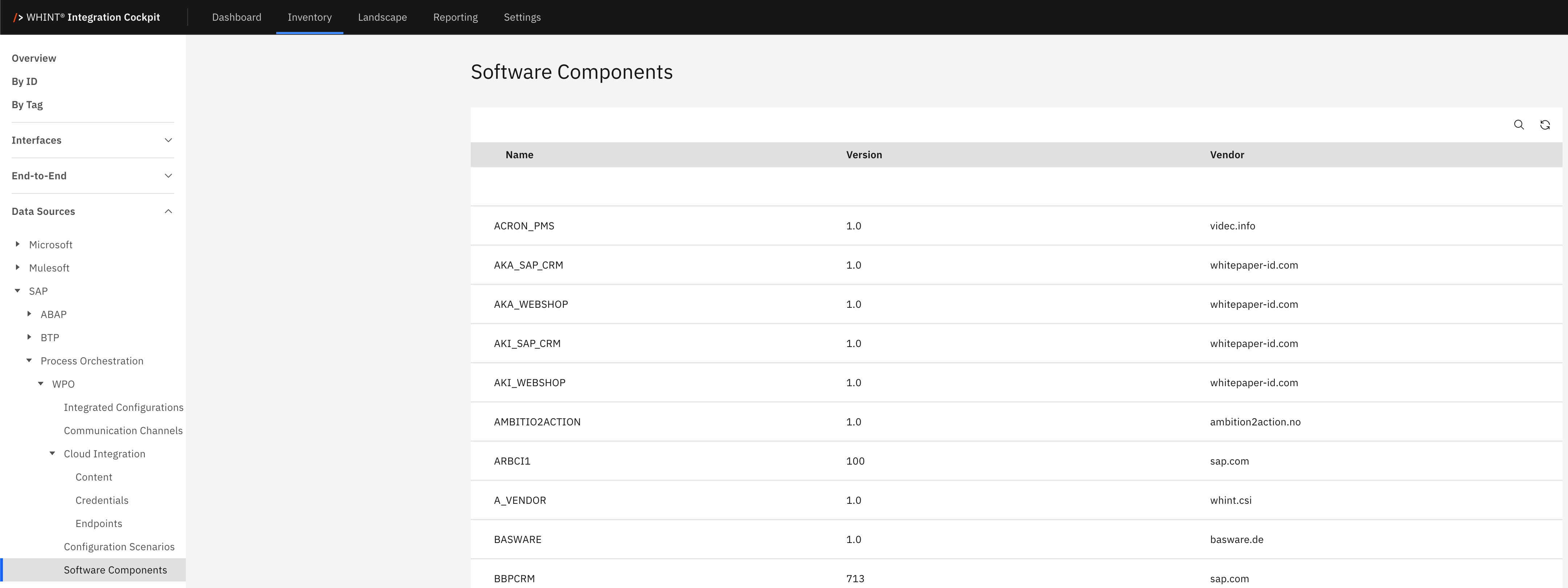
What you see:
-
Name: Software component identifier
-
Version: Installed version number
-
Vendor: Software vendor
Mappings
The Mappings catalog displays data transformation rules that convert message structures between different systems and formats. This view helps you understand data mapping logic, transformation steps and operation mappings used in integration scenarios.
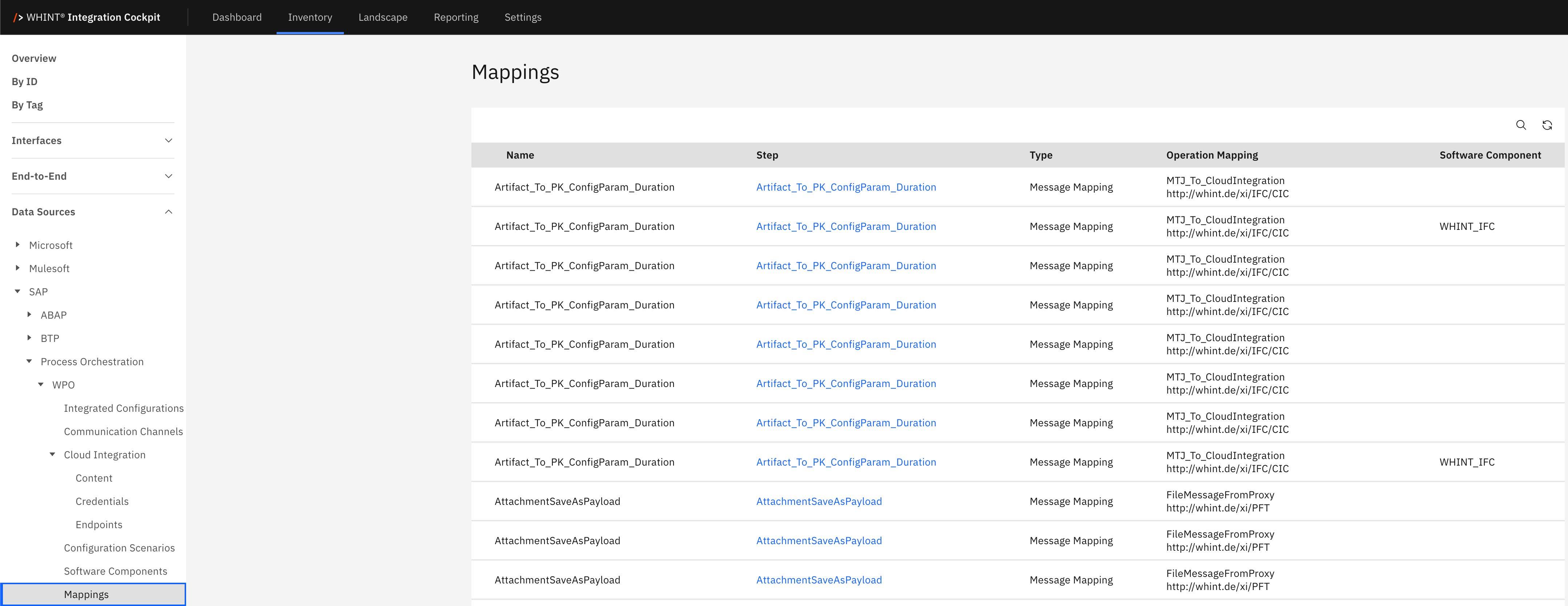
What you see:
-
Name: Mapping rule identifier (clickable)
-
Step: Transformation step identifier
-
Type: Mapping type (Message Mapping)
-
Operation Mapping: Associated operation mapping name
-
Software Component: Software component containing the mapping
Mapping Detail View
Clicking a mapping name opens a detailed view showing:
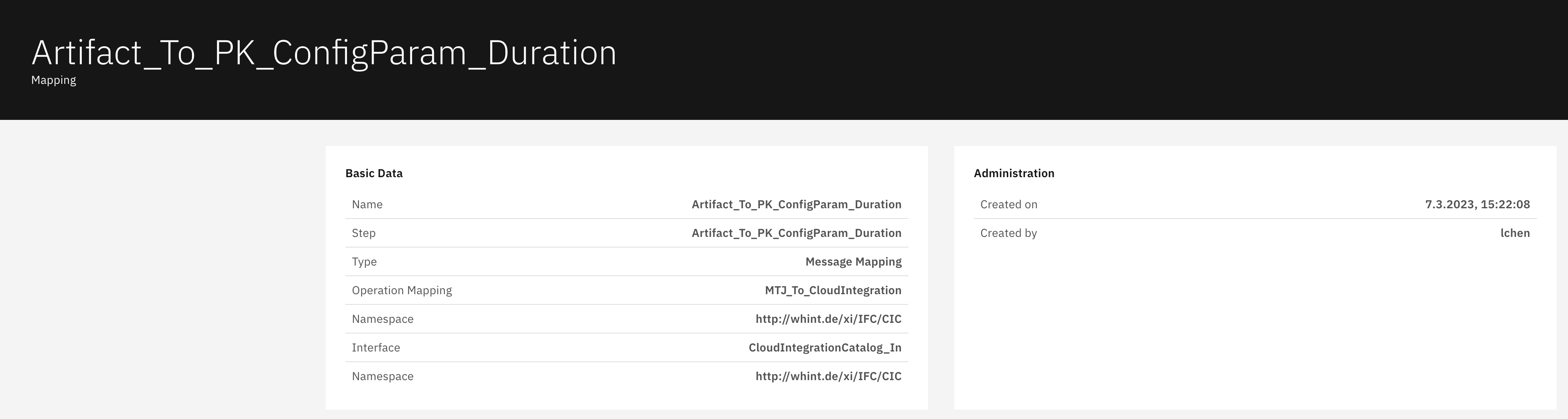
Basic Data section displays:
-
Name: Mapping identifier
-
Step: Transformation step name
-
Type: Mapping classification (Message Mapping)
-
Operation Mapping: Associated operation mapping
-
Namespace: Technical namespace URL
-
Interface: Source interface name
Administration section displays:
-
Created on: Creation timestamp
-
Created by: Creator user
Navigation
All catalog views include:
-
Search icon (magnifying glass) in the top right toolbar
-
Refresh icon next to the search
-
Blue-highlighted names that open detailed views with additional configuration information
Last Updated: September 09, 2025