

End-to-End Generation automatically creates End-to-End flows by grouping interfaces that share the same value in a configured Interface ID property, so you do not have to assemble recurring integrations by hand.
Prerequisite: The generation configured on this page runs through the E2E task on a Housekeeping data source. The settings have no effect unless that task is scheduled.
E2E tasks scheduled on other data sources also generate End-to-End flows, but they follow their own logic and are not configured on this page.
See Step 1: Create Data Sources & Schedule Tasks for scheduling tasks.
Navigate to Settings → End-to-End → Generation to configure how End-to-End flows are generated.
End-to-End Generation Overview
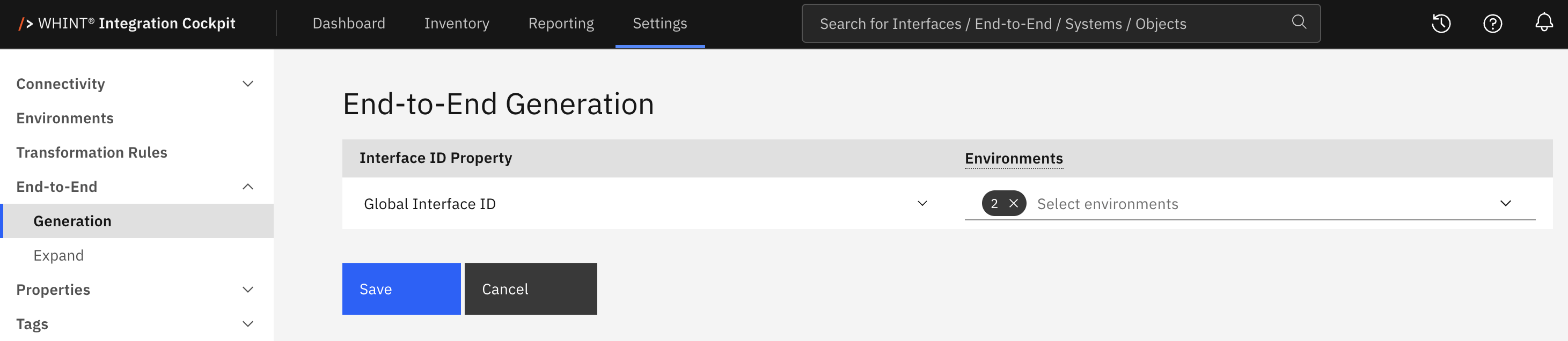
What you see:
-
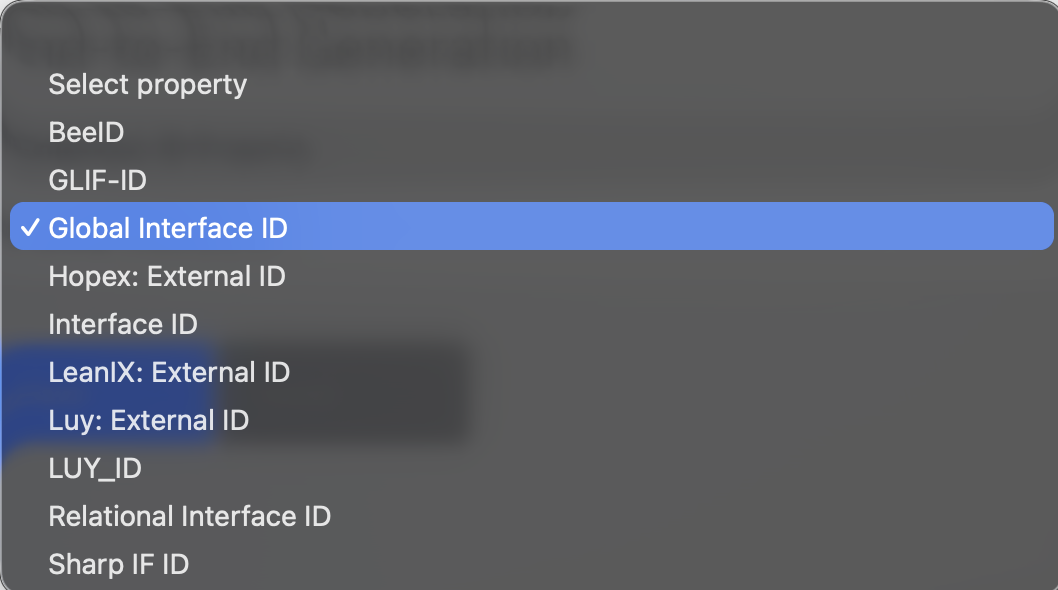
Interface ID Property dropdown: Selects the interface property used to group interfaces. The list contains all interface properties with the ID format, maintained under Settings → Properties → Overview in the Interface section.
-
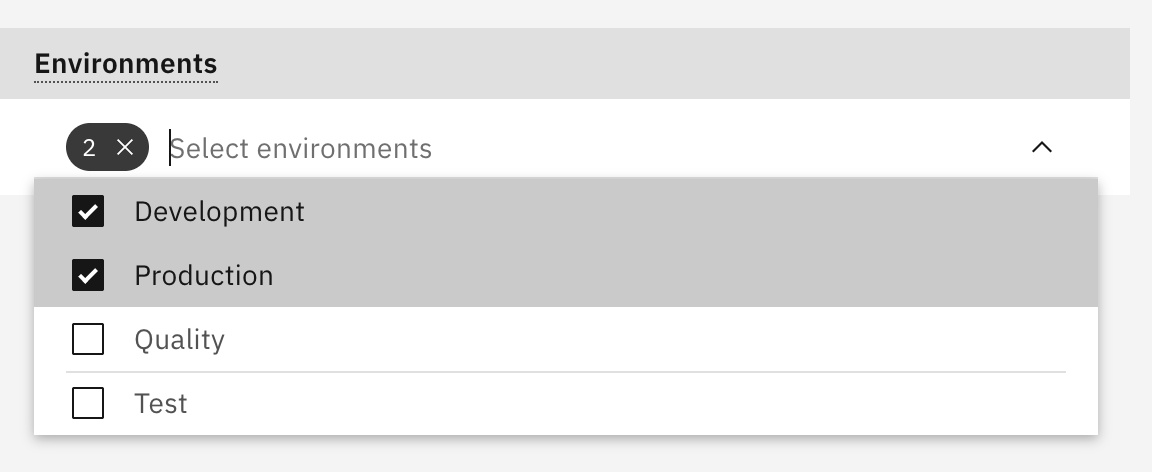
Environments multi-select: Selects the environments to which generation applies. The list is searchable and shows the number of selected entries.
-
Save / Cancel buttons: Apply or discard your changes.
Configuration
-
Select the Interface ID Property
-
Select one or more Environments
-
Click Save
Generation only runs when both fields are set.
Most landscapes select Production only. Selecting several environments generates a separate flow per environment for the same Interface ID value.
How Generation Works
When the E2E task runs, interfaces are grouped into one generated flow per Interface ID value and environment. The same ID in different environments therefore produces separate End-to-End flows.
An interface is included if it:
-
has a non-empty value in the configured Interface ID property
-
belongs to a data source assigned to a selected environment
-
comes from a connected integration platform, not from an EAM import or a planned interface
-
is not excluded by the decommissioning ignore list
For each group, Integration Cockpit:
-
Creates the flow, using the Interface ID value as its name, and sets the Interface ID property on the flow.
-
Adds predecessors and successors, plus the resource types configured under Settings → End-to-End → Expand next to the Cloud Integration interfaces that use them.
-
Propagates the properties configured under Settings → Properties → Propagation from the interfaces to the flow.
-
Marks the flow as a production flow when its environment is Production.
Repeated Runs
The E2E task can run on a schedule. On each run:
-
Existing generated flows are updated and newly matching interfaces are added.
-
Interfaces already assigned to a flow are not added twice.
-
Items are never removed from generated flows. Manually removing an interface is temporary; if it still matches, it is added back on the next run. To keep it out, change its eligibility (e.g., clear/change its Interface ID, add it to the decommissioning ignore list, or deselect its environment).
-
If an Interface ID changes, the interface is added to the flow for the new value but remains in the old flow.
-
Manually created flows are never modified by generation, even if their name matches an Interface ID.
The E2E task can run on a schedule. On each run:
-
Existing generated flows are updated and newly matching interfaces are added.
-
Items are never removed from generated flows. Manually removing an interface is temporary, since if it still matches, it is added back on the next run. To keep it out, change its eligibility -> clear, change its Interface ID, or add it to the decommissioning ignore list or deselect its environment.
-
If an Interface ID changes, the interface is added to the flow for the new value but remains in the old flow.
-
Flows you created manually are never modified by generation.
Where to Find Generated Flows
Generated flows appear under Inventory → End-to-End together with your manually created flows.
Related Documentation
-
End-to-End — Overview of the End-to-End settings
-
End-to-End Expand — Resource types added to flows during expand
-
Property Propagation — Properties copied from interfaces to End-to-End flows
-
Properties — Creating and maintaining the Interface ID property
-
Environments — Managing the environments referenced on this page
Last Updated: August 27, 2026